


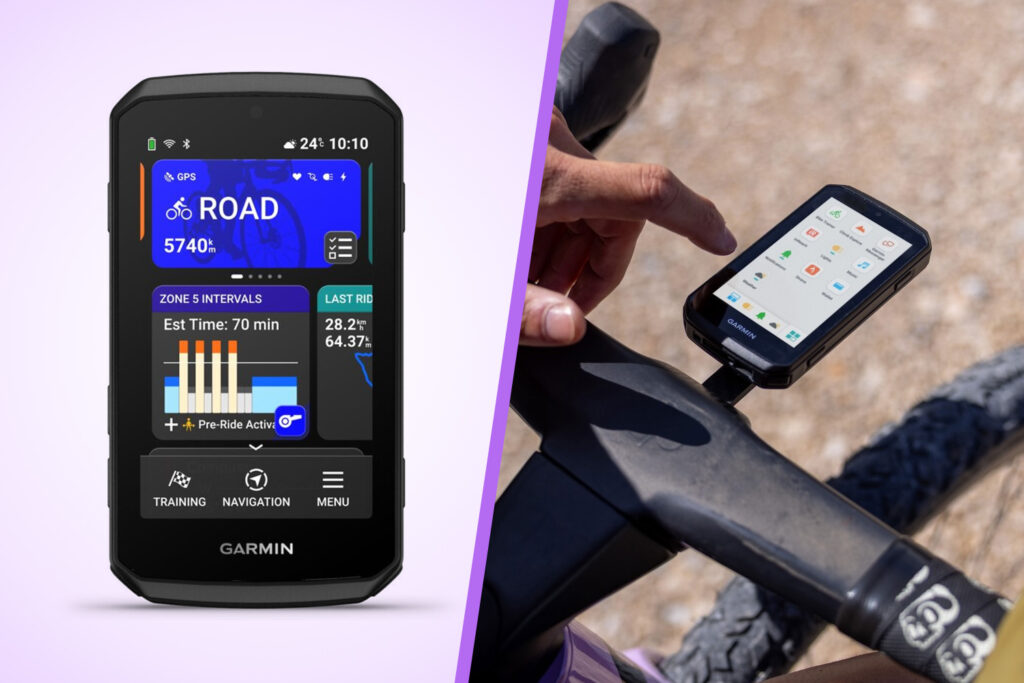

Garmin has unveiled a new Edge 1060 GPS cycling computer that adds voice commands along with improved navigation and a larger screen than on the existing Edge 1050, plus an Edge Explore 3 that “offers essential ride data on a vivid and responsive touchscreen display”, and an Edge Explore 3 Plus that comes with optional voice capabilities.
Garmin Edge 1060: TL;DR
- New built-in microphone and speaker, giving you voice control capabilities.
- You can report road hazards, select a route and request in-ride performance stats using the microphone
- Built-in speaker allows you to hear navigation and workout prompts, voice messages, and the digital bike bell
- New intelligent navigation features allow you to see previews of routes and choose the best one, find points of interest, get alerted to road closures and hazards
- Up to 20 hours of battery life “in the most demanding use cases” and up to 60 hours in battery saver mode
- RRP of £699.99
Garmin Edge Explore 3 & Edge Explore 3 Plus: TL;DR
- “Easy-to-use GPS cycling computers that provide essential ride data, maps, alerts and more on a vivid and responsive touchscreen display”
- With eBike compatibility, you can see battery status, assist level and more when connected to a compatible system
- Built-in speaker and microphone on Edge Explore 3 Plus give you hands-free control
- Edge Explore 3 is £349.99, Edge Explore 3 Plus is £429.99
Garmin Edge 1060
The Edge 1060 is Garmin’s new top-of-the-range GPS bike computer.
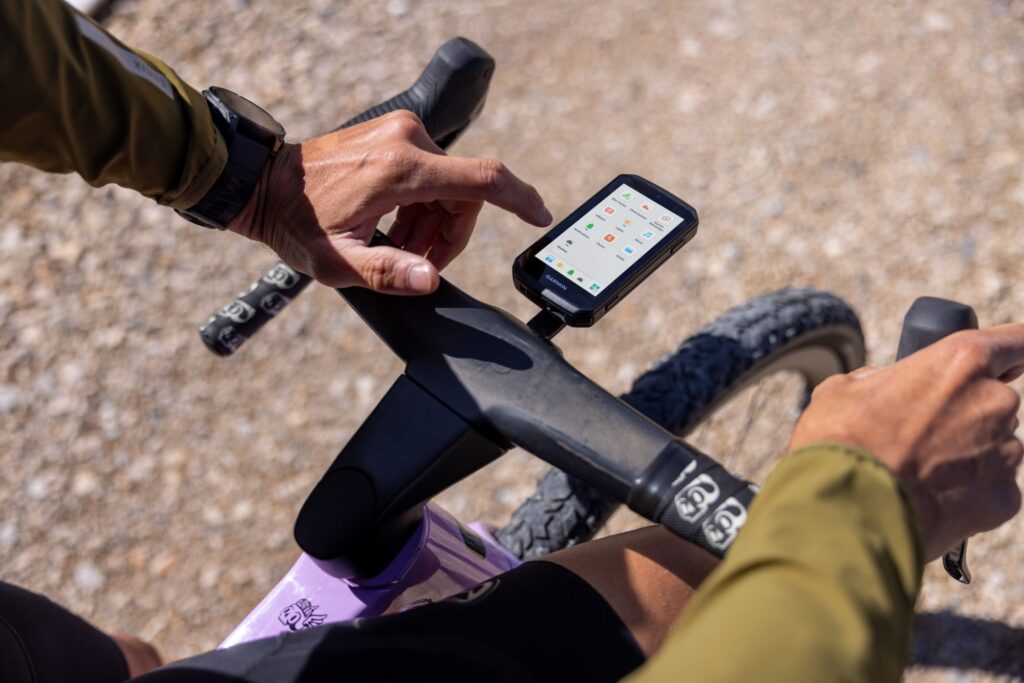
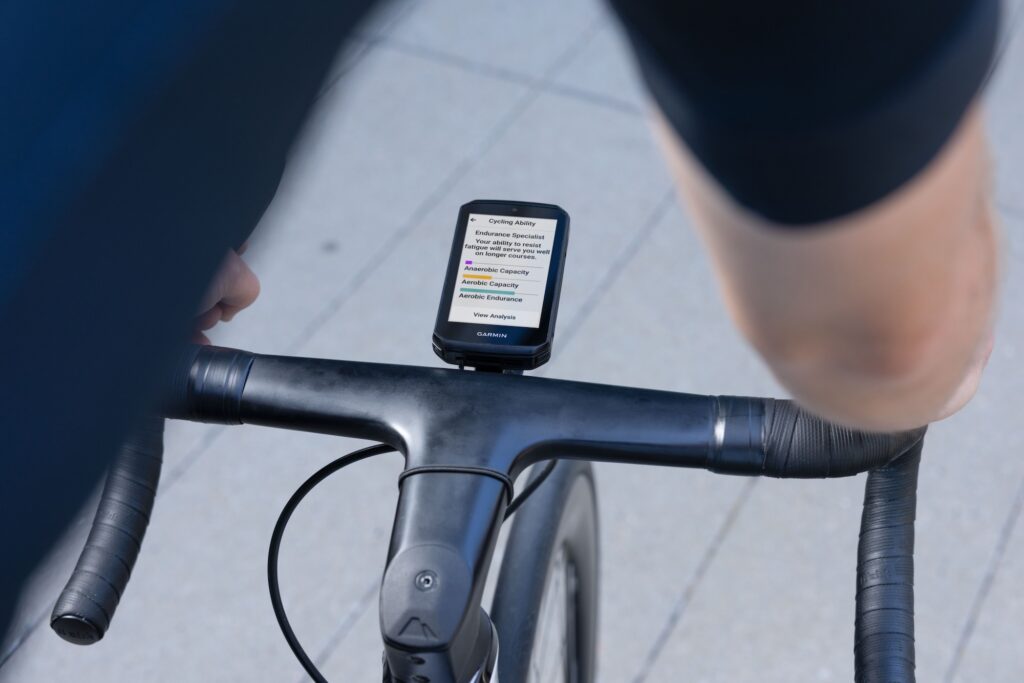
Garmin says, “Using the built-in microphone and speaker, cyclists can keep their hands on the bars while accessing in-ride performance stats, selecting a route, finding points of interest and exchanging voice messages with other Garmin Messenger app users . Whether cyclists are riding on road, gravel or trail, new navigation tools help them choose the best route and ride with greater confidence. Cyclists can also train smarter with robust performance features, stay connected with other riders with GroupRide enhancements, see essential information at a glance on a brilliant touchscreen display and use the added buttons for versatility in challenging weather conditions or while riding with gloves.”
How do you prompt it? Back to Garmin…
“With a simple ‘Okay, Garmin,’ cyclists can activate voice commands to control their Edge 1060 using prompts like ‘Report a pothole,’ ‘Route me to the closest coffee shop,’ or ‘What is my heart rate?’ From there, Edge will follow commands by changing what is on the screen, reading out requested ride stats, providing suggested routes and more.
“With the on-device Garmin Messenger app and a connected smartphone, cyclists can also send voice messages right from their device, then hear incoming messages played out loud through the integrated speaker, along with navigation and workout prompts. Other cyclists can also hear the cyclist approaching as the digital bike bell plays from the speaker.”
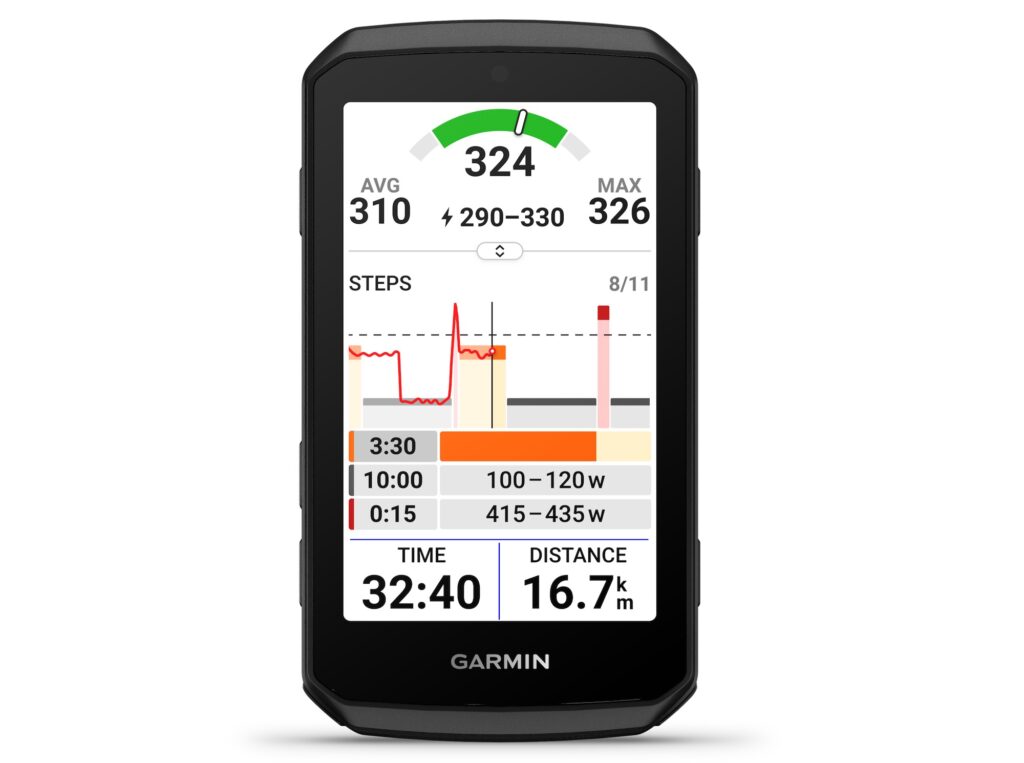
The Edge 1060 also comes with more routing features, such as Route Options, which allows you to see different route suggestions to get to a destination and choose the best route based on ride time, elevation, bike type and more, and Route Previews, which tells you what to expect before starting a ride with details about the route like distance, estimated ride time, traffic and reported road hazards along the way.
The Edge 1060 has a suggested retail price of £699.99, and Garmin says that you get up to 20 hours of battery life “in the most demanding use cases” and up to 60 hours in battery saver mode.
Garmin Edge Explore 3 cycling computers
Garmin has also announced the introduction of the Edge Explore 3 and Edge Explore 3 Plus, which it calls: “Easy-to-use GPS cycling computers that provide essential ride data, maps, alerts and more on a vivid, responsive touchscreen display.”
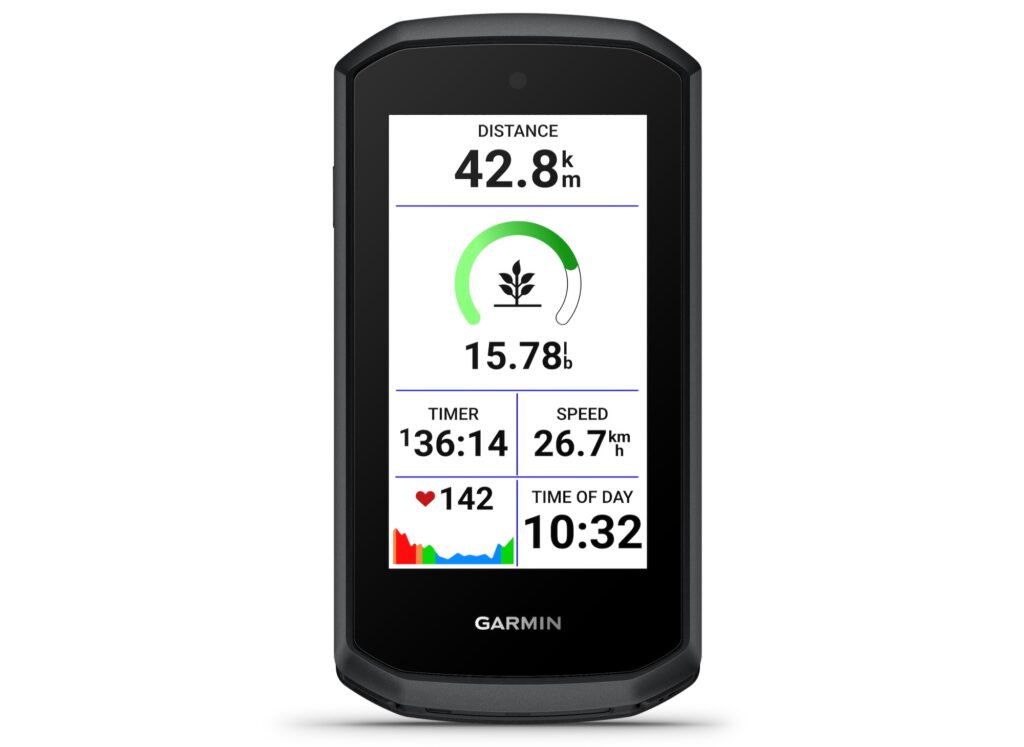
Garmin says: “Both models offer user-friendly navigation features, helping cyclists choose the best route and find points of interest, while safety features like incident detection and LiveTrack location sharing help them ride with more peace of mind. For cyclists looking to improve their fitness, Garmin Cycling coach plans deliver personalised and adaptive workouts. And with a built-in speaker and microphone on Edge Explore 3 Plus, cyclists can exchange voice messages, hear navigation prompts and more while keeping their hands on the bars.”
Garmin says that the voice control feature of the Edge Explore 3 allows you to request a new route, ask for in-ride fitness stats, report a road hazard, change screens and so on.
You can also use the microphone to send voice messages through the on-device Garmin Messenger app. The integrated speaker can play voice messages from other Garmin Messenger app users, read out in-ride stats and provide workout and navigation prompts. The speaker also acts as a digital bike bell.
Garmin says that the Edge Explore 3 offers up to 16 hours of battery life “in the most intense use cases”, while Edge Explore 3 Plus offers up to 14 hours. Each is said to provide up to 48 hours in battery saver mode.
The Edge Explore 3 has a suggested RRP of £349.99, while the Edge Explore 3 Plus is £429.99.




14 thoughts on “Garmin launches Edge 1060 GPS bike computer with voice control, alongside new Edge Explore 3”
tl;dr; Hold off buying the 1060 for the voice control features until independent verification that it works reasonably when on the move cycling.
Speech command recognition on a moving bike is a really hard thing to pull off well. Off the bat there’s wind and traffic noise, exercise distorted voices, delivering adequate battery life of always listening/connected devices, privacy, latency, and whether it’ll work with or without internet connection.
If Garmin has managed to make something that’s not rubbish on moving bike they’ll be doing better than the companies with massively more R&D who make our smartphones. Will be a seriously impressive bit of kit.
@shufflingb Agreed. I have a 2 year old 1050 that I still love. Only thing i’m mildly covetous of is the USB C port placement. It would solve an issue on my road bike with a stem mount when i need to charge on the move.
Other than that, most of the upgrades will be UI related and likely appear on the x50 units.
@Bezzard74 Berry – re: charging on the go.
The issues with charging on the go via the normal usb port – at least with previous Garmin head units – was the connector is mounted directly to its circuit board and it not designed to handle the stress and vibrations from the connection when moving. From expensive experience – tends to destroy the connector and make charging iffy. Not sure if same on these units.
In terms of solutions, if can stomach Garmin prices they do an official expensive mount at around £130 see https://www.garmin.com/en-GB/p/784702/pn/BUNDLE-EPM-UAC/
Other than that Garmin have patents so no off-the-shelf 3rd party options I could find, but if have a soldering iron it sounds like it’s possible to rig a connection between a power bank, any 5V charging cable and the relevant contacts on the back of the head unit that the official mount utilises [0] – which is next on list to try.
[0] https://forums.garmin.com/sports-fitness/cycling/f/accessories-sensors/228116/edge-electric-connections-to-garmin-charge-power-pack
@shufflingb So far I’ve had no issues with the port going wrong (unlike my Hammerhead Karoo V2, which melted!)
20+ hrs run time means I don’t usually have to charge on the go. My plan for Pan Celtic means I’ll have tome to charge when sleeping, and on the go as a last resort.
I am looking at an angled USB C Male to Female cable though, to move the port below.
@shufflingb I agree. I switched off the voice control on my GoPro when it’s on the bike. It would randomly switch on and off when I was talking to my riding buddy. Who needs voice control on the bike, in wind and traffic?
“… and use the added buttons for versatility in challenging weather conditions or while riding with gloves” – This is the most interesting feature for me. I’ve been asking Garmin since the 800 series to add physical buttons for things like scrolling between screens and zooming in/out on maps. Have my wishes finally been heard? More info on this feature would be great.
I found the Owner’s Manual. There are 7 buttons. In addition to the Power, Start/Stop and Lap that were on all previous models, the 4 new ones are: Up and down = “Press to scroll through the data screens, options, and settings.” Back = “Return to the previous screen”, Select = Open main menu or Select an option. I found no mention in the manual about using buttons to zoom in/out on the map, so we may still have to stab at the screen and hope for the best, or zooming is listed as one of the new voice command functions. https://www8.garmin.com/manuals/webhelp/GUID-D3621248-CC5B-4F04-B004-6F6FD9FDFEB0/EN-US/GUID-06C2557A-0D14-4828-A655-456400E03E92.html
£700. I’ll stick with my 1030, even if it occasionally fails to make ride data available for viewing or upload to Connect.
The voice feature is a nice idea, but I’d feel a right ninny saying, “Ok Garmin”. Should be able to change the trigger phrase to one of your choosing. And an optional Bluetooth bendy microphone to clip over your ear or to helmet strap might aid clarity.
@Cayo >>
“An optional Bluetooth bendy microphone to clip over your ear or to helmet strap might aid clarity”
Definitely, could even use it to do the rider to rider intercom thing.
Regarding the voice control, presumably your mate riding next to you with the same Garmin can control yours as well by saying “Ok Garmin”…..
And if he shouts load enough, he might be able to control all the 1060s in the group! 😂
DCR has reported in a hands-on first look that the voice control worked well in varied conditions, presumably as a consequence of putting the mic at the back, out of the wind.
I can also see that it’s possible to disable the “OK Garmin” trigger phrase and initiate a voice command after assigning a di2 shifter button.
I have one on the way, so I’ll see what it’s like in use.
700 quid and less battery life. I’ll stick to my 1040 solar, thank you very much. Has more features than I’ll ever need.
Actually, THE star of the Garmin ecosystem is the one feature they make available for free: Garmin connect and its online platform. Were it not for that I’d have switched to an Apple Watch and other brand bike computer a long time ago.
I’ve had only one modern bike computer, a 1040, usually combined with a Polar H10. When I cycled from home through the Lakes, over the Coast to Coast and back to Garstang via Wensleydale I was away 7 days. The 1040 began at 95% and used up one small battery pack on the way. I let the unit choose the route home on its own. This is the perfect such device for people like me for whom such features as voice control are several innovations too far. The same trip could probably be managed with my subsequently bought Forerunner 255 with its breadcrumb navigation but it would have been considerably more tricky.
My initial thoughts on having received a new Edge 1060, although not been out on a bike yet due to Storms Austen/Boelo…
– Same bright, reponsive screen as the Edge 1050
– New UI a bit fiddly at first, but will get used to it
– It’s slightly (but noticeably) smaller and lighter than the Edge 1050
– Doesn’t work with Garmin Express, hopefully it will at some point, as map updates are much slower over the air
– Very smooth setup experience (same as Edge 1050), Garmin have nailed this now, all activity profiles and data screens seamlessly synced from Edge 1050 via Garmin Connect. Most sensors came over too, just the lights and the BLE secure channel ones had to be re-paired
– It’s a release model, and so a few UI issues until the first firmware update downloaded and installed
– None of the Connect iQ apps work, although from previous experience, their respective developers will recompile and publish
– Voice control seems to work well, providing you use the “correct” phrasing although not had a chance to try outdoors on the bike yet. You can disable “OK Garmin” and assign to a shifter button, or hold down the bottom right side button to activate
Finally, I know that new products are embargoed, but someone in the Edge 1060 product team should tell their colleagues at Garmin that a new model has been released: