



Lezyne’s Connect Smart 1000XL/KTV Smart light set combines two lights that are pretty good with an app that’s pretty good too. The result is a light set that’s simple to use and easy to like: it’s more than the sum of its parts.
- Pros: Lights are good, app is good
- Cons: Some minor app, charging and mount niggles
An app for your lights? That might sound like a chore, but it’s not: Lezyne’s Smart connect app is simple and very effective. If the lights are turned on then they’ll show up once you fire up the app, and you can connect the front and rear light to your phone. This also pairs them together (they come set up like that anyway), so that turning the front light on will also activate the rear. It doesn’t work the other way round but this makes sense: there are times you might want to be running your rear light but not your front – on a busy road in the daytime, for example – but none that spring to mind where you’d need your front but not your rear.
> Find your nearest dealer here
The app allows you to configure up to four profiles on the lights, and the button on the front light cycles through them on both lights simultaneously. You can choose any of the settings for either light, or you can choose to turn one of the two lights off on a certain profile (but not both).

I decided to set up three profiles, with two using higher front light settings and a pulsing rear for riding more quickly, and one with a lower front and rear output for riding in a group and on quieter roads at night. Once you’ve done that, you don’t really need to touch the app unless you want to change something: you control the lights through the front unit, and they talk to each other with no issues.
One of the criticisms of some of the Lezyne lights reviewed on road.cc over the past few months is the sheer number of modes, and also the fact that you need to cycle through flashing modes to get back to high beam. Here you can have exactly what you want. Well, up to a point: if you do want a flashing mode you’ll still have to cycle through it using the button. But you can choose not to have one, which is great.

There is one way to have a flashing mode and not have to cycle through it… If you habitually mount your phone on the handlebar then you can use the Lezyne LED app as a sort of remote control and pick whatever mode you want. Realistically that’s a very niche use case and there’s no screen in the app specifically designed for that, for example with some big buttons filling the screen that you hit to change the modes.
The app also gives you a battery readout for each light, but it would be nice if this feature was updated so the information is a little bigger, and more granular: getting useful battery information is a big plus for the app, but the current implementation could be improved.
It’s worth noting that the Smart Connect lights don’t have mode memory, so when you turn them on they’ll always default to program 1. It’s best to set that up as the mode you’re likely to use most.
Front light
The front light is a fairly typical Lezyne unit. In everything but connectivity it’s the same as the Lite Drive 1000XL which Stu reviewed. Stu and I are pretty much in agreement about this one: it’s a really good light with a few niggles, the biggest of which is addressed by the Smart Connect set.

The beam shape isn’t anything particularly special – it’s basically round, and a little narrower than some – but it’s throwing out plenty of light for the money, and you can deal with more or less anything in Overdrive mode.
Dropping down the modes, the 250-lumen Enduro kicks out enough light for general night riding with a five-hour run-time, and that’s the mode I tend to use the most. There’s a bit of side visibility designed in to help you get seen about town, and a number of flash modes that’ll also be useful for that if you decide to add them into your profile.
The 150-lumen Economy mode isn’t really bright enough to see much by; that’s the one that Lezyne uses as the ‘low’ mode in the Race configuration – where you just get high and low beam – of the standard light, and because of that the Race mode isn’t as practical as it could be. The joy of the smart set is that you can set up your own Race mode with whatever settings you want.
> Buyer’s Guide: The best 2019/2020 front lights for cycling
Like all Lezyne lights these days the mount is a chunky rubber strap which has the benefit of being very simple, but if you’re heading off-road you might find the grip on the bar isn’t quite strong enough to keep it pointing where you want it over the rougher stuff, and trying to use the top button in gloves can shove the light about too. I’ve not had a problem on the roads, though, and hanging it below the bar helps if you do find it slipping.
The charging port is behind a substantial rubber bung and the waterproofing of the light is up to code.

Charging isn’t the quickest, but it’s fine overnight or if you remember to plug it in at the start of the day.
Rear light
The rear light is basically this one, which we’ve also reviewed on the site, so head there for a fuller review. Mike called it a ‘Solid little light for all-day riding or a week’s commuting, with good mounting options and visibility’, and I’d broadly agree with that. The wide angle optics give good side visibility and mean it’s easy to see whether it’s on when you glance behind you. The main spot of the light is very bright, and the day flash mode can be seen from a long way away even in bright sunlight.

The mounting hardware makes a good job of most seatposts and seat tubes, and the run-time is good too.

This light has Bluetooth connectivity and it’s never off, because you can always turn it on using the front light, but often that takes a couple of seconds so that suggests it’s only searching for a signal very intermittently, which should help to preserve the battery. I found run-times more or less on a par with the standard light, meaning all-day running is easily achievable.
> Buyer’s Guide: 17 of the best rear lights for cycling
It charges directly into a USB socket, which is good because you don’t have to remember a lead, and bad because sometimes it won’t fit where you want to charge it and you’ll need a USB extension lead, which is less likely to be just lying around.

It’s a bit of a slow-burner, charge-wise, considering it doesn’t have that big a battery. But again, a night in the socket will sort it out.
Conclusion
The bottom line here is that the Smart Connect set takes two lights we’ve tested independently and reckon are very good, adds some genuinely useful and easy-to-use app functionality, and the uptick over the standard light set is only a tenner. It’s money worth paying. This is the most usable connected light set I’ve tried: they’re easy to set up how you like them, and using them could barely be simpler. There are a few niggles in there, but overall I really like them.
Verdict
Excellent connected light set that combines great lights with a simple and effective app
All the deals displayed on our review pages are pulled from a constantly updating database feed of the best affiliate deals available. The criteria for deciding on what are the best deals is who is offering the lowest, delivered price. In most cases we will be showing the very best deal available online, but sometimes you may be able to find an item cheaper. If you can please feel free to post a link in the comments box below. To find out more about affiliate links on road.cc click here.
road.cc test report
Make and model: Lezyne Connect Smart 1000XL/KTV Pro Smart Lights
Size tested: Max Lumens: 1,000/75
Tell us what the light set is for and who it’s aimed at. What do the manufacturers say about it? How does that compare to your own feelings about it?
Lezyne says, “The most advanced front and rear combination of cycling lights available. The two lights come wirelessly paired, allowing the front LED to wirelessly turn on or off the taillight at the same time. The modes of the two lights can be customized when paired with our free Lezyne LED Ally phone app. During a ride, toggling through the modes of the front light will also wirelessly change the modes of the taillight.
“Connect Smart 1000XL A powerful, multi-purpose front light with up to 1000 lumens of output. Its machined aluminium body is lightweight, super rugged and heat dissipating. It features eight output modes, with a class-leading 1000 lumen Daytime Flash mode. With its MOR (Maximum Optical Reflection) lens, light output is optimized and evenly dispersed. And its versatile strap securely mounts to variety of bar shapes and sizes.
“KTV Pro Smart Compact, aero-post compatible safety light featuring a Daytime Flash mode. Co-moulded construction is super light, yet durable and has an IPX7 waterproof rating. Up to 19.5 hours of runtime with highly improved optics. Its Wide Angle Lens offers over 270° of visibility. Provides up to 75 lumens (Daytime Flash) and five output/flash modes. And it features an integrated USB stick for convenient cable-free recharging.”
Tell us some more about the technical aspects of the light set?
Lezyne lists:
Connect Smart 1000XL Max Lumens: 1000 lumens. Weight: g. Max Runtime: 76 hours. Recharge Time: hours. Colour: Black.
KTV Pro Smart Max Lumens: 75 lumens. Weight: 45g. Max Runtime: 19.5 hours. Recharge Time: 3 hours. Colour: Black.
Tell us how the lights performed overall when used for their designed purpose
Really good set of lights, simple and effective app.
Tell us what you particularly liked about the lights
Good lights, connectivity is genuinely useful.
Tell us what you particularly disliked about the lights
Slow to charge, front light mount not the best, a few minor app niggles.
How does the price compare to that of similar products in the market, including ones recently tested on road.cc?
There isn’t much to compare them to in terms of direct competition.
Did you enjoy using the lights? Yes
Would you consider buying the lights? Yes
Would you recommend the lights to a friend? Yes
Use this box to explain your overall score
Two lights that both got 8/10 on their own, with added connectivity that’s genuinely useful, and addresses one of the major issues with the front light.
About the tester
Age: 47
I usually ride: whatever I’m testing… My best bike is: Kinesis Tripster ATR, Merida Scultura, Dward Design fixed
I’ve been riding for: Over 20 years I ride: Every day I would class myself as: Experienced
I regularly do the following types of riding: road racing, time trialling, cyclo-cross, commuting, touring, club rides, sportives, general fitness riding, fixed/singlespeed, mountain biking, Mountain Bike Bog Snorkelling, track



8 thoughts on “Lezyne Connect Smart 1000XL/KTV Pro Smart Lights”
Actually I can think of
Actually I can think of conditions where you need your front light but not the rear one – bright daylight, city traffic, counterflow lanes – this is where you might want to have the front light in daytime flash mode but there is no point turning on the rear one.
chocim wrote:
yeah, fair point. but the great thing about this light set is that you can set up a mode to do precisely that if you want
Interestingly, I have
Interestingly, I have precisely these two lights but their older incarnation without the Connect Smart – and you know, I’ve never thought I’d need one. May be the only reason why I’d want the app is to configure its Race mode, I think this is how it is called, when it switches between two options only, instead of going through the entire set. The lowest light in the Race mode is too bright for me. However I am not sure the latest 1000XL has the Race mode or whether it is configurable via the Connect Smart.
Shame they went down the app
Shame they went down the app route rather than integrating with their cycle computers , would have been a sale from me.
Secret_squirrel wrote:
They’re BTLE so in theory they can talk to the head units. i don’t know if there’s any plan for that, but i can ask
Secret_squirrel wrote:
https://www.lezyne.com/gpsroot/gps_updategps.php
I miss the remote control on
I miss the remote control on my NightSun Tri Light. Traffic lights above the buttons, with a reassuring click you could feel even in the thickest of gloves. You could position it so it was just under the thumb if you moved out the thumb a bit. Proper control of the lights.
ktache wrote:
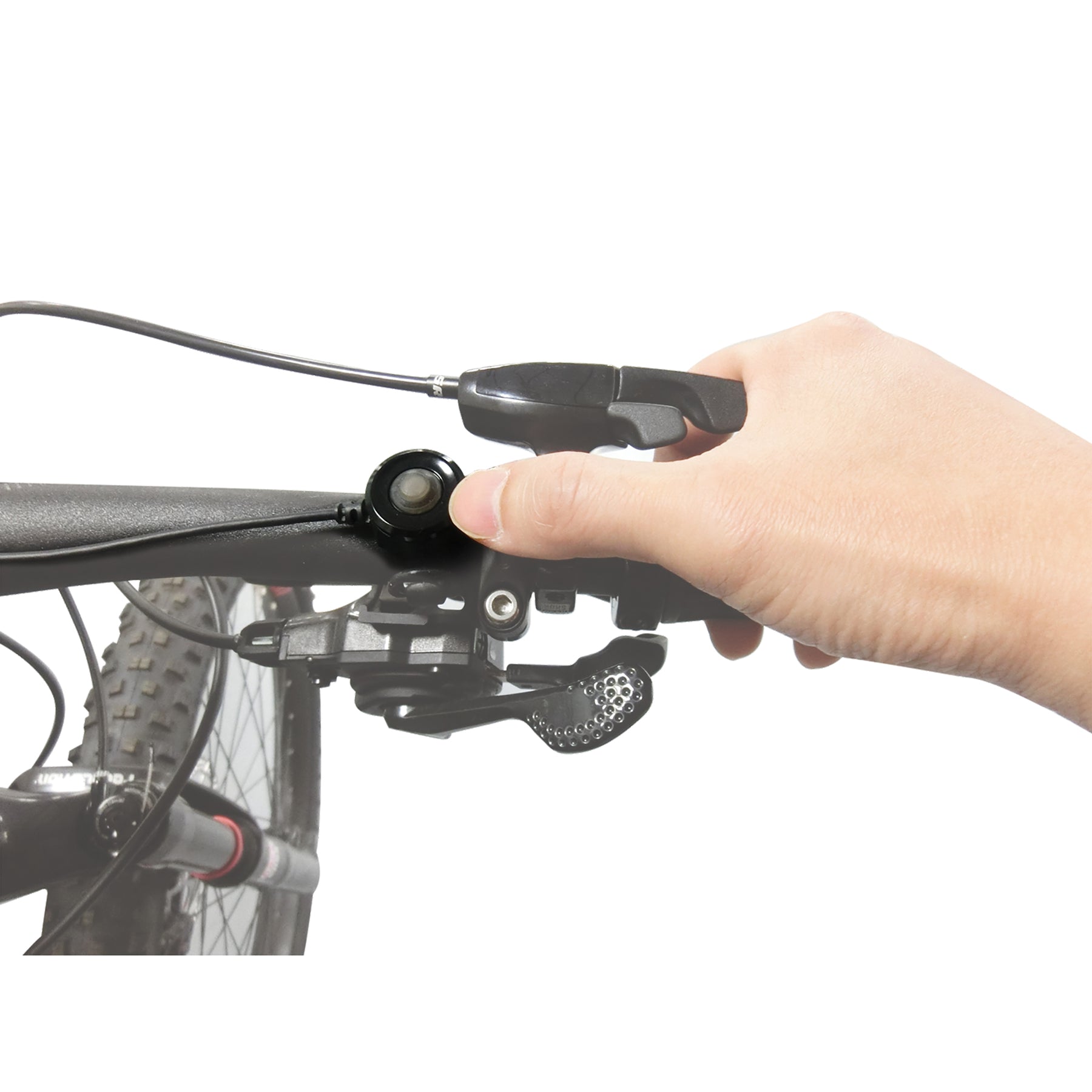
We also have a wired remote switch which works with many of our high-performance lights!
Comments are closed.