


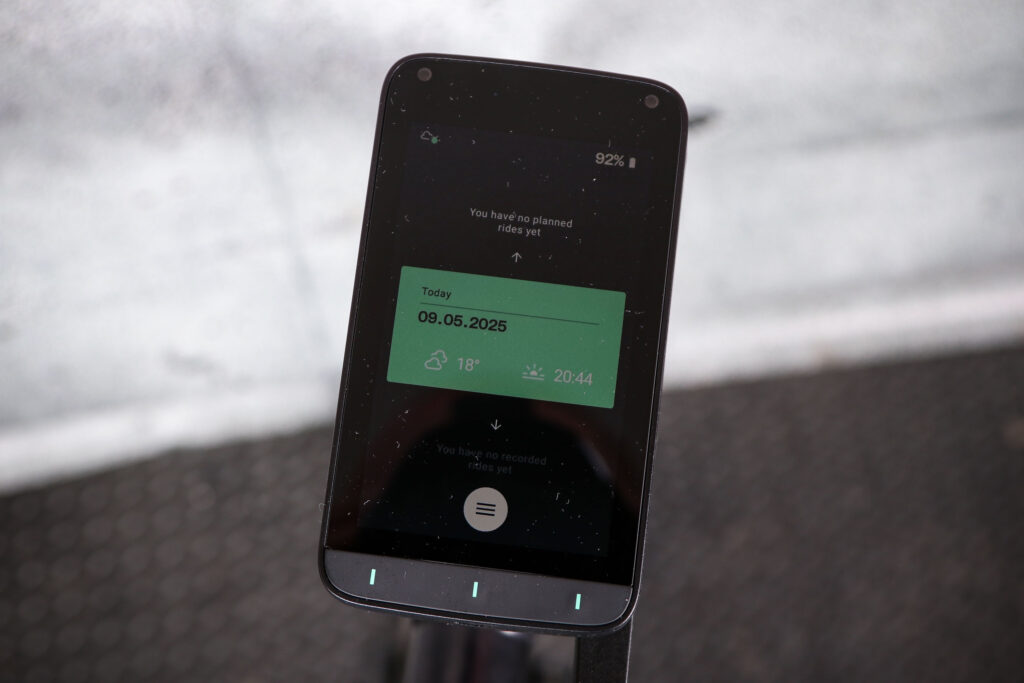

The Jespr Cycling Computer is the new kid on the cycle computer scene – it’s from a Swiss startup that thinks it’s found a niche in the market. It’s a cycle computer that’s bigger than almost anything else, and its USP is that it wrangles information to present it simply, so you can cycle without being glued to your computer screen, thereby missing the joys and beauty around you. Oh, and it’s got a sim card built in for always-on data. But while big and bold, it presently has too many bugs for me to recommend it.
> Buy now: Jespr Cycling Computer for 540 CHF from Jespr
That opening paragraph sums up the premise behind the Jespr, but it makes me think that it takes a long time for a cycle computer to make it from the drawing board to the shelves. And if this was 2 December 2024, I’d have said Jespr had staked out a unique pitch, with its large 12x7cm, nearly 200g, touchscreen, three-button computer.
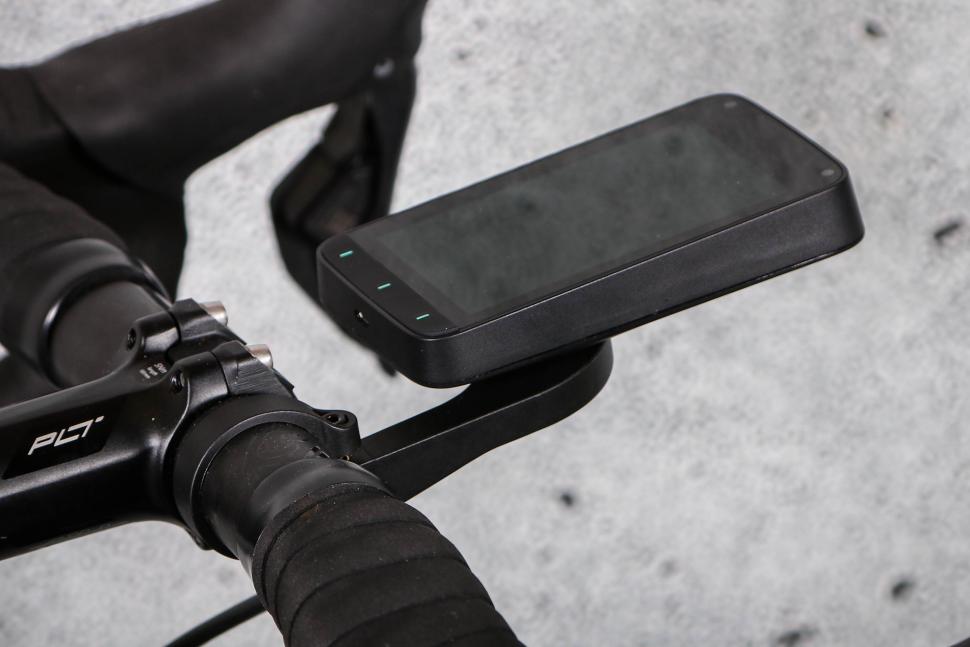
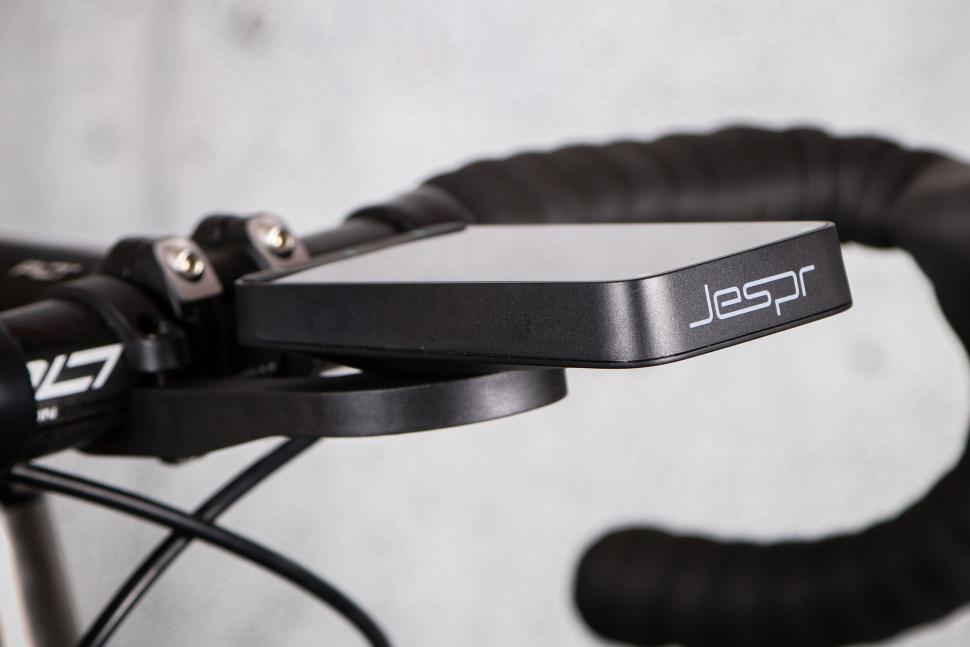









However, a day later, Wahoo released its ELEMNT Ace, a large 12x7cm, nearly 200g, touchscreen, three-button computer. (You really have to feel for those plucky Jespr entrepreneurs late last year as shots of the Wahoo Ace were leaked.) So can the Jespr compete with the Wahoos and the Garmins and the Hammerheads of today? Not yet… but maybe soon. If it can get rid of its glitches.
Jespr Cycling Computer: Computer heuristics
My semi-tongue-in-cheek belief is that Wahoo, Hammerhead and Garmin sort of aren’t in competition with one another (of course they are), but they’re also distinct enough that users tend to fall into one camp or the other, and though there are obviously overlaps, I think they feel very different in use.
So much so that people tend to think of themselves as a ‘Garmin-guy’, or a Wahoo-user or a Hammerhead-person. It’s like SRAM, Shimano and Campagnolo, which do exactly the same thing, yet everyone has a preference.
To confess my priors, which I think is important when reviewing hot-topic cliquey stuff like computers – I’m not a Garmin guy; the most frustrated I’ve ever been with any bit of kit was with the last Garmin I reviewed. I like Wahoo, and I love Hammerhead. Most of that is down to the unintuitive, un-user-friendliness of Garmin (my opinion, I know lots disagree), and how much better both Hammerhead and Wahoo are in that regard. I love the Hammerhead screen, and I love the plucky upstart tilting-at-windmills nature of the company, that I think still persists even past its acquisition by SRAM.
All this to say, I like underdogs, and I was very excited to receive the Jespr computer… I was rooting for it to be amazing. On paper, Jespr had the wind at its back: it’s a Swiss company (a by-word for precision), it was expensive enough (540 Swiss Francs, or £497) to make me think it was competing with the flagship models from each brand, and it had crowbarred a USP into that seemingly tightly sewn-up market: Jespr was different.
Its computer has a sim card, for an always-on data connection, and the company was positioning itself interestingly; it had the training functionality of a Garmin, but the simplicity of a Wahoo, with the high-quality screen and ‘new approach’ of Hammerhead. In fact, was Jespr what Hammerhead was seven years ago? Perhaps.
Jespr Cycling Computer: the beginning
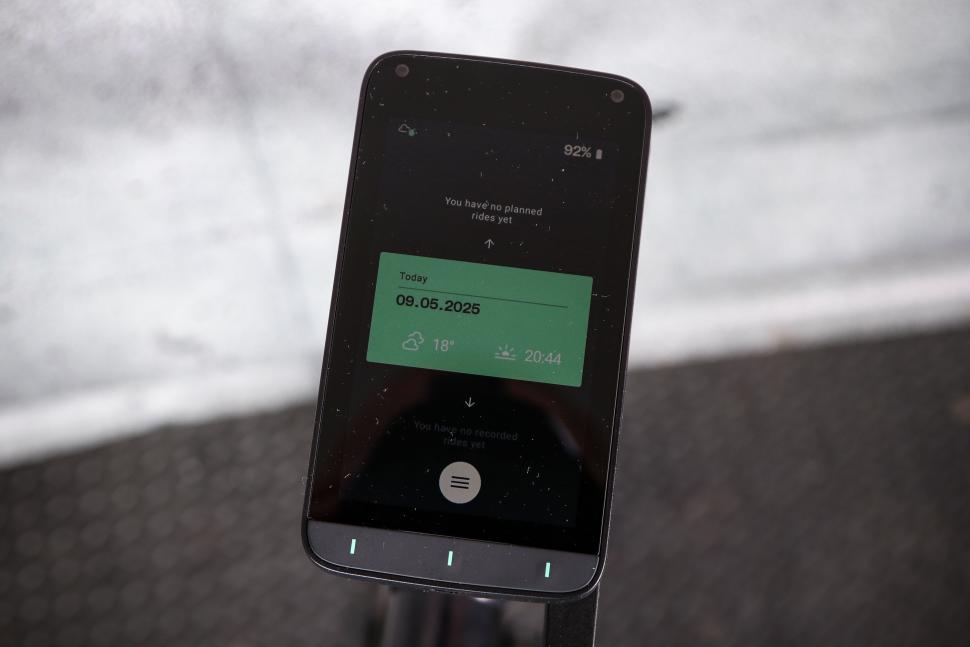
It’s a big unit, all but identical in dimensions to the Wahoo Ace (3mm shorter, 5mm deeper, 20g lighter.) For visual reference, here it is next to my Hammerhead Karoo and an iPhone 16. The Hammerhead weighs 123g, the iPhone 171g and the Jespr 185g. It’s substantial.
It’s IP65 rated (dust-tight, and resistant to low-pressure water jets, but not submersible). It’s a quad constellation GNSS (GPS, GLONASS, Galileo & BeiDou) but is not dual-band (which means its accuracy might not be up to the other flagships from Garmin, Wahoo and Hammerhead whose computers are dual band). It’s packing the standard Bluetooth, ANT+, and Wi-Fi, though it comes with an in-built data sim for an always-on connection. Its battery is rated to ‘more than seven hours’, and its large 4in screen has a 480×800 pixel resolution, giving a pixel density of 233 pixels per inch. The Wahoo Ace is 227, the Garmin 1050 is 266, and the Hammerhead Karoo has 292 pixels per inch.
Jespr includes a free data connection across almost all of Europe; free for the ‘first users’ until the end of 2025, after which a subscription fee will be charged, currently estimated at €5 a month. If you choose not to take this subscription, you can tether the computer to your phone and use its data connection. It’s worth saying that data connection is needed for navigation.
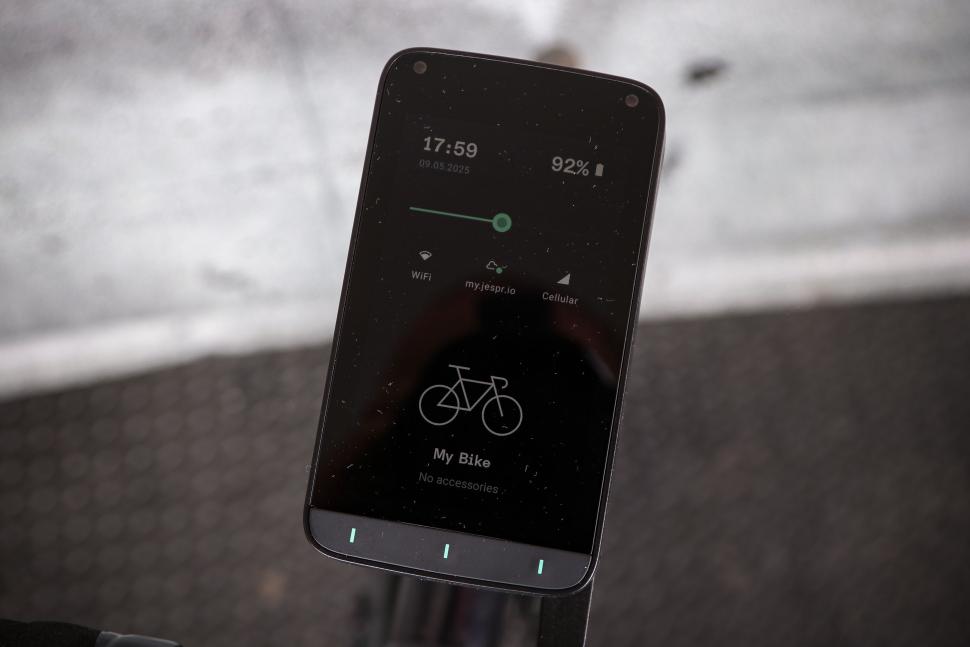
One of the Jespr’s USPs is its stripped-back simplicity – it aims to show you only what you need to see. And some of this philosophy and implementation is very good. If you just want a simple computer on your pootle to the shops with your speed, and a graphical depiction of which way the wind is coming from relative to your direction, (which it gets from the internet, rather than having a wind sensor) this is great.
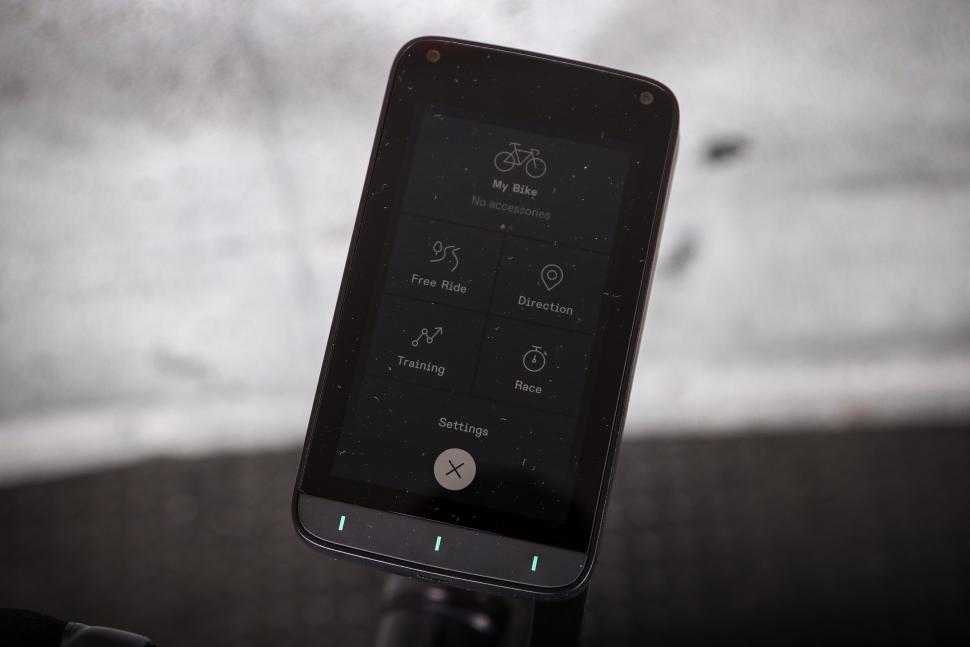
If you want more bells and whistles (of course you do) there are siloed modes (Free Ride, Direction, Training and Race) and each is pretty customisable. Each has a certain number of screens set up by default, meant to reflect the ‘philosophy’ of the mode.
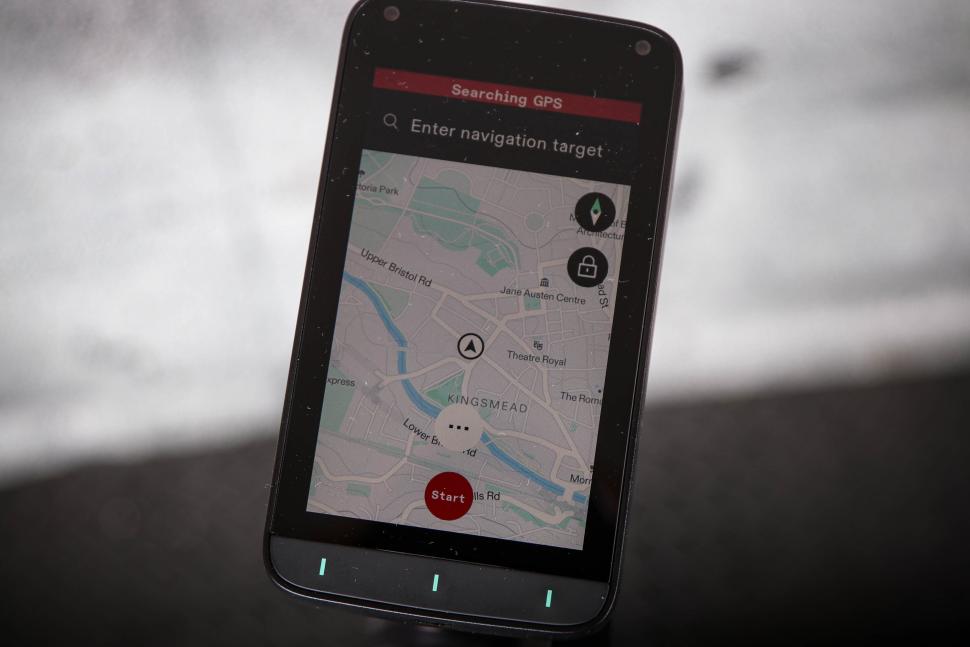
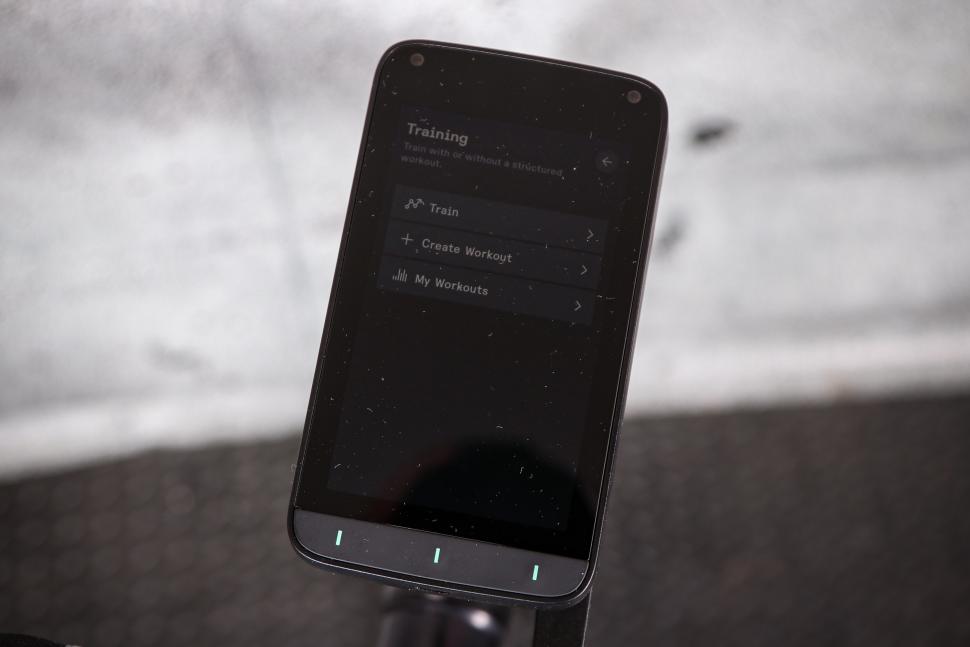
Free Ride is where we find the Jespr signature screen showing the wind direction, Direction, unsurprisingly, is for navigation, and leads with a full-screen map page, Training is much more granular about data, time spent in zones, climbing etc, and Race is all about following a course, without too many extracurricular distractions. In theory, this all seemed pretty good, and I liked the idea. Jespr was clearly implementing a philosophy.
As Brad Pitt said… ‘What’s in the box?’
I liked the contents of the box very much.
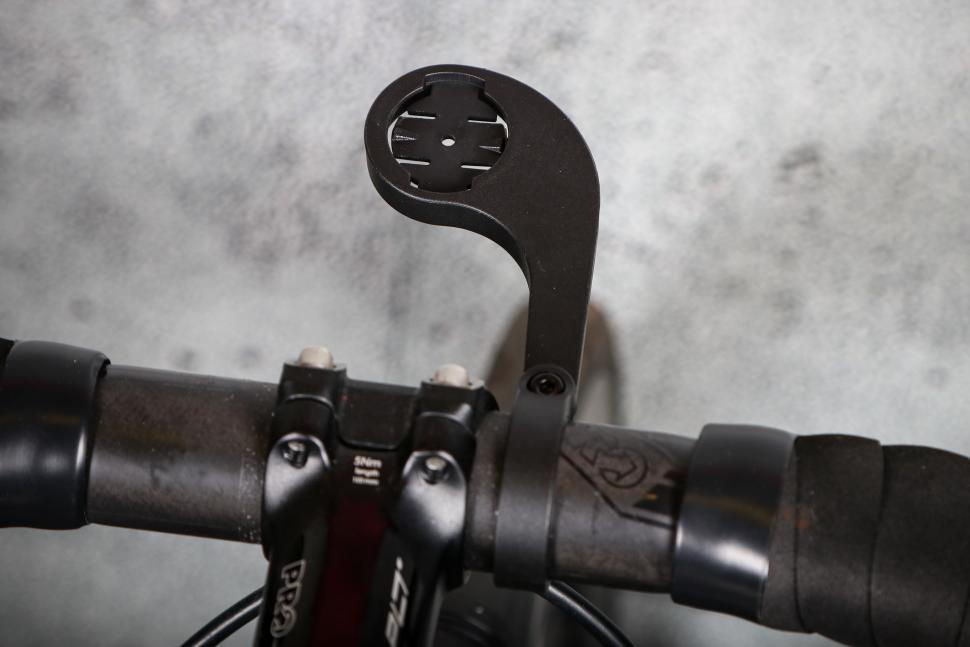
There was the computer, and a tiny quick start guide that was a sheet of A5 paper that directed you to its website, and a safety guidelines ‘paper’. As standard you don’t get a mount, or a cable. I guess Jespr figures most people have mounts, or will want to buy their own (it sells two, a basic plastic one for 24 Swiss Francs, £21, or a nicer K-Edge version for 70 Swiss Francs, £63).
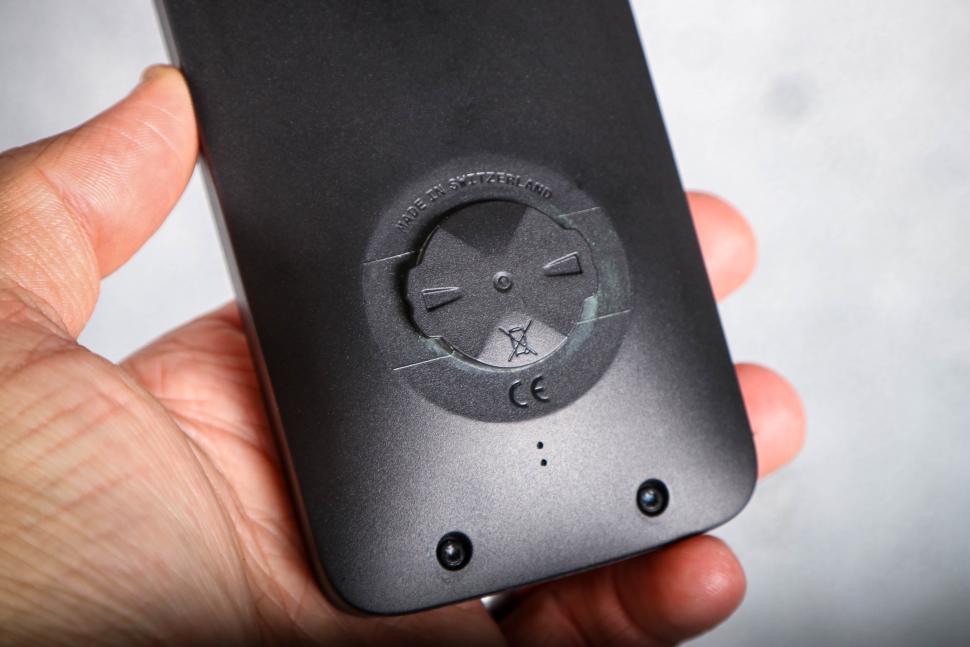
It’s a Garmin-compatible quarter-turn, and the computer went nicely into the proprietary mount on the front of my Open. Jespr has placed the quarter-turn nubbin on the lower rear of the unit, so there was loads of space between it and the bar, even for such a big unit. No more worries about it not fitting into ‘normal’ sized mounts. To me, Jespr gets bonus points for not including a mount or a USB cable.
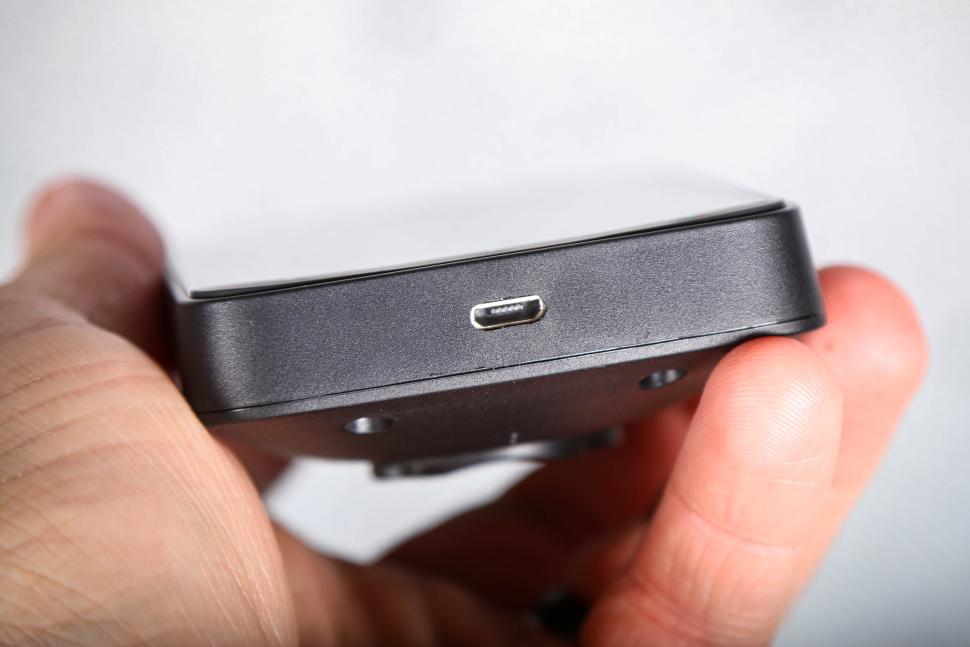
I’m trying really hard to be circumspect about this product, but here we come to something I just hated. You may think I’m over-reacting, or you will feel my pain. About six months ago, I managed to rid myself of my multi-ended cables, including anything that required a micro-USB.
I finally had a one-cable desk – I was a one-cable man, a USB-C man. This was shattered by Jespr, as its computer ironically both requires, and doesn’t come with, a micro-USB cable.
Perhaps there are good reasons Jespr picked this connector for its state-of-the-art computer. This connector released in 2007 that’s obsolete. I can’t imagine why, though. Was it in development for so long? I really would love to know why. Integrated sim card for cellular communication… but micro-USB?! It’s so irritating.
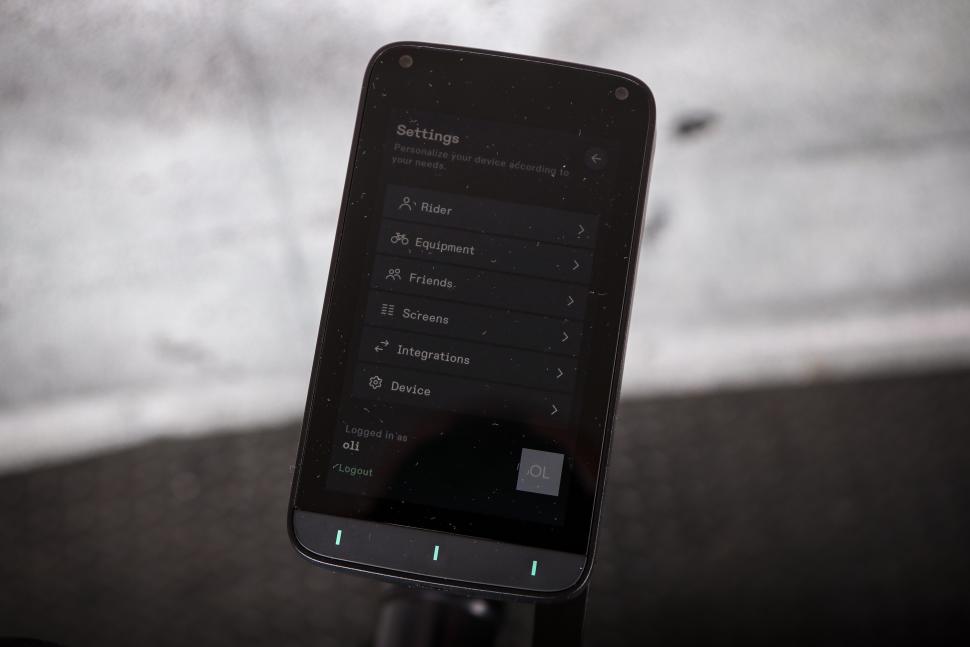
From here, the computer works much like any other computer. It connects to Strava, and Komoot, and can ingest and push and pull routes and ride data to and from both readily. In theory. I couldn’t get it to connect to Strava; I tried 20 or 30 times over the first week, and I kept getting a message saying ‘please try again later’. About 10 days after my first attempt it did finally go through, and was apparently due to a change on Strava’s side. And if you can’t upload your ride to Strava, can the ride even be said to have happened?
The Jespr really is an amalgam of the other big three. The Training mode can schedule rides and import workouts from Training Peaks et al, and will be very Garmin and Draconian and no-nonsense. The Free Ride mode has a dedicated climbing screen that will show you past and future climbs, and the Direction mode will route to where you need to go with an easily searchable interface. The Race mode was also pretty slick, putting the course front and centre, and dispensing with the extraneous. It’s also this mode, exclusively, that allows you to see other Jespr users’ locations on your route screen, providing they’ve shared their location.
This is a bit of an annoying idiosyncrasy, the location sharing being confined to Race mode, as I’d love to see friends’ locations when we’re aiming for a causal meet up, not just burning round the same course together.
So in theory, this is a good bit of kit. In practice, however, to my terrific regret, things got pretty bad.
Starting with the minor…
Jespr Cycling Computer: software updates
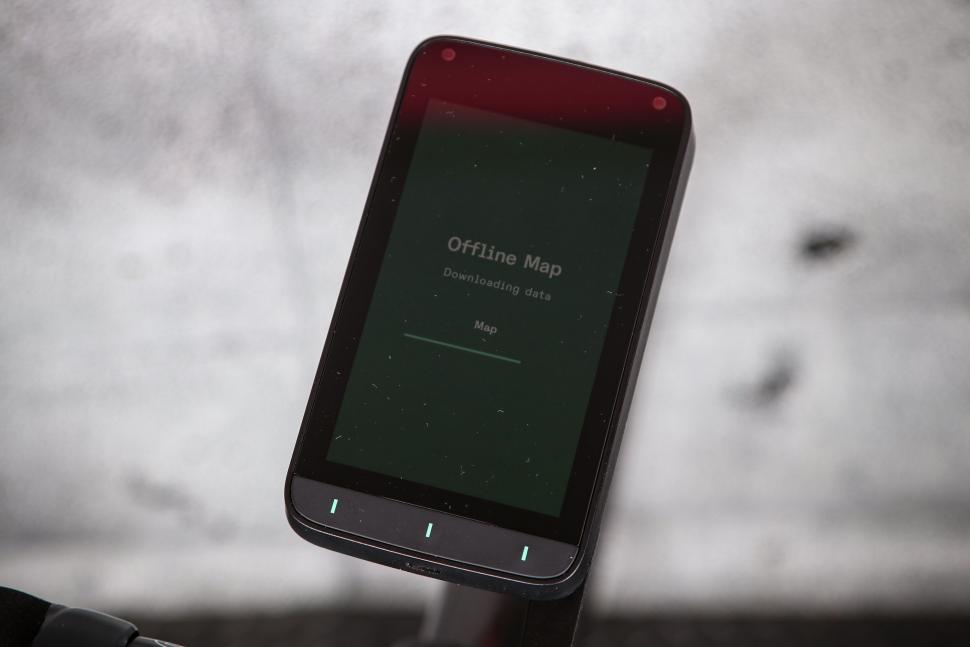
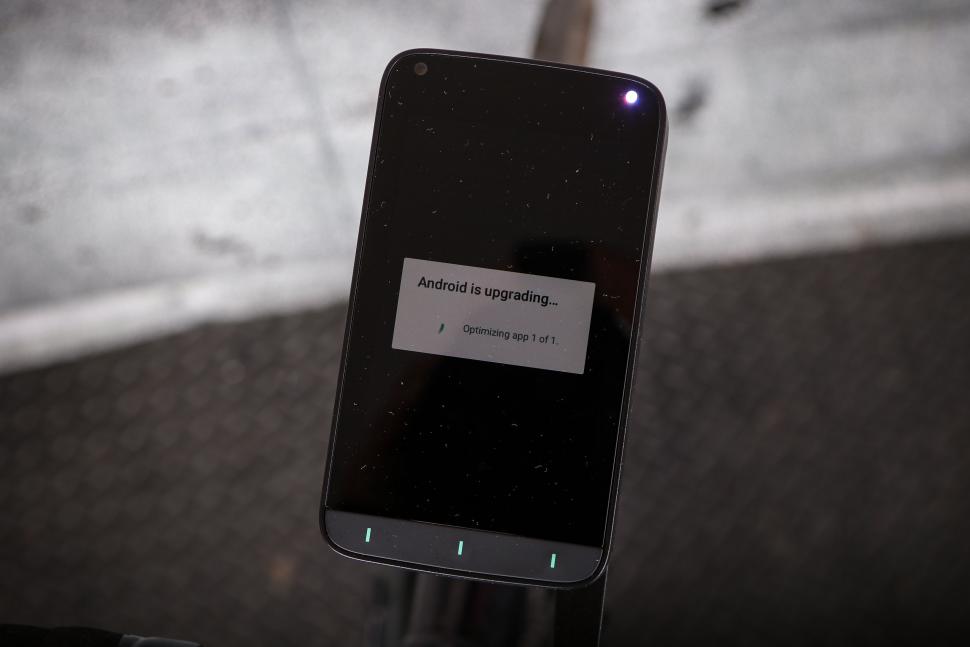
These take a loooooong time. On the Karoo, these are pretty speedy, if I turn on my Karoo and see an update as I’m heading out the door, most of the time I’ll hit ‘yes’ knowing it’ll delay me just a few minutes. The Jespr software updates are 20-minute-plus affairs. The installation beyond the download are again slow – I wonder if this speaks to a comparatively slow processor? It’s far from the end of the world, but don’t do it right before a ride.
The Jepsr can store several bikes. I input my Tern, and my Open, with different parameters, one being an e-cargo bike and the other a gravel bike. Despite selecting my Open for rides, if I pulled down the control centre ‘drawer’ I noticed it always seemed to think me on my Tern, though it was picking up the power meter that was only on my Open.
It also refused to save the parameters of my bike. Inputting the bike weight of 7.0kg, I backed out of the screen and when I went back in, it had reset it to zero. You can also see how unresponsive the touchscreen is in this video, and the fact that the brightness slider towards the end has no discernible effect on screen brightness.
The Jespr connected to my SRAM/Quarq power meter without issue, but there was no setting to try to capture the input from my SRAM levers, so no gear awareness, and the ‘bonus’ buttons on my levers didn’t work, so I couldn’t change the computer screens with them. Talk about only missing something when it’s gone.
I asked Jespr if this functionality was coming, and was told it would be integrated in a future software update. Additionally, and slightly confusingly, though the Jespr was picking up the power meter, it wouldn’t display my cadence, which to my knowledge is information sent from the power meter/cranks as well. Though I didn’t test it, the Jespr will apparently work with radar sensors as well, such as Garmin’s Varia.
Jespr Cycling Computer: screen
There are a few problems with the screen. It’s a touchscreen, which worked quite responsively if you were swiping from page to page. However, if you were trying to slide a slider, or toggle a switch, or hit the back button, it was remarkably ambivalent about registering the touch, as shown in that video linked earlier. Sometimes I’d try five, six or seven times to hit the back button before it would work.
There are two further problems with the screen’s visibility. The first is that it is very reflective, making it very hard to see what’s on it in bright sunshine. To quantify this, here is the Jespr next to the Karoo and an iPhone 16, in admittedly challenging bright direct sunlight.
Secondly, in the three different software versions I tried during my weeks with the unit, I was unable to change the screen brightness. There is an ambient light sensor that controls the auto brightness, but there is also a brightness slider in the pull-down control centre page, and I could see no difference in screen brightness toggling the slider from minimum to maximum.
A new software update promised to make this more intuitive, but I only had a few days with the new version, and again couldn’t see any difference. It’s possible the screen was at max brightness, and the screen cover/coating is just too reflective, or potentially the screen never got to max brightness, so this is not a fair test, but I can’t tell you which of those is true.
Jespr Cycling Computer: GPS
So the Jespr is – I believe – a single-band unit. This means it’s not quite as accurate as a dual-band. It occasionally lost signal, or warned me of a weak signal, in areas where no other computer has had problems. When this happened, the map screen sort of froze, and I couldn’t coax movement out of it. When I returned home and uploaded the ride, it turned out that it had sort of tracked me, just missing the road a bit. Obviously that was not helpful on my ride.
Speaking of mapping… I loaded a route onto the Jespr to direct me to Sigma Sports, in Hampton Wick, some 25km or so, right across London. The route looked good, and off I went. The map screen has an auto zoom function which alters how zoomed in you are, I guess, depending on how fast you’re going. This automatic zoom is incredibly distracting, and not very good. It’s far too indecisive, stuttering one way then the other (like a camera trying to hunt for focus when it’s too dark.) and not being nearly zoomed in enough. I went wrong three times because I couldn’t see accurately which exit to take from a roundabout because it was too far zoomed out. For the largest cycling screen out there, this is a real pity – there’s plenty of screen space, so please just give me a bit more resolution and the ability to distinguish turns.
Towards the end of this ride, though, the Jespr lost the plot entirely, and so did I. Having gone the wrong way for the third time, at a roundabout just as I exited Richmond Park, the Jespr attempted to re-route me.
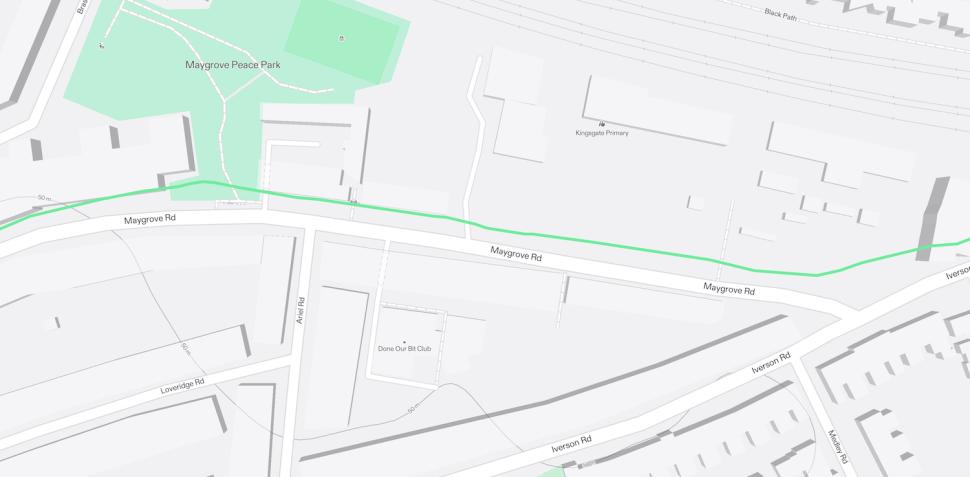
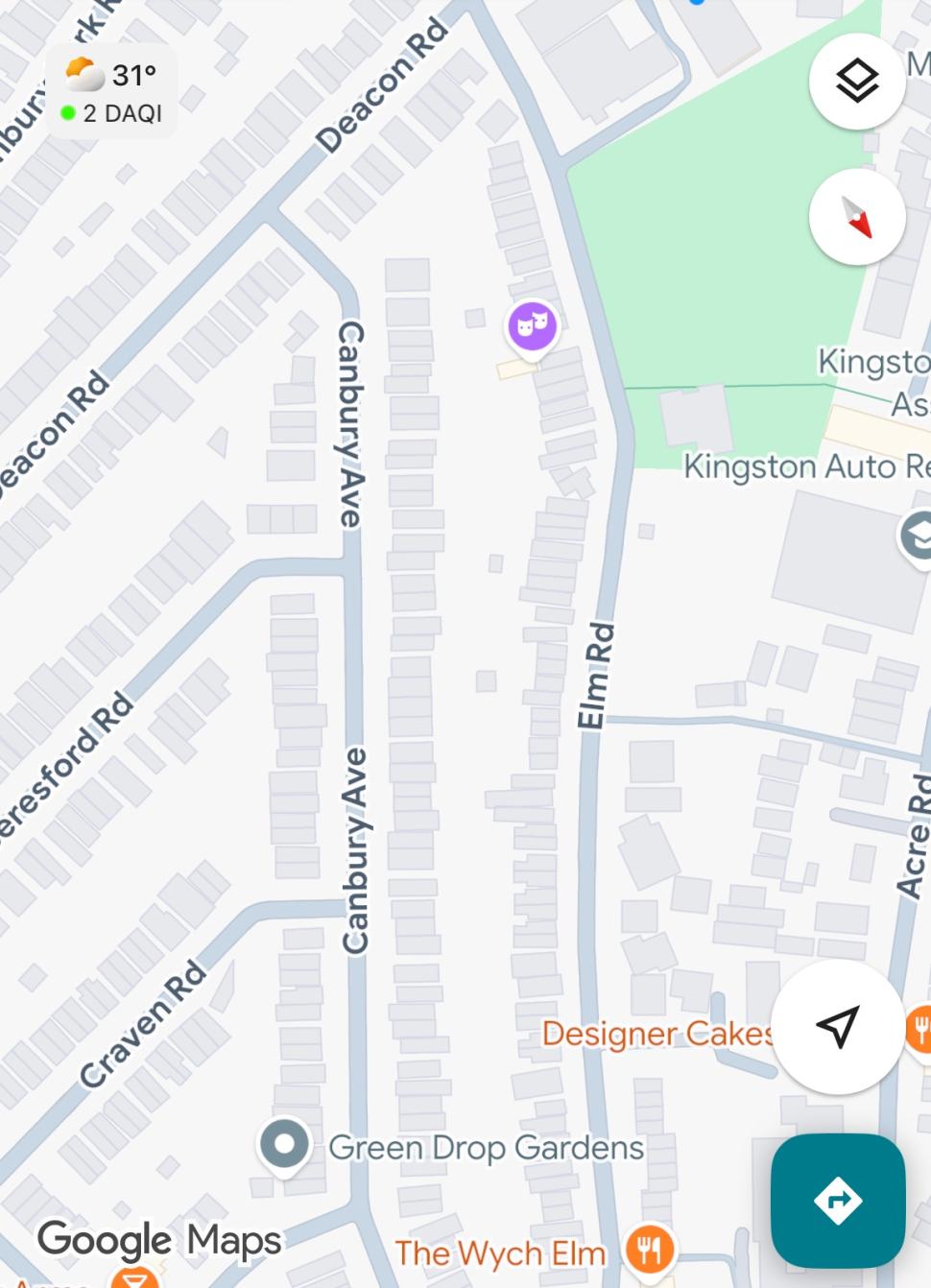
Re-routing is usually tolerable, it’s not particularly fast, and on this ride I had corrected the ‘wrong-ways’, faster than it had come up with an alternative route. However, on this occasion, it all but abandoned ship. I was riding parallel to the road it told me I needed to be on, so I crossed a bridge, expecting all to be well. The Jespr directed me through a residential area, trying to get me back to the main road. It started to go very wrong when it directed me up a cul-de-sac, trying to get to the road 50 yards behind the end of the cul-de-sac. Following the route it suggested would have entailed breaking and entering and trampling through someone’s garden.
(Upon uploading the ride, it shows my course up this cul-de-sac, and then turning around, but seems to have no knowledge where it was directing me.) Irritated, I turned round and headed back the way I had come. Trying to follow the route again, I noticed it had now just given up. The route it had laid out was directing me again to a place and direction where there was no road. I think it thought I had grown wings.
As Doc brown said: ‘Where we’re going, we don’t need roads…’ Sadly, I did. Here’s where the Jespr suggested I ride, and here’s Google maps of the same area showing there is clearly no road there. In disbelief at this maddening outcome, I pulled out my phone to snap a picture of the map screen, and to ask Google Maps to help get me un-lost.
Google positioned me perfectly, and came to my rescue, and the Jespr didn’t really get back on its feet. I was about 8km from my destination, and it had given up. The route it showed me was more or less as the crow flies, until about 1.5km to go when I happily intersected with its preplanned route again, and it showed me directions for the last 1,500 metres.
This was my fourth ride with the Jespr, and I had really struggled with the routing in all rides before that. I thought I’d give it good test here, but to hedge it, I packed my Karoo as well in a deep pocket.
As I rode home with the Karoo on my bar guiding me flawlessly, and the Jespr tucked into my pocket, I felt sad that I would have to relay this failure. I had wanted so much to like this product. But for routing, I had found it barely usable. Sorry Jespr.
Jespr Cycling Computer: battery
Finally, Jespr rates the battery run-time as ‘greater than seven hours’. On the route above, with a cycling time of 1:15hr, the Jespr’s battery depleted from 60% to 29%, giving an estimated total run-time of about 4 hours. Again, maybe a software update will fix this drain.
Good, bad or fixable?
I’m so torn about this. I want it to be great. I want competition, to offer more choice is a good thing. But I can’t work out which of the following this unit is…
Is it:
1. A bad product, underdeveloped, and released way too early before it was ready and stable, with some poor hardware choices? (Micro-USB on a £500 computer?)
2. A decent product plagued by bugs in the operating system, that can be fixed by software updates, revealing a very capable unit underneath?
3. Something in between that we should support, and root for because we want Jespr to get to version 2?
It might be any one of these, or a little bit of all of them. But at the moment, this is the most bug-ridden software I’ve tested, and I hope the routing can be fixed with an update. Trying to be circumspect, very few products that we know and love today hit it out of the park on version one.
The original Karoo was okay, it was bold and adventurous, but version two was really a seismic improvement. Versions one and two of the Dji Osmo Action Camera were pretty lacklustre before three and (really) version four delivered home runs. At the moment, this is a 5 or 6 out of 10 product; it’s not great. But equally, a few months down the line with a few more software updates under its belt, the routing system fixed, a less indecisive auto-zoom, the battery drain fixed, and the currently bungling touchscreen inputs corrected, maybe the Jespr is an altogether different proposition? Through morbid curiosity, and with a sliver of hope, I’m going to hang on to this unit, and check in on the new versions periodically. If there’s seismic news and changes and improvements, I’ll update this review.
Value
With an RRP of around £500, the Jespr has some serious rivals. You might have noticed I love my Karoo. I think it’s the best choice for almost everyone who doesn’t need Garmin’s very impressive training capabilities, and it’s £50 cheaper. It’s not utterly perfect. It’s the only computer that won’t share or show you the location of your Karoo-touting friends on the unit itself. Garmin does, Wahoo does and even Jespr does. (Software update please Hammerhead.) Both the Garmin and the Jespr will also create a nice circular route for you, from your door, back to your door, at any length you specify, a feature I hope the Karoo gets soon too…
Then there’s the Wahoo Elemnt Ace, which has an RRP of £550, though you can get it for less. To be fair, this had a few software bugs out of the gate, but it has settled into a much more stable and usable computer with 13 firmware updates in the last six months. If you want the Jespr size, I’d be disingenuous if I told you the Jespr was really in the same league as the Ace at the moment. And of course the Ace has the wind sensor. Or you could go for the new Wahoo Elemnt Roam – I haven’t used it, but it looks like a real contender.
And of course there’s Garmin. I was impressed by the power under the hood of the Edge 540 but irritated by its clunky user experience, mostly down to its lack of touchscreen, which is largely solved by getting an 840. There are roughly 6,237 different Garmin computers, several at every price point. For Jespr money, you’re probably looking at the £599.99 Edge 1040 that you can get for around £450.
Our best cycling computers buyer’s guide rounds up our favourite options at a wide range of prices.
Or for a left-field alternative, use your iPhone or Android phone. Putting the phone next to the Jespr showed me just how good modern phone screens are. I invested in a Mous case after Hollis loved it so much, and it’s proved to be unexpectedly and deeply impressive. The phone case clicks into the bar immovably, is still magsafe compatible, and plotting a route on your phone is about three times as fast as even the Karoo.
For the money you save on a cycling computer, you can buy yourself the Mous case and mount, and a Strava subscription. Google maps and even Apple maps are phenomenally good these days, and there’s free software, such as the highly recommended cyclemeter, which turns your phone into a great cycle computer, and like the big three, can display data from things such as power meters. And you’d have £350 left over…
Conclusion
This big and bold alternative to the likes of Garmin promised so much: a Swiss development team, a lovely big touchscreen and three-button functionality. And a sim card for always-on data. Sadly there are too many glitches for me to recommend the Jespr at present, which might just be a case of it having been released too early, before all the fixable bugs were dealt with. That said, the use of micro-USB rather than USB-C is frankly very hard to understand in 2025.
> Buy now: Jespr Cycling Computer for 540 CHF from Jespr
Verdict
If Jespr can patch the problems with the software, I suspect there’s a decent computer here – it’s just well hidden currently
All the deals displayed on our review pages are pulled from a constantly updating database feed of the best affiliate deals available. The criteria for deciding on what are the best deals is who is offering the lowest, delivered price. In most cases we will be showing the very best deal available online, but sometimes you may be able to find an item cheaper. If you can please feel free to post a link in the comments box below. To find out more about affiliate links on road.cc click here.
road.cc test report
Make and model: Jespr Cycling Computer
Size tested: One size
Tell us what the product is for and who it’s aimed at. What do the manufacturers say about it? How does that compare to your own feelings about it?
The Jespr is a high-end cycle computer, aiming to simplify riding.
Jespr says:
The Jespr cycling computer contains only first-class components. The device has one of the best displays for outdoor use and contains high-quality sensors for precise data collection.
Some of the components I didn’t feel to be ‘first class’ (the micro-usb connector) and some it was hard to tell. Was the screen being hamstrung by poor software implementation?
General
Size
25 x 69.5 x 122 mm (1 x 2.7 x 4.8 inch)
Weight
180 g
Protection class
IP65
Three”axis gyro
yes
Digital compass
yes
Barometer
yes
Accelerometer
yes
Battery
Built”in rechargeable lithium”ion battery
Battery runtime
>7 hours
External buttons
yes
Connectors
Charging via USB micro
Display
Size
4′
Touchscreen
yes
Display resolution
480 x 800 Pixel
Ambient light sensor
yes
Connectivity
Cellular
yes
WiFi
yes
Bluetooth
yes
ANT+
yes
Location
Built-in GPS, GLONASS, Galileo, BeiDou
Environment
Operating temperature
-25°C to 85°C (-77°F to 185°F)
Operating altitude
tested up to 3000 m (10,000 feet)
Tell us some more about the technical aspects of the product?
The Jesper has an inbuilt Sim, for always on data connection. And downloads the wind ‘stats’ from the internet to provide you with the wind direction where you’re cycling, and presents it in a nice visual.
To me a built-in sim is superfluous; I’m never without my phone, but maybe some racers will like this feature.
Seems to be well constructed, feeling substantial and robust.
Auto-zoom needs work. The navigation system needs an overhaul, and there are several bugs in the system.
I had no problems with durability.
The Jespr is effectively the same size as the Wahoo ELEMNT Ace, but 20g lighter.
At the moment, it is not competitively priced. This will change if Jespr can make it work more reliably, at which point it’s roughly the same price as the Wahoo Ace.
Tell us how the product performed overall when used for its designed purpose
On data-heavy pages, it relayed all the information well, as I would have expected. It found and synced with almost all my bike’s electronics, though cadence didn’t work, nor could it see my SRAM Red Levers.
Navigation was okay to poor on three out of four rides, and a failure occurred on my fourth ride.
Tell us what you particularly liked about the product
I like the philosophy, and the attempt to delineate the modes, wrangling information and presenting it to you in a style or mood, according to how you’re riding.
Tell us what you particularly disliked about the product
Its incredibly buggy software made it hard to judge the unit for what it might become with greater stability.
How does the price compare to that of similar products in the market, including ones recently tested on road.cc?
It’s a premium product, competing with the Garmin Edge 1040, maybe even the 1050, the Wahoo Ace, and the Hammerhead Karoo.
It’s more expensive than the Karoo, the Ace, and the Edge 1040, though less expensive than the 1050.
Did you enjoy using the product? No
Would you consider buying the product? No
Would you recommend the product to a friend? No
Use this box to explain your overall score
It has potential, but the bug-laden software makes it hard to tell how good or bad the hardware of the product really is.
About the tester
Age: 45 Height: 177 Weight: 95
I usually ride: Custom titanium gravel My best bike is:
I’ve been riding for: Over 20 years I ride: Most days I would class myself as: Experienced
I regularly do the following types of riding: commuting, touring, club rides, sportives, general fitness riding, fixed/singlespeed, mtb,


4 thoughts on “Jespr Cycling Computer”
Apart from that, Mrs Lincoln,
Apart from that, Mrs Lincoln, how did you enjoy the show? Sounds like the sort of problems one might reluctantly accept from a £50 AliExpress knockoff. Slightly on a tangent but is there any part of cycling equipment that takes cyclists for mugs (and let’s be honest, there’s a wide field to choose from) quite as much as computers? New budget smartphones can be had for about £50 that with the right apps can do pretty much everything a head unit can do (and much more), the only differences being in battery life and weatherproofing, but stick a Garmin mount on the back of what is basically the same tech and the price is decupled.
I’ve often wondered this. Are
I’ve often wondered this. Are there any smartphones with Ant+ capability? I suspect the insanely low power demands of a bike computer have a lot to do with the cost.
My phone barely lasts 24 hours while spending 16+ of those completely inactive. My Garmin will last 22 hours navigating, recording, running bluetooth, and displaying information constantly on a battery 1/10th the capacity. But if you could make a phone that would last always-on for 12+ hours, it’d do the trick!
fwhite181 wrote:
There’s a list of phones with Ant+ here, mostly Samsung and Sony.
fwhite181 wrote:
I’m not au fait with electrical matters much – putting in a new socket or light fitting is about my limit – but a phone has so many more demands on its power than a bike computer, running apps in the background, continually scanning for incoming calls and texts etc etc. If you could turn on airplane mode for every function of a mobile phone except a bike computer app with downloaded maps (maybe you can?) I reckon you’d get pretty good runtimes.