Rouvy has released its Route Creator functionality to all users, which means that anyone can transform real-world cycling routes into augmented reality videos. Anyone who has a reasonably new GoPro can now capture their favourite local loops and convert them into virtual courses within the Rouvy platform. We had early access to the tools, so we’ve given it a go on some of our favourite local roads.
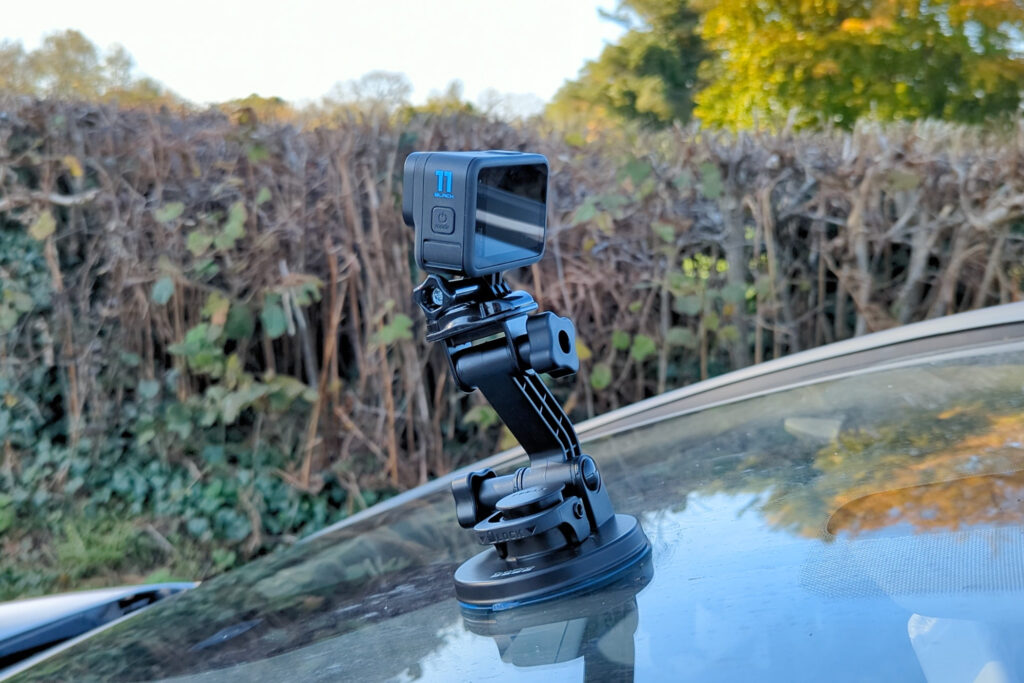
Rouvy’s augmented reality technology utilises recorded video footage and uses a suite of AI tools to generate a 3D map. This map accurately represents the terrain of the route, enabling Rouvy to place other riders and objects within the virtual scene. I ventured out to the Mendip Hills – my favourite place to ride round here – to record a classic route, including Cheddar Gorge and Burrington Combe. For the recording, Rouvy provided me with a GoPro Hero 11 Black and a suction mount, which I attached to my car. You need to be capturing GPS data with the video, which means that you’ll need to have GoPro’s more experimental Labs firmware on your camera, but it’s easy to install.
Capturing the perfect video file proved to be more challenging than I expected. Maintaining a consistent speed is pretty crucial to ensure the video plays at a realistic pace on the bike; ideally you’ll speed up down hills and slow down up them, but you need to be going fairly slowly for the whole thing so everything doesn’t look like it’s in slow-motion when you’re at riding pace. To get a solid recording, you also need to avoid stopping as much as you can, and keep some clear road ahead of you for the virtual riders to appear in. I recorded two routes, one climbing up Cheddar and ending at the bottom of Burrington Combe, and one back up Burrington and down Cheddar, finishing on the punishing Draycott climb. I used that one in the end, as I had to stop less and so the footage was a bit easier to edit.
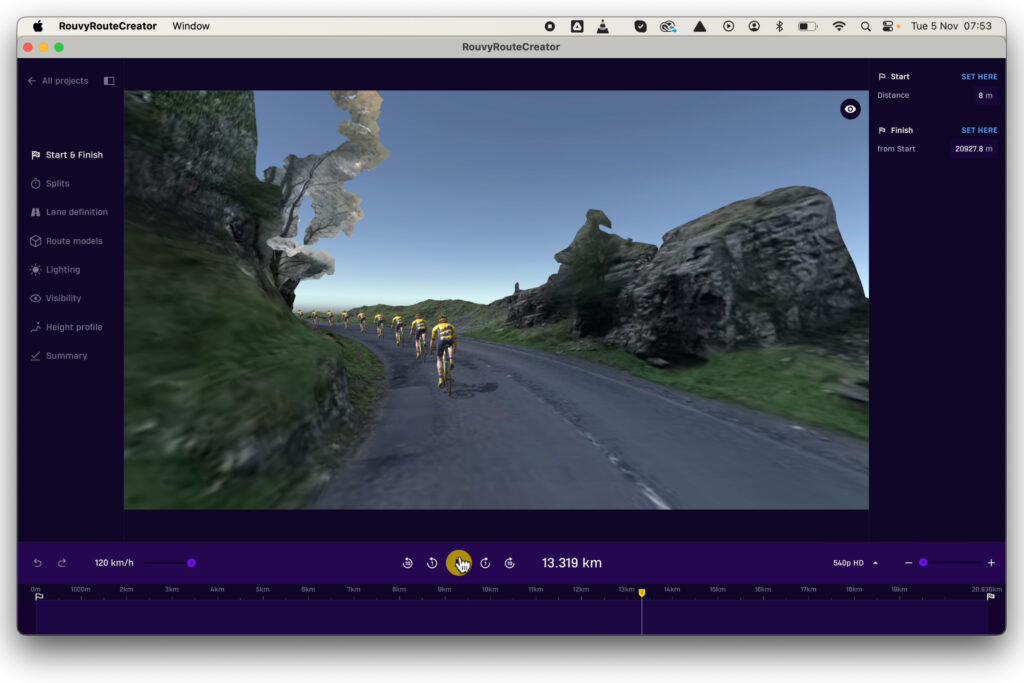
Back home, I uploaded the footage into Rouvy’s standalone Route Creator app. I first submitted the raw video for Rouvy’s AI to analyse: I marked the start and end points, trimmed unwanted sections, and then uploaded the file to the cloud. After processing, you can edit the route in the Route Creator.
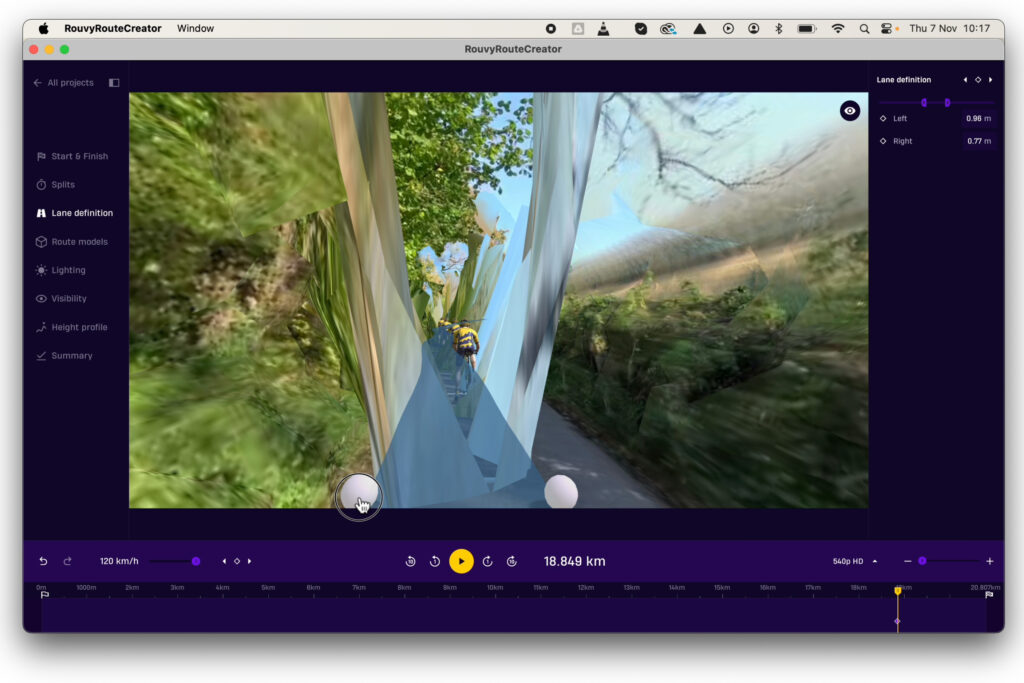
The Route Creator app displays the recorded footage alongside a virtual rider moving along the captured route. Rouvy’s AI extracts a detailed 3D layer from the video, focusing on the road surface and obstructions like trees, hedges, cliffs, and buildings. This 3D model means that riders and virtual elements are placed accurately. While the system performs well, minor 3D artefacts sometimes appear on the road, often due to slight misplacements in the rider’s track. You can normally correct these pretty easily enough with the editing tools.
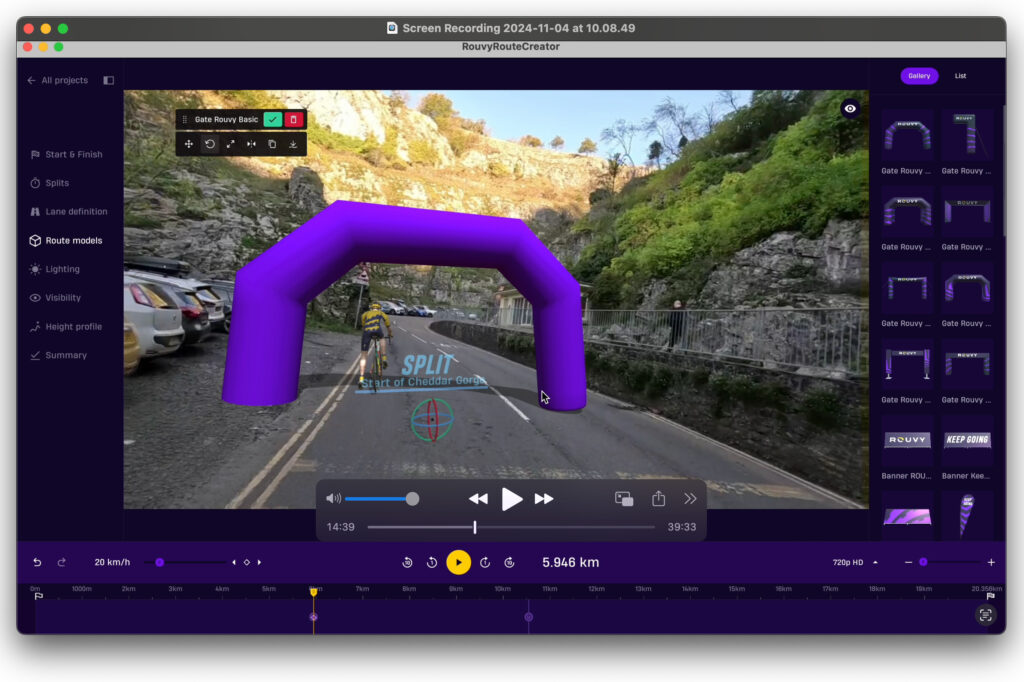
Once the base route is satisfactory, you can add objects to the scene. The 3D model ensures most objects align with the environment and follow the rider’s path around corners; the app also provides tools to adjust the position and rotation of objects if things aren’t quite right.
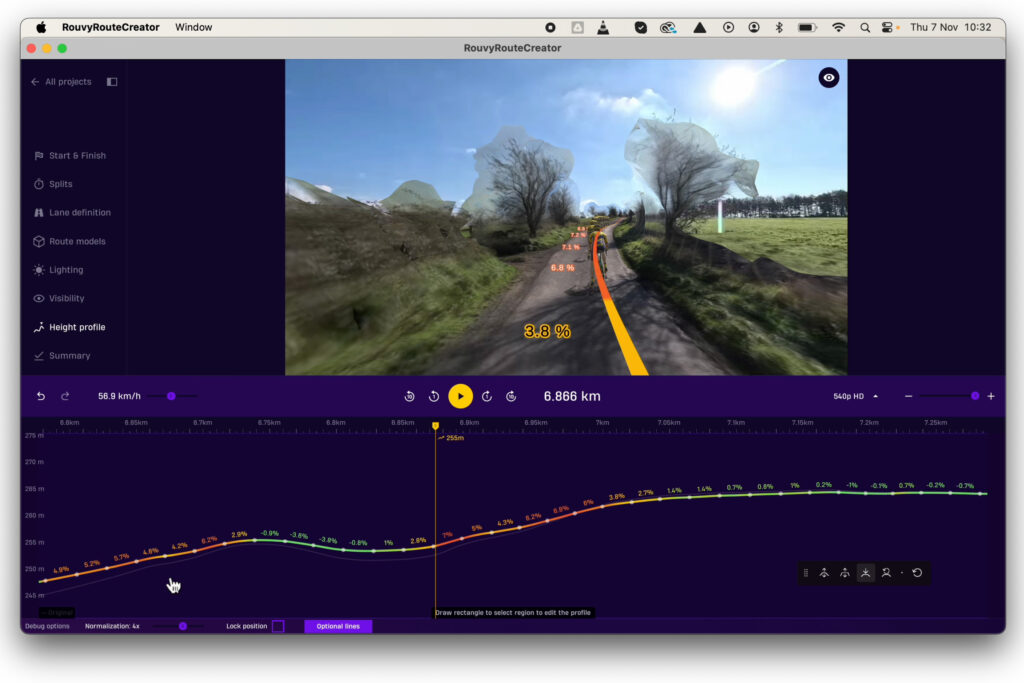
You can refine the gradient profile of the ride, smoothing out choppy sections of the underlying GPS data. You can also set keyframes for lighting to enhance shadows and light transitions, to make things look more realistic.
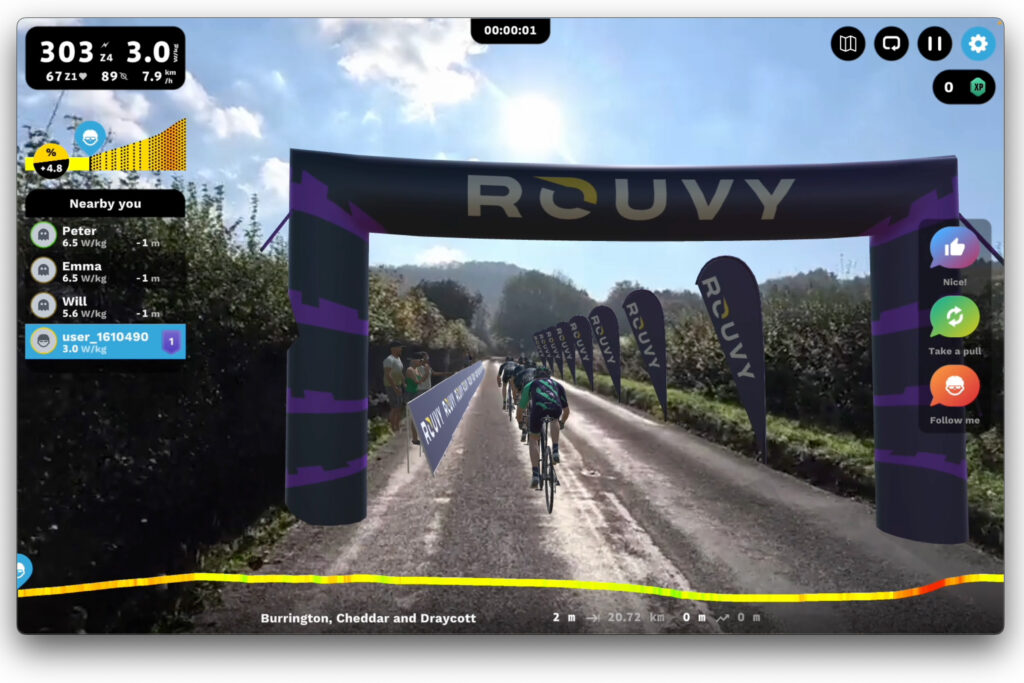
After completing all edits, you can submit your route to Rouvy, and it will be available in the “Created Routes” section of your homepage for you to ride. I hopped on my turbo trainer to experience my newly created route, set the resistance to 100% to make it as realistic as possible, and added eight virtual riders to race against.
The video quality impressed me: Rouvy transformed my car-recorded video into a realistic cycling experience. Minor artefacts appeared occasionally, especially in the corners of the screen and around passing vehicles, but they weren’t distracting. The overall experience was immersive. It felt like riding the route in real life, with the physical exertion matching the on-screen action. Completing the route took about an hour, aligning with my real-world ride times. The descent through Cheddar Gorge is always great, even virtually, and the final climb up Draycott provided a challenging finish.
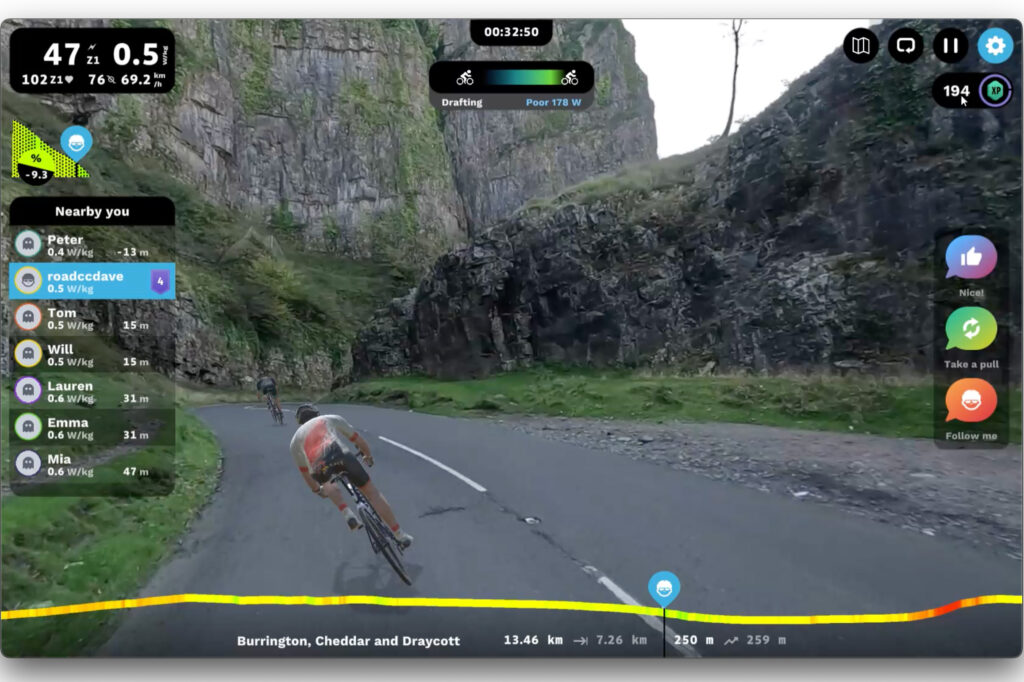
Rouvy’s Route Creator is an interesting development: obviously these tools have been available to the Rouvy team for as long as they’ve been making AR videos, but opening them up to end users is another string to the company’s bow, and it’s something that other platforms don’t offer.
Creating and uploading a route takes time, but the process is straightforward with a GoPro and suction mount. It offers a way to ride familiar routes indoors, especially when the weather is poor.
One lingering question is how Rouvy will manage the influx of user-generated content. With a strict curation process, it’s unclear how many new routes will be available to all users and whether they’ll be checked. One of the main issues with user-generated content is that you tend to get a lot of it, and it’s of very variable quality; whether Rouvy will have the time (or inclination) to vet new routes and make them available to the wider community remains to be seen. However, the Route Creator opens possibilities for events and communities to create and share their rides. In terms of Rouvy’s offering it’s a significant new bit of functionality; it’s not going to be for everyone but some people might see this as a really useful extra.
If you’re interested in trying out the system and getting some of your routes ready for the winter, head to rouvy.com/route-creator to download the app. You’ll need a Rouvy account, of course; at the moment you can get a week’s free trial on Rouvy’s website if you’re not already signed up.