cycling apps
cycling apps (Image Credit: Farrelly Atkinson)

Best cycling apps – the essential downloads to complement your riding, from tracking rides to AI bike fitting

The right apps can make your phone the ultimate cycling assistant. Find out which ones we’d recommend the most
Mon, Jan 19, 2026 14:28
13
This article contains links to retailers. Purchases made after clicking on those links may help support road.cc by earning us a commission but all of our reviews are fully independent. Find out more about road.cc buyer’s guides.

With their ability to run a huge range of useful cycling apps, smartphones have transformed cycling. While dedicated bike computers still excel in areas like battery life and durability, smartphones allow you to easily track and record rides, plan routes, keep on top of your training, and much more beside – all on a device you’re likely already carrying.

Strava Premium
Best for ride logging: Strava Premium (annual subscription)
TrainingPeaks Premium subscription
Best for tracking performance: TrainingPeaks Premium subscription
 Bike Citizens
Best for useful information: Bike Citizens
Bike Doctor
Best for bike maintenance: Bike Doctor

There’s a vast range of cycling information and support available through your smartphone, from navigation to planning and tracking your training. In many cases, it can even take the place of a dedicated bike computer or GPS.

Data from your rides can be saved and uploaded to connected websites, letting you monitor your progress over time and compare your rides with others. Beyond tracking, there are apps for practical tasks like fixing your bike or even helping you set up your bike fit.

We’ve put together a list of some really useful cycling apps currently available, covering navigation, planning routes, fixing your bike and more. We also have a separate guide to the best indoor training apps, which we’d recommend checking out if you need an app for indoor cycling or if you’d like to crunch your ride numbers (inside or outside) in more nerdy details.

If you’re curious about how we select the products for these guides, you can read more about the process here. Without further ado…
The best cycling apps: our top picks

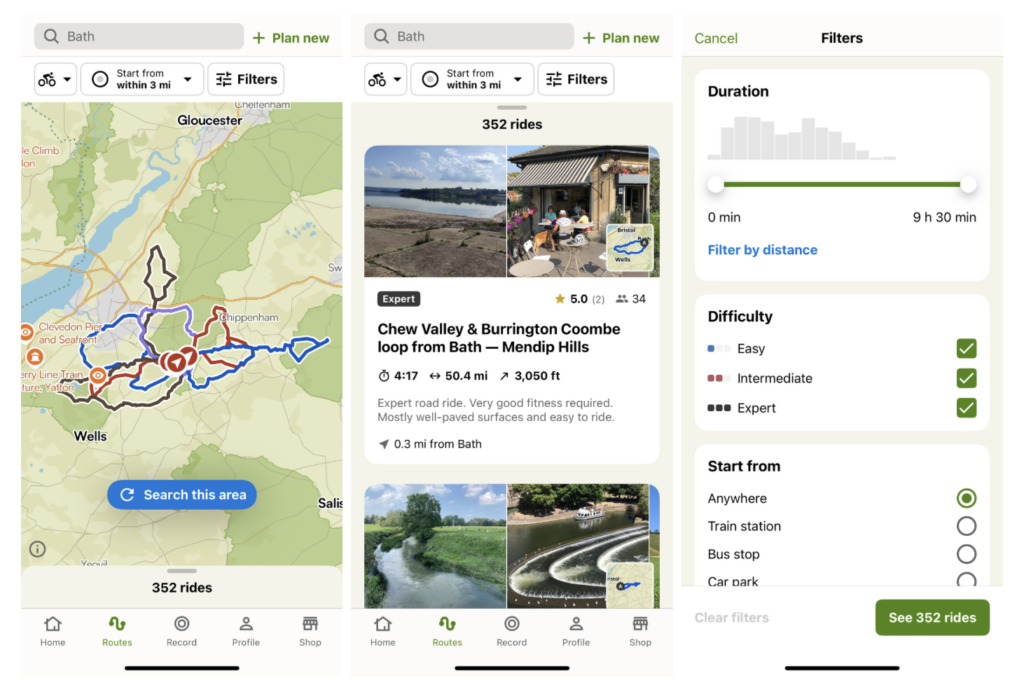
Komoot app
Komoot app (Image Credit: komoot)

Komoot app

Best for navigation

Voice guidance works well

Offline mapping and navigation

Routing has useful features

Highlights only as good as the people creating them

Komoot is available for both Apple (iOS) and Android devices, as well as on the web and turns your phone into a proper sat nav with voice commands. You can key in your location and where you want to get to before your ride, which Komoot saves as a planned journey, and then it records your activities as ‘completed tours’. 

When choosing a route, Komoot will often give you numerous options for reaching your destination, that aren’t always the quickest. It’s a good app choice for the more adventurous bike tourer, off-roader or just a long commuter who wants to explore a new route home.

You get one ‘single region’ for free but it’s not a huge amount of use for ongoing road riding. You can buy more single regions for £3.99, or ‘bundle regions’ for £8.99, but realistically the spend here is currently £29.99, which buys you the whole world, for online and offline use, forever.

Komoot was controversially bought by Italian tech firm Bending Spoons in March 2025, but not much appears to have changed on the app itself. Despite a different interface, it continues to be one of the most best apps for navigation.

Strava Premium
Strava Premium (annual subscription) (Image Credit: Farrelly Atkinson)

Strava Premium (annual subscription)

Best for ride logging

Social elements of Strava still as strong as ever

Route planning is slick and seamless

Segments is a great feature

Guided training elements not as good as others

Here’s an app that almost certainly needs no introduction. Yes of course, we mean Strava. Since it launched in 2009, Strava has gone on to become hugely popular and for many, it’s the go-to app for all cycle rides. One of the features that sets Strava apart from other online fitness platforms is that it acts and feels more like a social media platform than something you’re using to improve your fitness or performance.

In May 2020 Strava made the decision to cut back the free version and remove segment leaderboards, effort analysis, and route creation but with the free version, you can still upload your rides, join some clubs and importantly, you get the safety features where you can hide the start and end of your ride so that people can’t see where you live.

TrainingPeaks Premium subscription
TrainingPeaks Premium subscription (Image Credit: Farrelly Atkinson)

TrainingPeaks Premium subscription

Best for tracking performance

Fitness, fatigue and form graphs seem realistic

User-friendly app

Easy to plan and build workouts

Peak performances at a glance

Needs in-depth knowledge or a coach to exploit

The huge range of charts and tools takes time to customize

The TrainingPeaks Premium subscription gets you a year with a huge number of analysis, planning and workout-building tools. If you’re a data geek you’ll absolutely love it – every chart and graph is customizable to your every need – though this does bring a certain element of complexity. 

The Athlete Premium sub costs $134.99 (currently around £101) per year or $19.95/month, and builds on the functionality of the free version. The free version is actually pretty good, allowing you see summaries of completed workouts and plan training sessions.

To this the Premium sub adds features such as the calculation of fitness and fatigue, weekly summaries, peak performance tracking, workout planning and creation, and more. It also unlocks more analysis tools such as power, pace, and heart rate graphs, and TrainingPeaks Virtual is also included which is an indoor cycling platform.

 Bike Citizens
Bike Citizens (Image Credit: Bike Citizens)

Bike Citizens

Best for useful information

Constantly updated database of maps worldwide

Navigational app and a travel guide in one

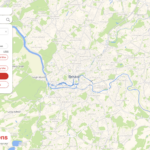
Bike Citizens is a navigational app and a travel guide in one, providing a huge, constantly updated database of maps worldwide and plenty of tips and points of interest for making the most of your visit to a new destination if you plan on getting around by bike. It has previously won a Eurobike Award for being a ‘must-have’ innovation, so isn’t without plenty of recommendations.

The Bike Citizens map material is based on OpenStreetMap, which is always evolving and you can also add routes to its database yourself; meaning there are plenty of interesting user-submitted rides to check out on the app. The route planner has voice commands so you needn’t be staring at your phone while trying to navigate, and it will choose routes with varying levels of gradient according to what your preferences are. There are over 450 European cities on its database, with many others worldwide.

Many features can be used for free in your self-selected Premium Area (7km diameter) or the premium version is £3.09 per month or £24.49 for the year. 

Bike Doctor
Bike Doctor (Image Credit: Bike Doctor)

Bike Doctor

Best for bike maintenance

Cheaper than visiting a bike shop

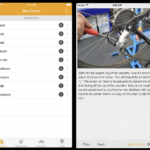
Simple step-by-step instructions

Maintaining, servicing or fixing your bike can be a little daunting at first, and that’s where this extremely useful app come comes into its own. It provides step-by-step instructions for fixing any sort of mechanical problem on your bike.

The app has been designed to be easy to use, with clear instructions that even a complete beginner can follow. It costs £4.99 on iPhone which is cheaper than visiting the bike shop. 

More of our top cycling app recommendations

Garmin Connect+
Garmin Connect+ (Image Credit: Farrelly Atkinson)

Garmin Connect+

Live tracking feature

Workout database and coaching guidance

Comprehensive view of training data

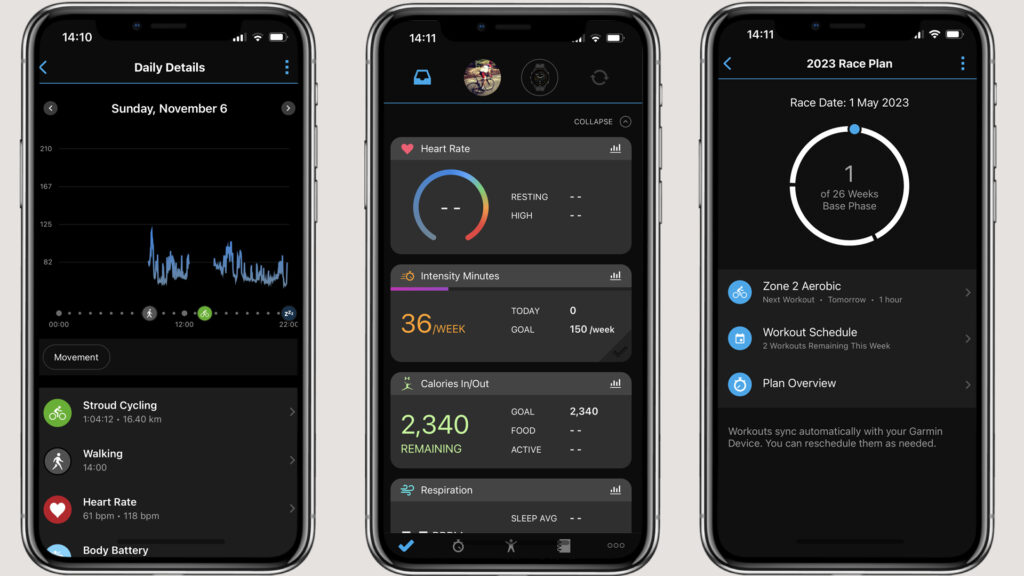
If you have a Garmin bike computer or watch, you’ll find Garmin Connect Mobile useful. It can connect to your device to upload your rides to the Garmin Connect website, which can then share your data with Strava and MyFitnessPal. There is a free version of Garmin Connect as well as Garmin Connect+ which gives you acess to extra features for either £6.99/month or £69.99/year. 

Connect+ includes things like LiveTrack which lets your family and friends see you as you are riding, as well as performance metrics and training plans. 

MyVeloFit
MyVeloFit (Image Credit: Farrelly Atkinson)

MyVeloFit

Less expensive than going to a bike fitter

Bike fitting from your own home

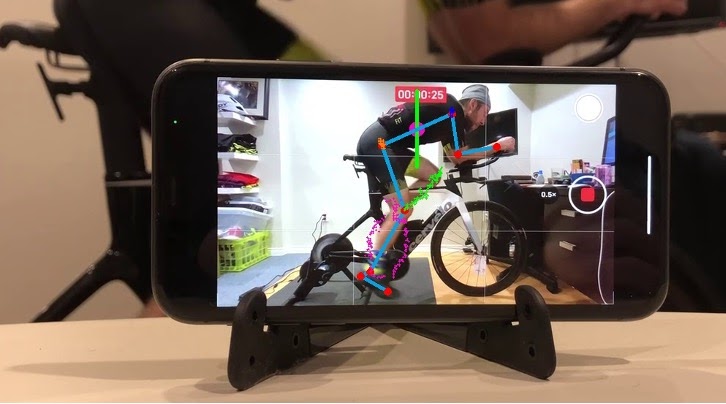
AI bike-fitting has been available since 2021 when MyVeloFit launched their online service promising a virtual bike fit using a smartphone video and AI to analyse your ride position. 

The bike fit service promises that no prior knowledge is required, and using artificial intelligence the service is said to help cyclists uncover actionable insights about their riding position that they can use to improve comfort and efficiency on the bike.

Price wise, it’s considerably cheaper than visiting a bike fitter with a $35 (£26) subscription to fit a single bike to oner rider over a period of two weeks or an annual ‘unlimited’ subscription for $75 (£56). 

MyWindsock
MyWindsock (Image Credit: MyWindsock)

MyWindsock

Online platform

Beneficial for time trialists

Comprehensive weather data

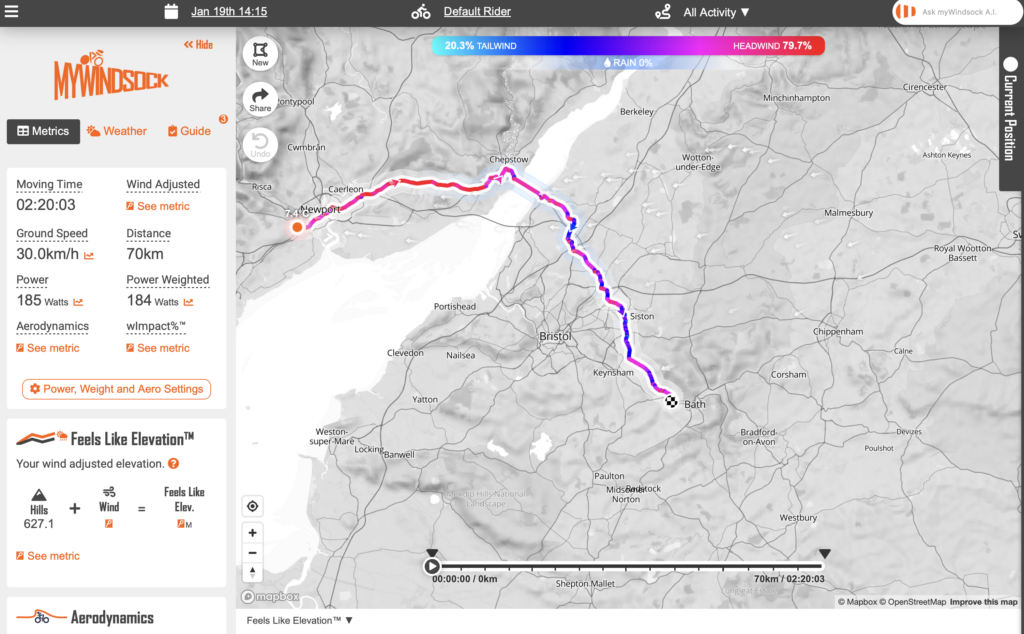
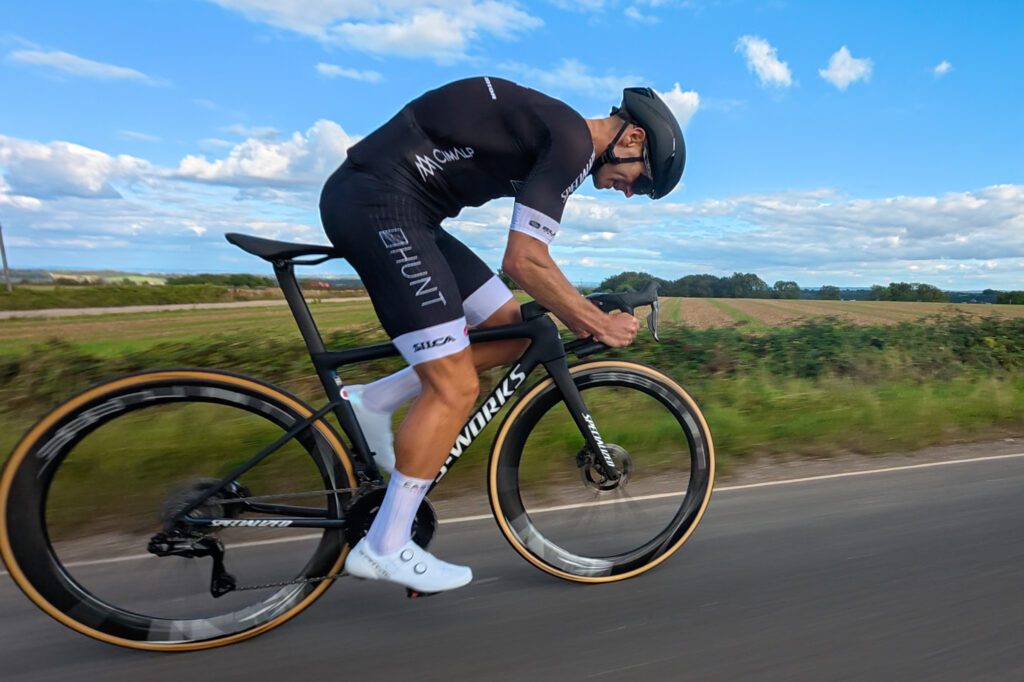
MyWindsock.com is an online platform that offers a combination of current and historical weather data with ride data from some of the best cycling apps, such as Komoot, Ride with GPS and Strava. This can be valuable for riders who admit to taking their segment ranking seriously and those among us (we all know who they are) that have an eye on the finer details and data analysis. 

It can also simulate your next ride to help you make tactical and strategic decisions of when to push and when to conserve, which is especially useful for time trialists and racers. Like many of the apps and platforms featured here, there is a free version, but to make the most of the app you’ll need a subscription, which starts at around $2/month. 

Refill Return
Refill Return (Image Credit: Refill Return)

Refill Return

Free

Available on Apple App Store and Google Play

Over 300,000 locations

Refill Return is a super handy app that allows users to find locations where they can refill water bottles for free, as well as places to eat, drink and shop with less waste.

It’s free to download on the Apple App Store and Google Play, and there are now more than 300,000 locations across the UK, making it easy to find a refill point on a long ride.

Fill That Hole
Fill That Hole (Image Credit: Cycling UK)

Fill That Hole

Online platform

Easily report potholes

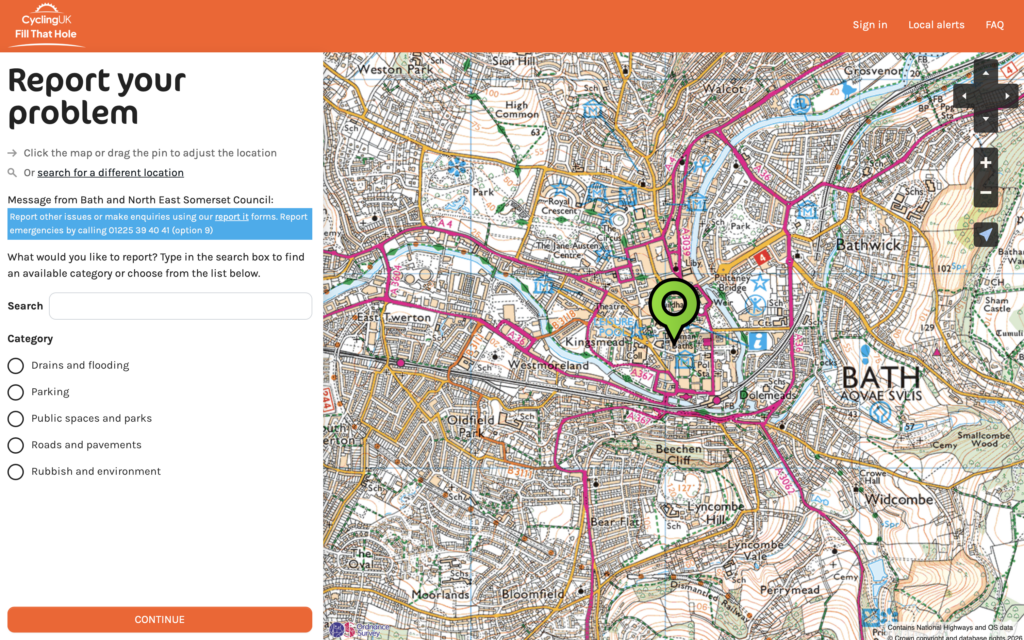
Cycling UK launched the Fill That Hole service for reporting potholes to local authorities a while ago now (when they were still called CTC), making it easier than trying to find the right department at your local council to flag up a dangerous pothole.

It’s available on iOS and Android but you don’t download the Fill That Hole app from an app store. Instead, you need to load the website from a browser on your chosen device and save it to your home screen. You can then report a pothole from the side of the road instead of waiting until you get home. 

Bike Computer - GPS Tracker
Bike Computer - GPS Tracker (Image Credit: Bike Computer)

Bike Computer - GPS Tracker

Free

Available on Apple App Store and Google Play

Doing what it says on the tin and then some, Bike Computer is a refreshingly simple app that turns your phone into a GPS bike computer. This free app is available on both iOS and Android( app stores and tracks basic metrics including pace, distance, route and elevation.

It’s compatible with Bluetooth-ready heart rate monitors, and all your rides can be shared straight to Strava or Facebook on completion. There’s a dark screen mode which reduces battery use and makes it viewable on night rides; plus Bike Computer Co. claim their app is also 12% more battery-efficient than any other mobile fit tracker on the market, reducing the chance of running out of charge on a ride.

Google Maps
Google Maps (Image Credit: Google Maps)

Google Maps

Likely on your phone already

Free to use

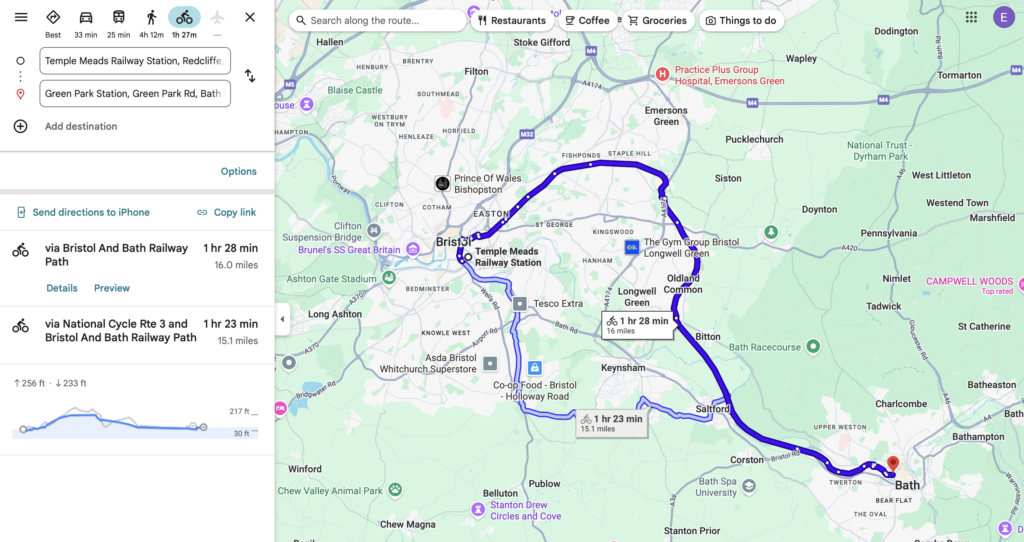
There are many mapping apps available but one that you might have on your phone already, and not realise it, is Google Maps. It has offered dedicated cycling routes for some time and works very well. It can provide turn-by-turn navigation instructions if you want it as well.

It’s also handy for finding cafes, bike shops and other amenities mid-ride. Routes can be planned quickly on the fly, and changes are recalculated if you miss a turn.

MyFitnessPal
MyFitnessPal (Image Credit: MyFitnessPal)

MyFitnessPal

Useful for understanding fuelling habits

Syncs with many fitness apps

Huge food database

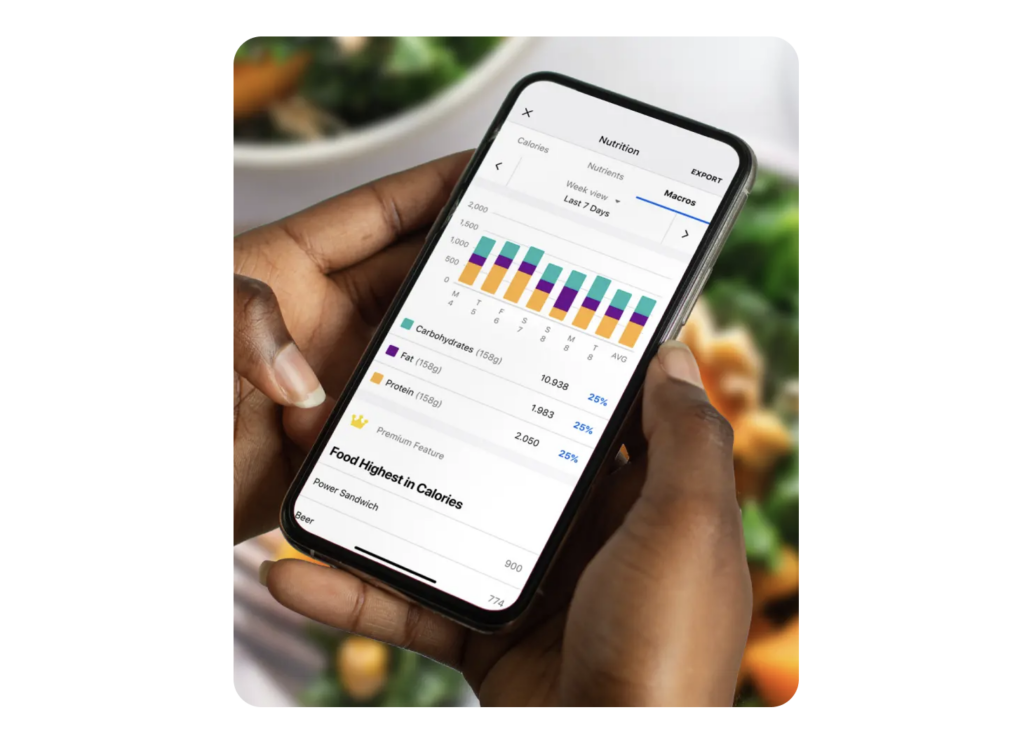
MyFitnessPal aims simply to help you lose weight by making it easy to track calories on a daily basis. A database of over 20 million foods makes it easy to track how many calories your meals are providing. It can also has a recipe counter for tracking homemade meals too.

For cyclists, the app can be a useful companion alongside ride-tracking apps, allowing you to balance training with nutrition and avoid under or over-fuelling. You can also track macronutrients, set personalised goals, and sync data with other fitness platforms and devices. 

A free version gives you access to basic tracking, while a subscription is required for more advanced tracking, costing £79.99/year or £19.99/month. 

Santander Cycles
Santander Cycles (Image Credit: Transport for London)

Santander Cycles

Help with finding your nearest bike docking and navigation

Free to download

Available on iPhone and Android

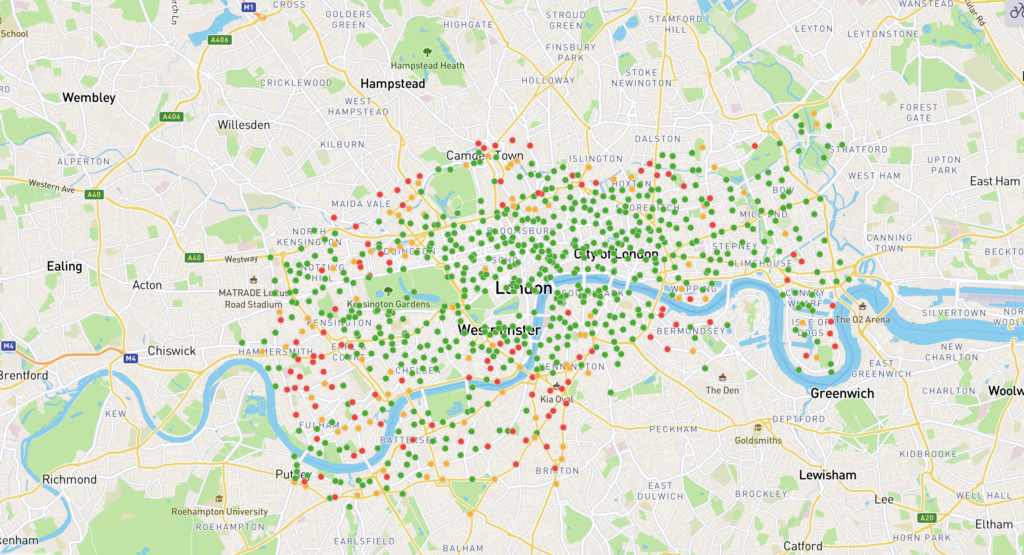
This is the official free app for the Cycle Hire London for Santander Cycles bicycle hire scheme and allows you to find your nearest bike and docking station. As well as that, it can plan routes for you, able to offer either the quickest or quieter roads depending on your preference, with handy turn-by-turn instructions. The app usefully has a built-in timer so you can keep on eye on any usage charges that might occur.

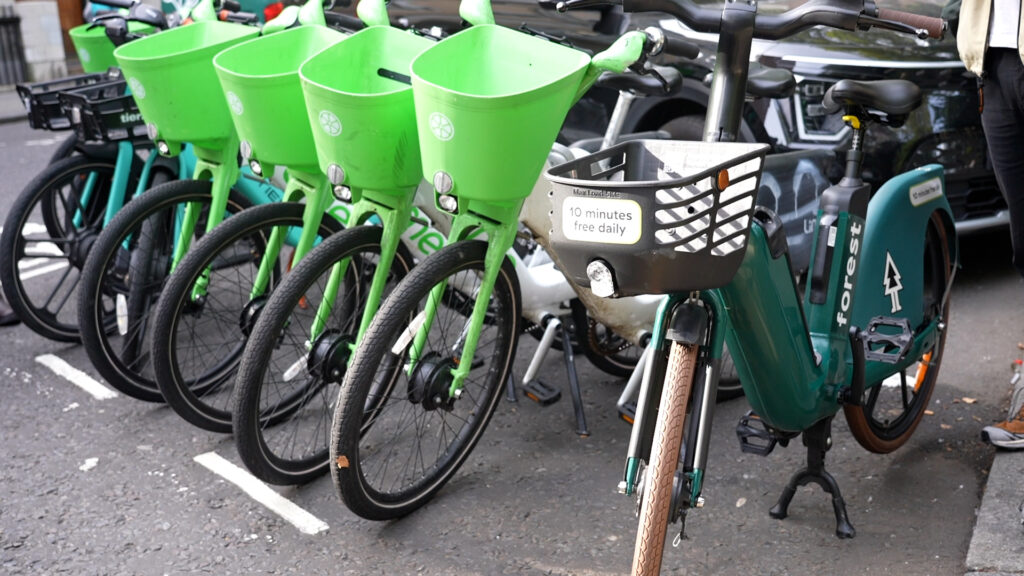
Similar apps are available for other hire schemes, such as Lime, so you can download the option that works best in your local area.

Met Office Weather Forecast
Met Office Weather Forecast (Image Credit: Met Office)

Met Office Weather Forecast

Detailed breakdowns

Easy to understand

Free to use

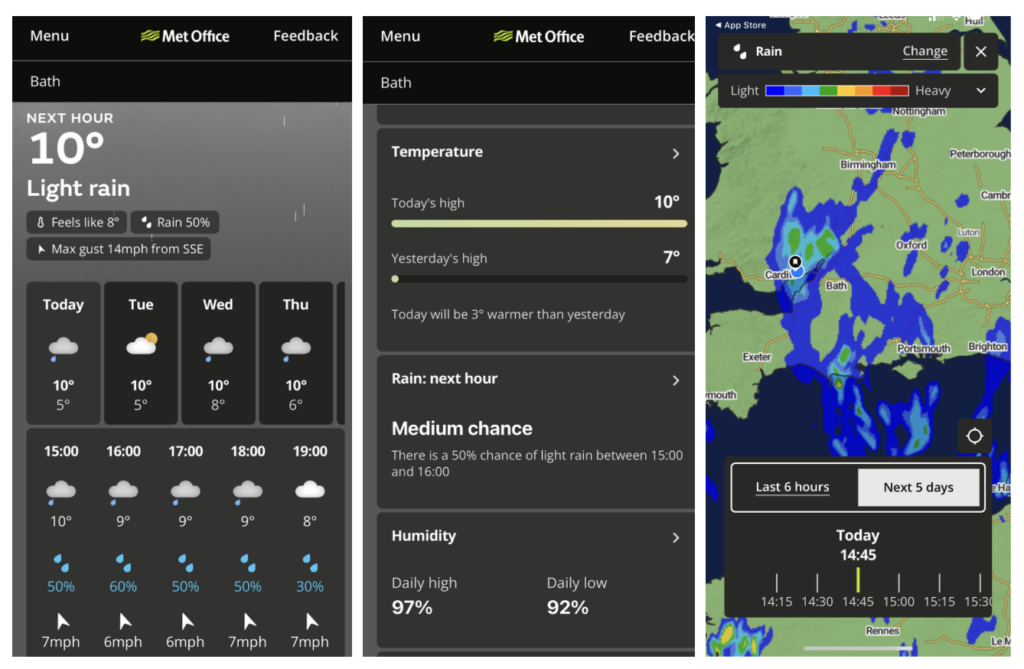
Different people will have different preferences here, but the Met Office is by far the most used app on my smartphone when planning what riding I’m going to do and when. 

 You can’t be a cyclist in the UK and not obsessively track the weather forecast before a ride, looking for any hint of rain on the horizon or a change in wind speed or direction. The Met Office app is free to use and makes this easy, while also showing both the actual and feels like temperature, which is particularly useful when deciding how many layers to wear.

It’s also worth understanding how forecasts are presented. For example, a 70% chance of rain means there’s a 7 in 10 chance that precipitation will fall at some point during that period, not that it will rain constantly.

How to choose from the best cycling apps

What is the best cycling app for beginners?

For navigation and routes, apps like Google Maps are simple and familiar, making them great for cycling directions and helping you explore new routes. Other apps, such as Komoot offer easy route planning with user-generated rides and turn-by-turn directions. 

For ride tracking, Strava’s free version is beginner-friendly. It allows you to log rides, see distance and time, and connect with friends for social motivation. 

Learning to maintain your bike is also an important part of getting started. Bike Doctor is a free app that teaches basic bike mechanics and repairs. It covers tasks like fixing a flat, adjusting brakes, or understanding how bike parts fit together, making it perfect for riders who want to feel confident looking after their own bike.

If you’re keen to track progress and start understanding your performance over time, apps like TrainingPeaks offer structured workouts and simple planning for those who want to build fitness progressively.

Are cycling apps free to use?

Many cycling apps and online platforms are free to use, and even premium apps often offer a free version with basic features like ride tracking and navigation. Most also include a trial period, so you can try the full suite of tools before committing to a subscription.

Premium versions typically unlock advanced features such as detailed performance analysis, route creation, training plans, and segment comparisons.

Do cycling apps drain phone battery?

It depends on which cycling apps you’re using, but those that rely on GPS tracking, live maps, and an active screen can quickly drain your phone’s battery.

To help preserve battery life, enable low-power modes, close any background apps, and auto-lock your screen when it’s not needed. If you plan to use your smartphone as your main navigation tool, be prepared for extra battery usage on longer rides.

Do cycling apps work offline?

Some cycling apps do work offline, but usually only for features that have been downloaded in advance. Apps such as Komoot and Google Maps allow you to download maps and planned routes while connected to Wi-Fi, which means you can still navigate without a mobile data signal once you’re out riding.

It’s also worth noting that apps relying heavily on GPS and screen usage can drain battery life quickly, particularly on long rides. To manage this, use low-power modes, turn off background apps, or carry a portable battery pack when riding for extended periods.

Can I use my smartphone instead of a bike computer?

With most of us already owning a smartphone, you may not want to pay more for a dedicated cycling device. A large screen and ability to mount a smartphone to your handlebars may make you question why you would want a second, smaller device for navigation.

> Is a smartphone better than a cycling computer? 

Smartphones are able to host a number of fitness apps such as Strava, which can display fitness data such as speed, distance and elevation which we’re used to seeing on cycling computers. We have also featured a free app in this guide – Bike Computer – GPS Tracker, that does exactly what it says on the tin.

However, a smartphone is unlikely to be able to record a long ride whilst preserving a decent level of battery juice, unless you’re carrying an external battery pack. Bike computers are therefore a better choice if you’re heading out for more than a couple of hours.

Emily is our track and road racing specialist, having represented Great Britain at the World and European Track Championships. With a National Title up her sleeve, Emily has just completed her Master’s in Sports Psychology at Loughborough University where she raced for Elite Development Team, Loughborough Lightning. Emily is our go-to for all things training and when not riding or racing bikes, you can find her online shopping or booking flights…the rest of the office is now considering painting their nails to see if that’s the secret to going fast…  

13 Comments

13 thoughts on “Best cycling apps – the essential downloads to complement your riding, from tracking rides to AI bike fitting”

  1. I’ve found Google Weather to

    I’ve found Google Weather to be more accurate than Met Office and the BBC Weather app to be the worst of the lot (even though it takes it’s data from the Met Office!!)

      • They went back to the Met

        They went back to the Met Office last year. Unclear whether that’s wholesale, though, or if they’re multi-sourcing data. The web version still has lots of references to MeteoGroup (as well as ones to the Met Office). That could just be slack updating, though, considering that MeteoGroup is no longer MeteoGroup anyway.

  2. Sportstracker.
    I’ve been using sportstracker for over 16 years and still the best. After finishing a ride, it tells you how it compares to previous ride on same course. Links to Bluetooth HR monitor. Also gives voice info on route , distance, HR, speed, etc . Customisable per distance, time or lap.
    A great coach to have on every ride.

    • Same here, I started using

      Same here, I started using SportsTracker on my good old Nokia N96.  Back then, the GPS tracking was just a squiggle on the screen, no map in the background.  I still use it today as my Suunto 9 watch uploads to the same database.

  3. What about Xert? Great app
    What about Xert? Great app for building fitness and training for an event. Needs a power meter, but most people who are serious about training will have one.

  4. Epic Ride Weather, works with

    Epic Ride Weather, works with most routing apps (Strava, RWGPS, etc) and sets out how the weather will be on your ride. See image.

  5. I have Garmin devices but don’t subscribe to Garmin Connect+; I use normal Garmin Connect. This combination allows me to use Live Track so that friends and family can see where I am.

  6. I am a fan of Fetch Everyone. It is a website. It did have an app for GPS tracking but these days instead recommends the Wahoo app instead.
    Fetch Everyone has all sorts of features, like fitness tracking, and route finding. A favourite of mine is a GPS game, which allowed me to gamify my commute, and helps to solve the question of where to go for today’s exercise.
    It is worth looking at to see if it has what you want. If it doesn’t, you can suggest it as a feature.
    You need to register to access it but there is no charge. Subscribing turns the ads off.
    My recruitment link:
    https://www.fetcheveryone.com/refer52509

Leave a Comment


Read more...

Read more...

Read more...