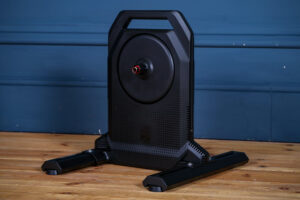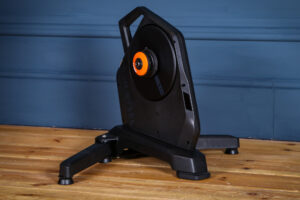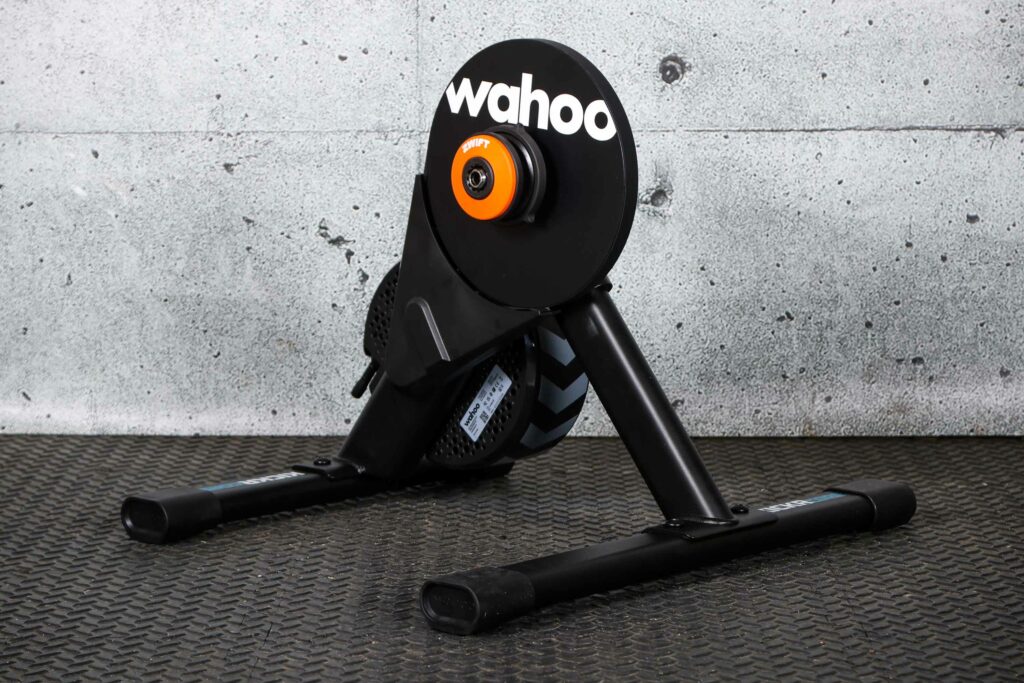

We’ve come a long way from the expensive early days of smart trainers and the Wahoo Kickr Core 2 comes with some super practical updates, which could well make it the most popular trainer on the market. However, my testing was blighted by software bugs and there were a few areas where I found flaws in its performance.
> Buy now: Wahoo Kickr Core 2 with Zwift Cog and Click for £399.99 from Zwift
The Wahoo Kickr Core 2 comes with four notable updates: Race Mode, Integrated WiFi, LED status lights and more stable legs. Additionally, the version I tested came with the Zwift Cog and Click system.
The trainer arrived in a neat box, very easy to unpack and immediately ready to set up. A simple process involving a single Allen key meant that the trainer was standing within a couple of minutes. With the Zwift cog already attached, all you need to do is remove the rear wheel and mount the bike, ready to start pedalling.

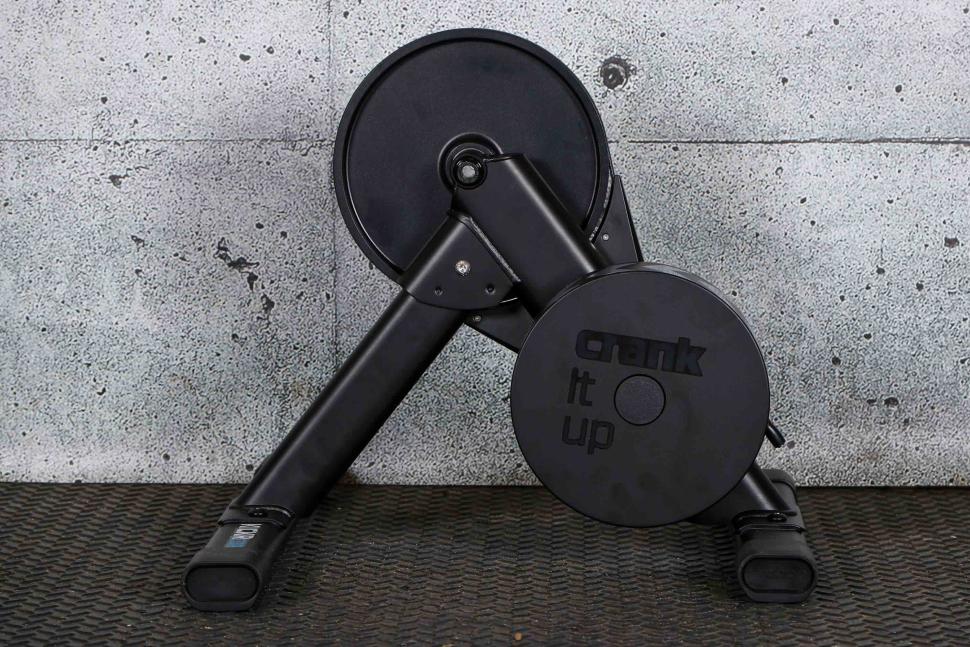
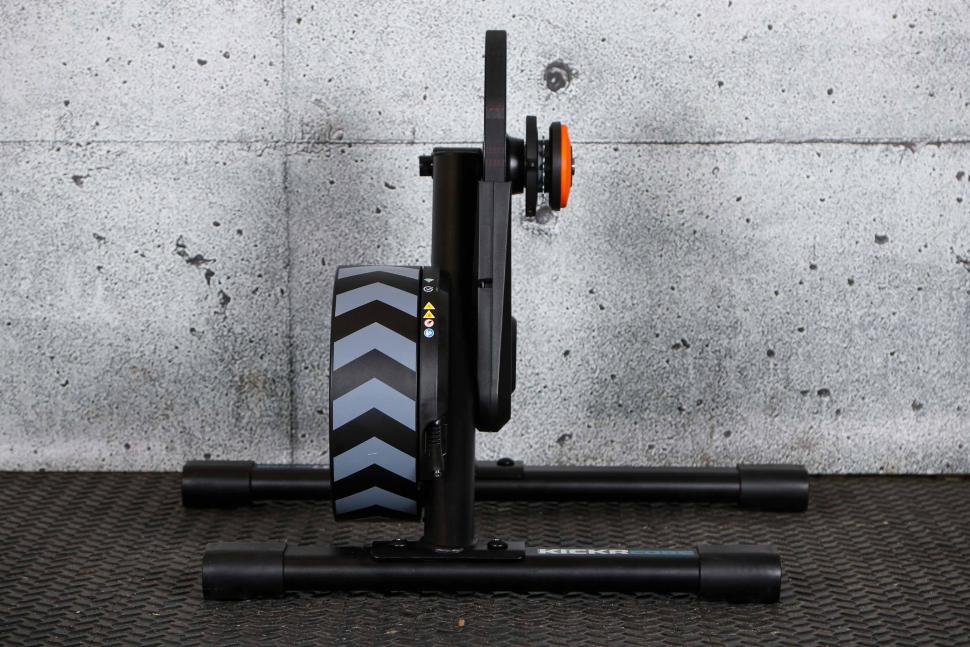


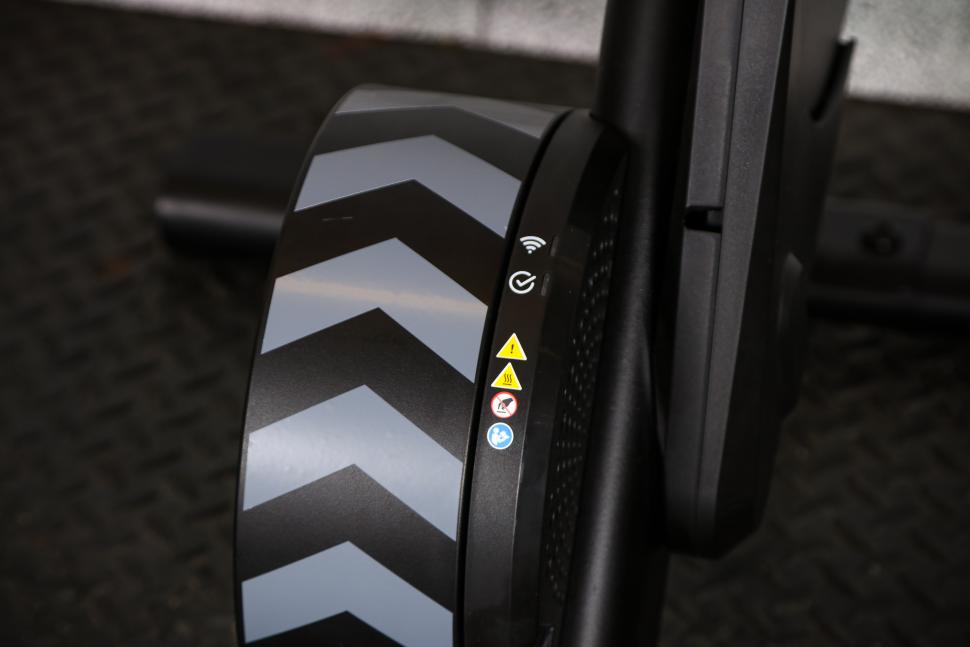

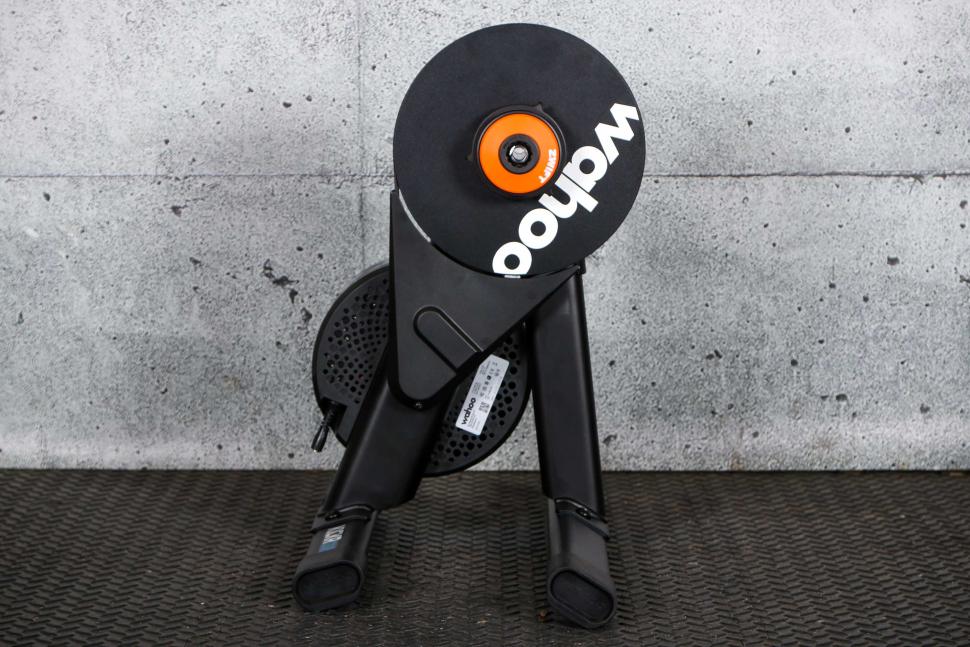

I was really impressed by the Zwift cog, with the ability to easily adjust the cog’s distance from the central hub meaning that you get an absolutely perfect chain line. I chose to mount the Zwift click controllers on the inside portion of my hoods. There are a number of options, but for me it meant that the gear shifting buttons and play controllers were closest to my natural thumb position. I also liked the numerous attachments that came with the trainer, meaning you won’t need to buy any to switch between thru-axle, or quick release bikes.
Part two of the setup, however, is not so smooth. Having downloaded the Wahoo iPhone app, I faced repeated connectivity issues when setting up the connection and downloading the latest firmware.
The integration with the Zwift cog and virtual shifting means that the Zwift click handlebar controllers must be connected before you can start to ride. It took a couple of firmware updates to these before I could finally pair the controllers and pedal away. I experienced dropouts in both the Zwift companion and Wahoo apps whilst running these updates having followed their exact instructions. Overall, it was a highly frustrating process and a lot different to the experience Wahoo’s advertising would lead you to expect.
Following the long setup ordeal, I was keen to hit the roads of Watopia and put the Kickr through its paces.
Race Mode and Zwift Cog and Click
My first impressions of virtual shifting were good; I was impressed by how seamless the shifting felt, and how the lack of actual chain movement up and down a cassette led to a quiet ride. It does take some getting used to – firstly with the hand position for shifting gears, and secondly to feel the subtle differences between your own bike’s gear ratios and the Zwift ones. It’s worth doing some tinkering with the settings in Zwift, as I felt much more at home once I’d set my ratios closer to my own bike’s. I’ve since tried it on some super steep uphills and downhills, and I would say that the gear range now feels about right.
As a regular Zwift Racing League participant, I was particularly excited to try out the new Race Mode. In short, this sends power meter readings to your device at a much faster rate. This means that Zwift (or whatever platform you choose) will respond far quicker to your power output.
Race Mode was 100% noticeable – firstly in the power meter readings on screen, but also in terms of responsiveness. I noticed my avatar respond much quicker to any sprints or changes in pace. Overall, a big tick. I actually wonder why anyone would choose for Race Mode to be turned off – I see no benefits given data can be smoothed.
One of the other notable new features is the Bluetooth bridge functionality. This is an important new function which effectively tidies up the connection between your trainer, other data sources, and the device running the software. Unfortunately, this worked horrendously. Something that appeared to be simple on the Wahoo app, really didn’t function correctly.
I thought it would be advantageous that my heart rate monitor, the Tickr, was a Wahoo product. However, I experienced consistent dropouts during my time testing. Additionally, the Zwift Click system drifted in and out of connection, which is even more significant given this is your method for changing gear. I also experienced two full dropouts, where the trainer disconnected from Zwift mid-ride. This is all very frustrating, and something I would probably attribute to the Wahoo App.
You should generally try and stay away from the comments section of the internet (below the line at road.cc excepted). However, a number of online forums show that other users have experienced similar problems. This is not an insurmountable challenge for Wahoo, but is certainly a current issue that detracts from the enjoyment of using what is otherwise a very good trainer.
Performance
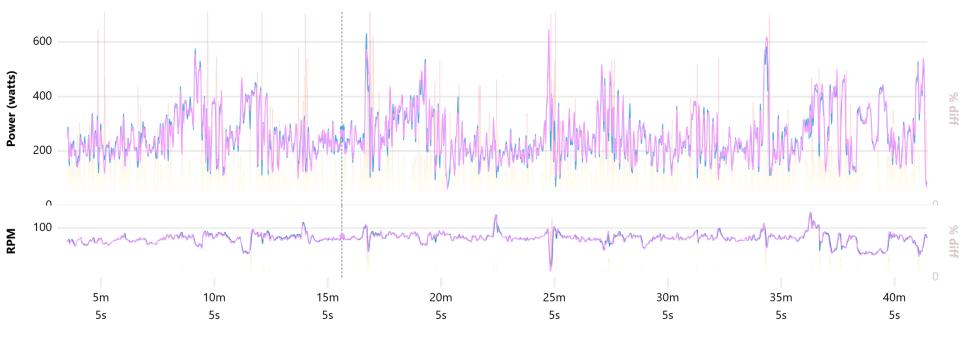
I’ve spent some time comparing the Kickr Core 2’s output data to other available sources. I have a dual-sided 4iii integrated power meter on my S-Works Tarmac road bike (claimed accuracy +/- 1.5%), while the Kickr claims to have an accuracy of +/- 2%.
The accuracy was extremely good, with my average power being within 1W of my average power recorded independently. The cadence readings were also excellent, with no observable differences.
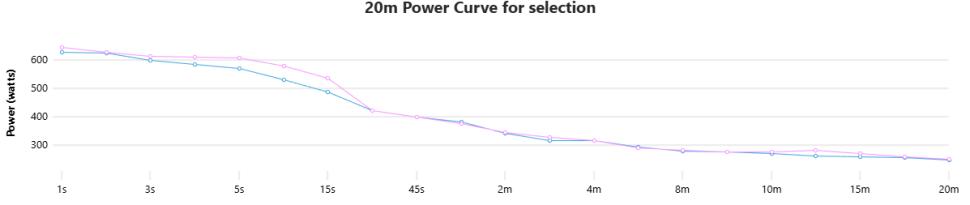
The ‘spikes’ in power observed when I was attacking were also reasonable. With the max power of the two devices around 2.5% different. This all fits within a reasonable range and points at a trainer with accuracy that can be trusted. Take a look at the power comparison charts and judge for yourselves.
I tested ERG mode out on a range of structured training sessions, and the Wahoo was good at meeting my planned numbers. In comparison to the Tacx Neo, I think there was a little more lag with power targeting. This showed on shorter efforts, where my power numbers tended to come up short of the desired number.
This was something I also noticed when encountering extreme changes in gradient within the world of Zwift. For example, the new Zwift New York routes have some short sharp kickers, out of the subway. I found the Kickr took a few seconds to respond to the gradient change, resulting in a weird riding experience.
Having used the Kickr in a range of race and ERG mode efforts, I have noticed that there is a slight lack of stability. The Kickr 2 is a heavy object at 13kg and has redesigned legs ‘for better stability’ but I’m only 72kg, and can barely put out 1000W, yet the trainer really shifted when I made sprint efforts. A lot of that will depend on weight distribution and technique, but I would really consider this before making a buying decision. My other trainer is a Tacx Neo, with a very different leg design and I certainly don’t have this problem when riding that trainer.
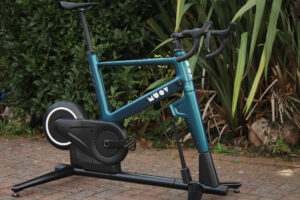
One of Wahoo’s headline moves when releasing the Kickr was setting its price at £499. This RRP is a stark contrast to the high prices for much lower quality trainers we were seeing only a few years ago. You can also get the trainer with the Zwift Ride bike for £1,099, which may be an excellent option for people with permanent space for home training.
Despite this being a good price, does the Kickr 2 represent the best value? I’d highly recommend watching Liam’s video on this exact subject.
> What’s our top-rated budget smart trainer? A mini affordable turbo shootout
Spoiler, Liam concluded that the JetBlack Victory wins on value. Retailing at £399, it has WiFi connection, Race Mode and comparable accuracy credentials. Therefore, in a straight comparison, I would be choosing the JetBlack trainer.
I would also mention higher cost smart trainers, such as the Tacx Neo. The latest iteration retails for well over £1,000 – however, you do get a much higher quality of trainer. It’s up to you to judge how much you might value additional accuracy and a better feel.
Overall, there’s lots to take into account with the Wahoo Kickr Core 2. The new features that Wahoo has introduced have let it keep up with the competition, and for £499, you’re getting a very good trainer which pairs excellently with online training platforms. In particular, the introduction of Zwift Cog and Click with virtual shifting elevates its use when paired with Zwift.
My critique mostly centres around software issues with the Wahoo app, meaning that the user experience isn’t as smooth as it could be. Nevertheless, using the Wahoo Kickr 2 regularly will categorically improve your cycling fitness, and I’ve really enjoyed racing and training on it.
Verdict
A good indoor trainer, at a good price – software fixes would make this significantly better
All the deals displayed on our review pages are pulled from a constantly updating database feed of the best affiliate deals available. The criteria for deciding on what are the best deals is who is offering the lowest, delivered price. In most cases we will be showing the very best deal available online, but sometimes you may be able to find an item cheaper. If you can please feel free to post a link in the comments box below. To find out more about affiliate links on road.cc click here.
road.cc test report
Make and model: Wahoo Kickr Core 2 trainer
Size tested: One
Tell us what the product is for and who it’s aimed at. What do the manufacturers say about it? How does that compare to your own feelings about it?
The Wahoo Kickr Core 2 is a smart trainer, designed to be connected with indoor training apps, such as Zwift.
This version includes updates to include WiFi connection, Race Mode, Bluetooth bridging and additional stability.
Tell us some more about the technical aspects of the product?
From Wahoo:
Product Weight: 30lb / 13.6kg
Resistance Type: Electromagnetic
Cassette: Pre-installed Zwift Cog
Hub Types: 130/135mm QR, 12×142, and 12×148 Thru Axle
Adapters: Includes 130/135mm QR adapter & hub spacer, 12×142/148 adapter & hub spacer, 1.8mm cassette spacer
Maximum Rider Weight: 250lb / 113kg
Zwift Click: Bluetooth communication; CR2032 battery powered
What’s in the Box
KICKR CORE 2 Smart Bike Trainer
Drive Side Adapter for Quick Release
Reversible hub spacer for 130mm and 135mm Quick Release
Non-Drive Side Adapters for 12×142 and 12×148
Drive Side Adapter for Thru Axle
AC Power Adapter
Zwift Cog (pre-installed)
Zwift Click
Well constructed and very easy to get the unit together
The hardware performance is very good. The only performance issue was a lag when starting intervals within ERG mode, and with extreme changes in gradient.
Being an indoor trainer, there’s no reason to think this won’t last a very long time.
The move to a single Zwift cog and click will reduce wear on a cassette.
Could be heavier. Generally the heavier the fly wheel, the better the performance. This trainer weighs in at just over 13kg.
Hard to comment here, but other trainers allow for a little more sway, which adds to comfort when riding indoors
A RRP of £499 is good for a trainer with this amount of tech included. I would recommend watching Liam’s video on the competition.
Tell us how the product performed overall when used for its designed purpose
This is designed to deliver indoor racing, training and general all round riding. I paired this with Zwift and really enjoyed it. Its performance was overall very strong, and I only had a few areas where I felt it could perform better.
Tell us what you particularly liked about the product
I really liked Zwift Cog and Click. The controllers enhanced my in game experience, and virtual shifting is a big win.
I also liked race mode. I could see it make a big difference in the responsiveness to efforts.
Tell us what you particularly disliked about the product
The Wahoo software. Frankly, the connectivity and functionality of the Wahoo app has let this down. In particular, it made the setup very arduous and the new Bluetooth bridging performed poorly.
How does the price compare to that of similar products in the market, including ones recently tested on road.cc?
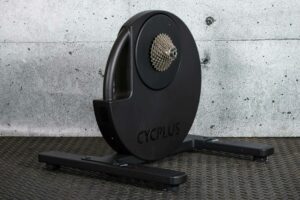
Again, I would recommend the article on this exact topic. £499 does compare well to the wider competition, however there are a number of contenders in the ‘mid-range’ space. The Van Rysel D100 retails at an exceptionally low £279.99 and also comes equipped with the Zwift cog. The star of the show is the Jet Black Victory, it has specs that are almost identical and retails at £399.
Did you enjoy using the product? Yes
Would you consider buying the product? Yes
Would you recommend the product to a friend? Yes
Use this box to explain your overall score
This is a good trainer. The Kickr Core 2 functions very well in Zwift and gives a realistic riding experience. It could do better in ERG mode, and the software issues can be a little frustrating.
About the tester
Age: 35 Height: 182cm Weight: 69kg
I usually ride: S-Works Tarmac My best bike is:
I’ve been riding for: Under 5 years I ride: Most days I would class myself as: Expert
I regularly do the following types of riding: road racing, commuting, club rides, sportives, general fitness riding, Gravel on a CX bike