



As its name suggests, Garmin’s Edge MTB is a cycling computer tailored towards the requirements of mountain bikers. To help hit those needs, it boasts a range of features, modes, and programs that’ll certainly help MTBers find new trails and access handy metrics. While a lot of what it offers is very useful for the average mountain biker, some is perhaps over-specific, some parts can feel rather clunky, it requires a fair bit of setting up for it not to be annoying, and the lack of a touch screen doesn’t go unnoticed. Its battery life is lengthy enough for most MTB jaunts, however, but I reckon it’ll be a vital tool for privateer racers.
- Best cycling computers 2025 – top options for mountain bikers
- Garmin Edge 1040 Solar bike computer review
- Best cycling apps 2025 – top options for iPhone and Android
Garmin Edge MTB – Technical details
There’s a lot going on under the Edge MTB’s hood, but it separates itself from the rest of Garmin’s range by being specific to mountain bike use. Though alongside its pre-loaded Mountain Bike, Enduro, and Downhill modes, it does come with a gravel mode. With that, the device can provide routing that’s specific to the ride you’re doing, so if you’re planning a road ride, it’ll prioritise roads, and gravel, you’ll likely find yourself guided towards fireroads. Of course, the mountain bike modes will direct you towards singletrack.
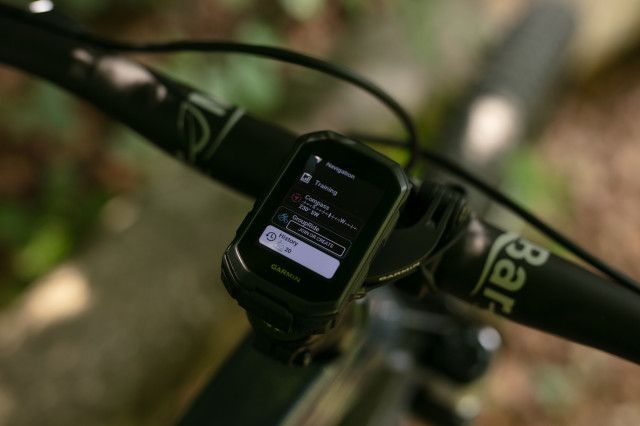
Speaking of those ride profiles, the Edge MTB introduces two new ones – Enduro and Downhill. The former tracks the total ascent and descent from each run, or stage, as well as the overall ride. Then, the Downhill mode, as you might have guessed, only tracks the downhills. While using these profiles, the computer then launches its 5 HZ GPS recording, enabling greater detail of your ride, as well as more accurate navigation.
As for navigation, the Edge MTB can provide maps as you would expect, but Garmin has loaded up trails found on the Trailforks app, so it should be easy to find new tracks. That’s then complemented with Forksight, which pops up mid-ride to highlight nearby trails and shows you information on them, such as the gradient, trail grade, and distance. After a ride, it’ll then summarise what you’ve done, while separating how much time you’ve spent riding certain grades of trail.
Another new feature that comes with the device is virtual timing gates. Granted, this isn’t something you’ll use all of the time, but it allows the user to plot splits down a trail. Then, when riding the trail in timing gate mode, it’ll track your times as you tackle each user-set split. Again, it’s not a thing I’ve found myself using all of the time, but it’s enabled me to play with my line choice to figure out where I can go faster down a given trail. It’s a bit like having a trailside coach sat on your top tube.
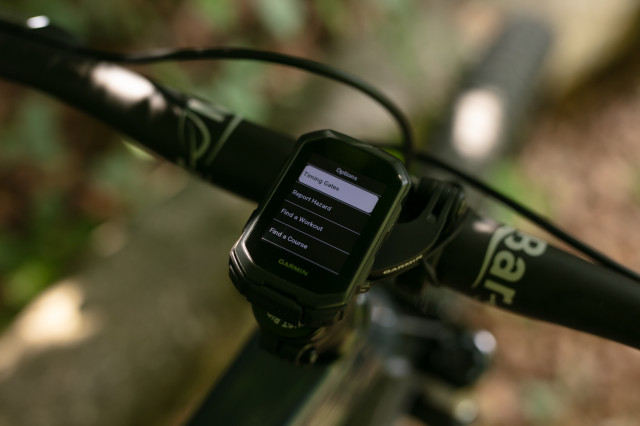
On top of all that is all of the usual stuff that you can expect from a Garmin cycling computer, such as Climpro, Grit, and Flow metrics, turn-by-turn directions, and nutrition and hydration alerts, as well as a bunch of safety features and connectability with electronic shifting, e-bikes, and turbo trainers. Though the Edge MTB can track your jumps. So that’s how many times you’ve jumped during a ride, how far you’ve flown, and how long you’ve spent in the air. However, unless you’re counting your jumps in your head, this can be hard to keep track of.
I don’t think I’m even scratching the surface here, as there’s also the Garmin Coach feature, recovery time, and daily suggested workouts. Honestly, I could go on forever, but I’ll save you the torture.
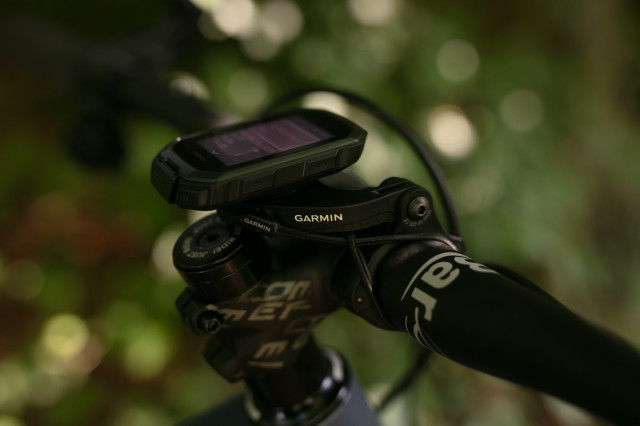
To wrap up the features, Garmin has been fairly generous with what comes in the box. Of course, there’s the computer and a charging cable, but the brand has included both a handlebar mount and a strapped top tube mount. I was really happy with this as I could put both mounts on two different bikes, and have all of the info within easy reading on my handlebar on my cross-country bike and mount it out of the way on my top tube on my trail bike.
Oh, the display is protected thanks to a Gorilla Glass screen, and its perimeter is rubberised.
Garmin Edge MTB – Performance
My experience with the Garmin Edge MTB has been a bit of a mixed bag. Though ease of use from the get-go was impressive. Navigating the device’s many screens is done solely through buttons around the sides of the computer, and learning how it all works is pretty straightforward. However, out of the box, the Edge MTB has an awful lot going on as the brand has clearly tried to flex all of its power straight out of the gate.
At first, it’s annoying to use. It constantly flicked between whatever screen and alert it thought would be useful for what I was doing. If I were headed for a climb, it would switch to the climb screen when, really, I wanted to know my heart rate, which was set up on the main screen. If I were standing still, it would show me all of the other trails I could be riding. Of course, a lot of what it had to show was useful stuff, but in the context of how I was riding, it was frustrating, as it was showing me metrics that weren’t a priority at the time. At first, it felt more as if I was taming an unruly beast, rather than enjoying a computer to complement my ride.
It makes an awful lot of noise, too, and it’s often the same tone. After every wheels-off-the-ground moment, it’ll beep to let you know. It’ll beep to let you know when you’ve started a climb, and finished a climb, and for every turn on your map. It’ll beep when it displays new trails and to alert you when it’s time to eat or drink. It can get very noisy, and with the tone being the same for every alert, it can be tough to discern whether it’s beeping for something that’s useful at that time. While a little sound can be helpful to catch your attention for something important, I struggled to find a way to set certain alerts to beep. It’s either on or off for every notification you’ve approved, unless there’s something I’ve missed within the Garmin app’s menus.
A saving grace is that this is all customisable through Garmin’s app, and after a little while and plenty of trial and error, I was able to set up my riding profiles just how I liked them—pop-up free and beeping only for the alerts I set up. While it’s excellent that certain notifications and alerts can be turned off, Garmin doesn’t do the best job of explaining what each option means on screen. That’s where the trial and error came in.
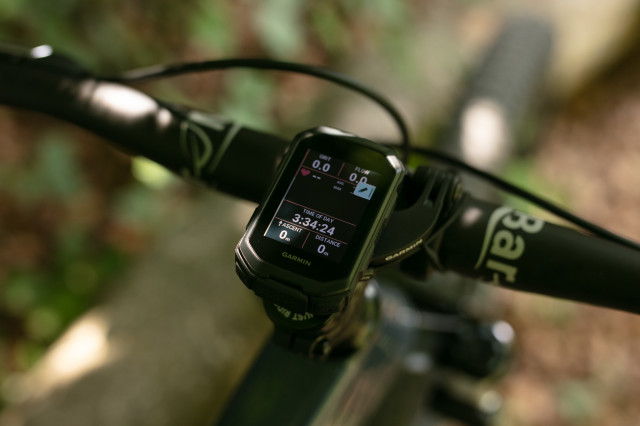
Once set up, apart from the lengthy start-up time, the Edge MTB is quite the powerhouse. It accurately tracked where I was on the trail and provided useful information. I had my main mountain bike screen displaying the time of day, ascent, distance, and the Grit and Flow measurements. However, I could forgo the latter metrics as they didn’t really add anything to my experience, other than telling me that my flow was awful, despite feeling excellent while riding down a trail.
From there, you can add or subtract as many different screens as you like. I prefer to keep things simple, so I went for the main metrics screen and a navigation one to take advantage of the Trailforks integration. That main metrics screen can be customised an awful lot too, with a range of data fields and data types.
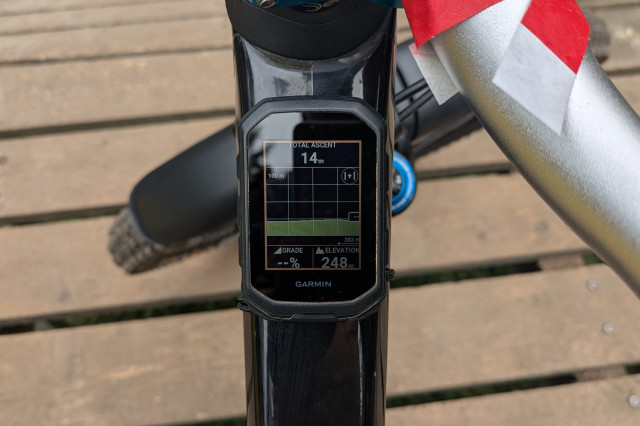
The Edge MTB comes pre-loaded with Mountain Bike, Enduro, and Downhill profiles, and from there, the user can build their own profiles or customise the preloaded ones to suit. But in the Enduro and Downhill profiles come with interesting features. Enduro mode allows the user to track the ascent and descent during a run, and for the overall ride. The Downhill mode then only tracks the descents, and that can come in handy when chasing times. For the general mountain biker, like myself, I didn’t find all that much use in either of these, but I employed the downhill mode for bike park days, where I didn’t want to track time on the uplift. Racers, however, will find these more useful.
A feature that I did find particularly fun, however, is the timing gates. It takes a little bit of setting up, so that’s a quick roll down your chosen descent while tapping a button to plot a timing gate, but once it’s done and saved, you’re good to go. When it comes time to race against your splits, activate timing gate mode, select your track, and have at it. Once the descent’s done, the Edge MTB will show you your split times over however many attempts you ride. While I’m not an out-and-out racer, it was fun to ride one track multiple times, changing my line choice as I went to see which made me faster. Though, as far as I know, the computer doesn’t save these splits to compare against on another day, which is something I would appreciate.
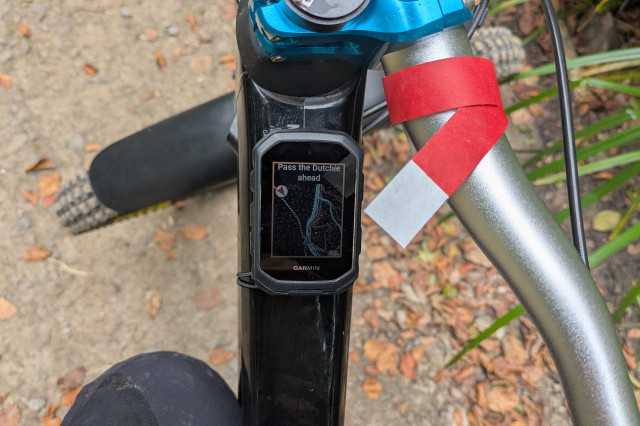
The real power behind the Edge MTB is Garmin’s collaboration with Trailforks, which makes it an incredibly handy tool for finding new trails without having to do all that much. The device is preloaded with maps from Trailforks, and when a navigation screen is loaded up, it shows all of the nearby trails that you would usually find when scrolling through the Trailforks app. Each trail is colour-coded as you would expect from general trail grading (green, blue, red, and black). There’s then a brighter blue line that shows you where you’ve already ridden. Combine that with the device’s accuracy, and it presents a wealth of potentially new-to-you trails, which is ideal if you’re visiting a new riding spot, or you’re just looking to ride something you’ve not seen before at your local. The map’s refresh rate isn’t particularly speedy, however, as it does jump around a little bit as you travel, but it provides just enough information to make navigating yourself to fresh trails simple.
Garmin’s Forksight adds another layer of trail-finding ease, as it’ll highlight nearby trails, their grade, and their gradient. For my weekend rides, I turned this off as it usually showed up as a pop-up when I didn’t really need it, but when scouting for new tracks, it’s a nifty feature.
That said, the Edge MTB doesn’t use a touch screen, so moving the map around, zooming in and out is done through the buttons on the side, which can feel a little cumbersome.
As for the battery life, it’s certainly been more than enough for the riding I’ve done. On longer five to eight-hour rides, I’ve finished with around 40 to 50% power remaining, and I’ve not even touched the battery saver mode or felt the need to recharge the device as I’ve ridden. The same goes for intensive bike park days, too.
While I certainly haven’t used every single feature that’s loaded up into the Edge MTB, I would say that I’ve used it more than the average mountain biker, having utilised its navigation and more during a multi-day stage race, employed the enduro mode for 2025’s Ard Rock, the regular mountain bike mode for my weekly jaunts, and made myself a little faster (according to the computer) down some of my favourite trails. After quite an extensive setup and fettle to quiet the lairy beast, and moulded it to my preferences, I’ve enjoyed using it. Although small, its screen is clear and its battery life is lengthy enough for day-long rides. It’s taken the odd tumble too, having shrugged them off completely. That said, I reckon racers will find the true value that the Edge MTB can offer.
Gamin Edge MTB – Verdict
Whether or not you should buy the Garmin Edge MTB very much depends on what you want from your cycling computer. There are many cheaper options available that are more basic, and if you’re merely after navigation and riding metrics, they’ll do just fine. But the Edge MTB is more than your average cycling computer, thanks to its heavy lean towards mountain bike use.
It’ll set you back £340, which isn’t cheap, but there are pricier competitors around. Regardless, there are cheaper devices available that’ll track the vital metrics without all of the MTB-specific bloat (to put it in a somewhat unkind manner), so you’ll need to decide whether or not its wealth of features is really useful to you. Wahoo’s ELEMNT Bolt 3 is £300, and it comes with a lot that the Edge MTB does, just not the mountain bike-specific stuff. And that’s the story you’ll find with almost any other cycling computer.
Hammerhead’s Karoo 3 trumps the Garmin in terms of price, coming in at £450. It’s a larger device with a super clear touch screen, but I would say that the Edge MTB’s size and range of features make it more attractive, unless you’re hard of sight.
For the average mountain biker, the Garmin Edge MTB’s mountain bike-specific features may be a little too much, and they might find themselves never realising its full potential. Though after a good bit of time customising and taming an otherwise very vocal and jumpy little computer, I found myself enjoying its accuracy, battery life, navigation features, and using it as a regular computer. Though the Edge MTB finds a much more relevant home on the top tubes of racers, who’ll explore and take advantage of the breadth of what it can offer, and maybe even find themselves riding faster because of it.
All the deals displayed on our review pages are pulled from a constantly updating database feed of the best affiliate deals available. The criteria for deciding on what are the best deals is who is offering the lowest, delivered price. In most cases we will be showing the very best deal available online, but sometimes you may be able to find an item cheaper. If you can please feel free to post a link in the comments box below. To find out more about affiliate links on road.cc click here.


