


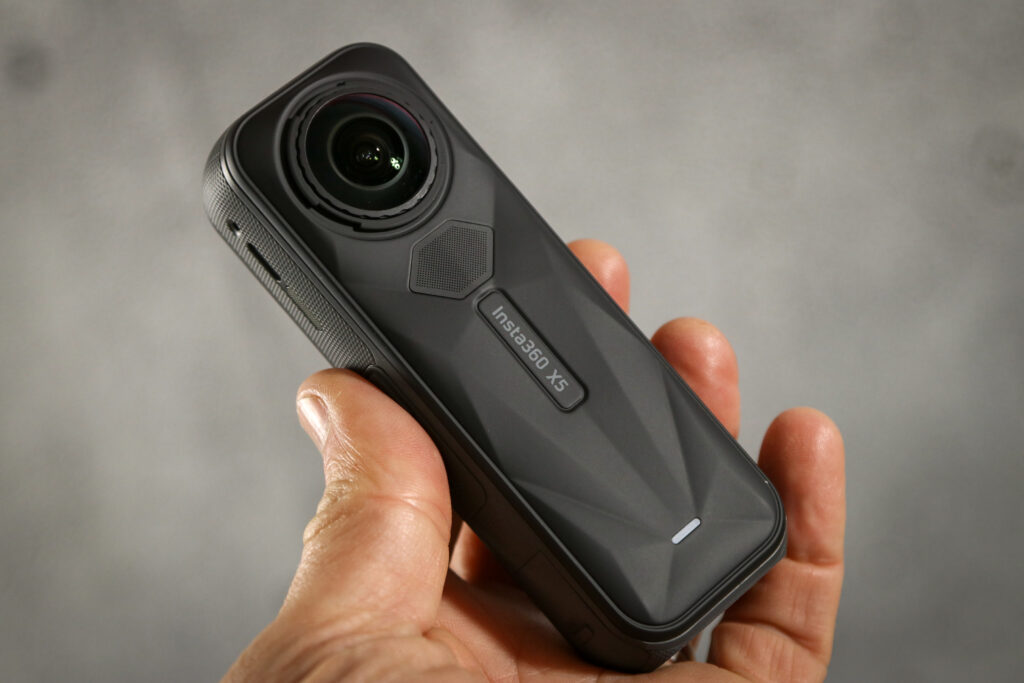



The Insta360 X5 is a great camera that can give you a wide range of shots and has some clever features to get the most out of your filming. It also addresses the thing about 360-degree cameras that’s always been an achilles heel – the easy-to-damage sticky-out lenses – and for me that’s a real game-changer.
The basics first: a 360° camera takes a complete spherical image of everything around it, and then, post-capture, you can choose to frame that image in any way you like for your final flat video.
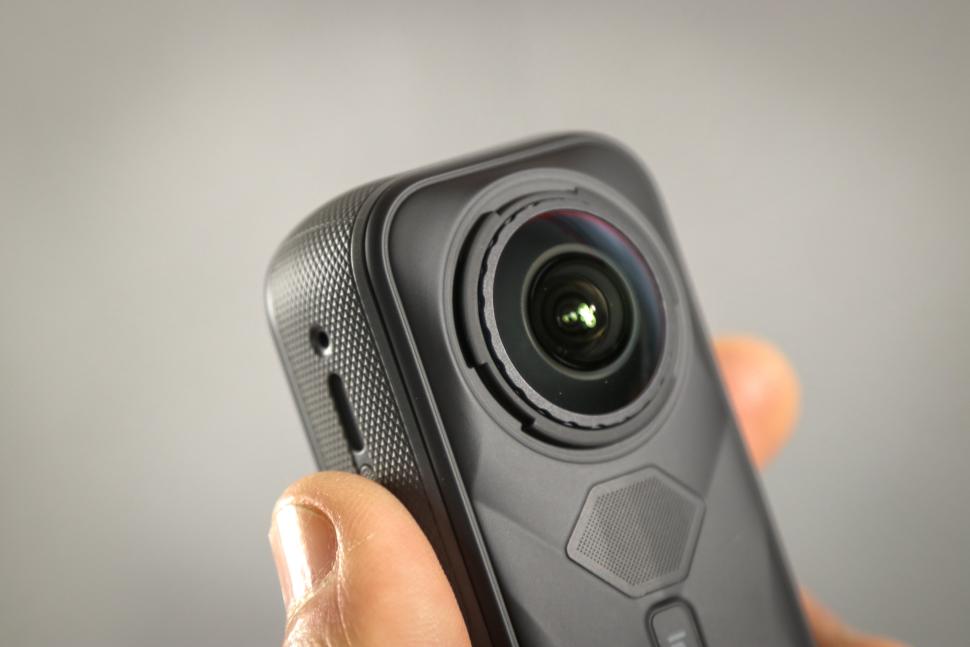
How is this trickery accomplished? There’s a lens on each side of the camera that sticks out a bit and is able to capture a more-than-180° field of view (it can see behind itself a little bit) and the camera then joins those images together to form a continuous picture.
Insta360’s image-knitting algorithm has improved over the years, and these days you’d be hard pressed to spot the join in most normal situations. If you want to be absolutely sure, you’re always better off pointing one of the two lenses directly at your subject, but it’s impressive what you can get away with.
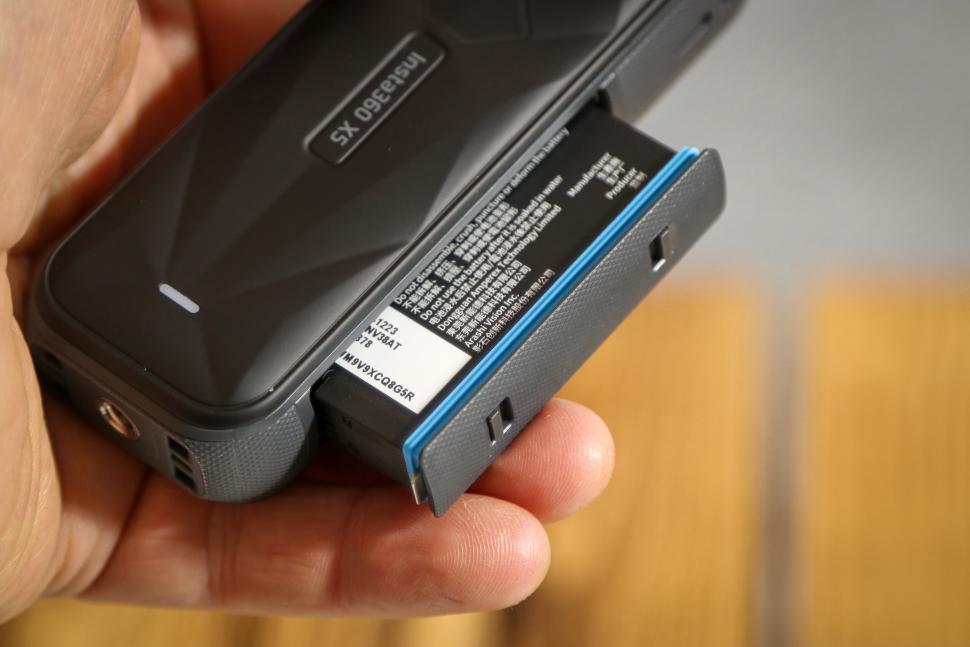
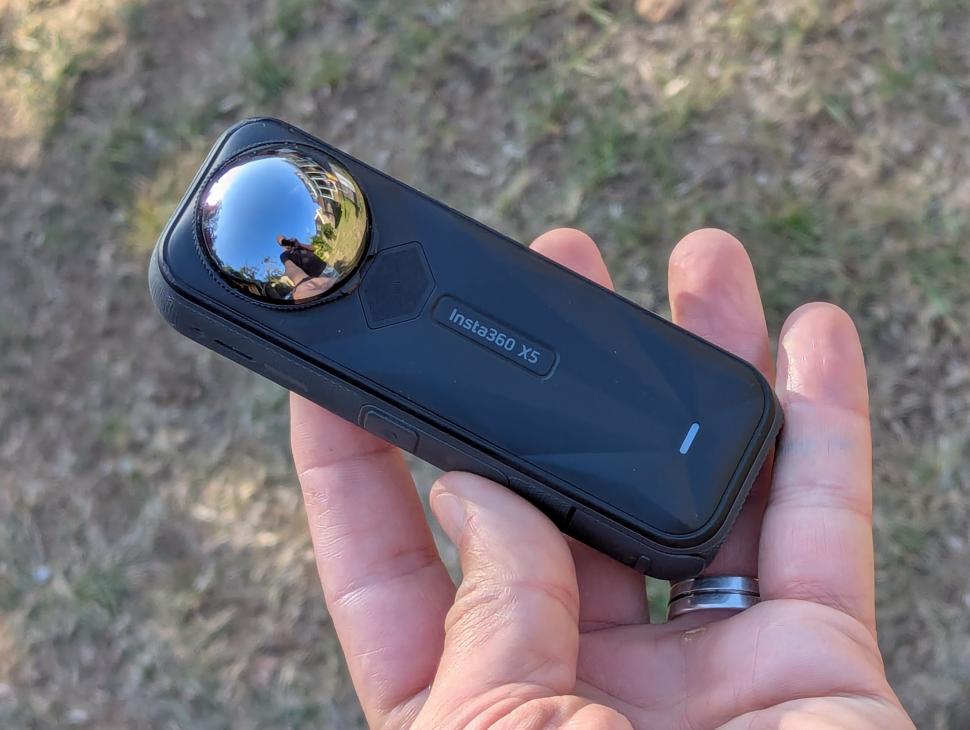
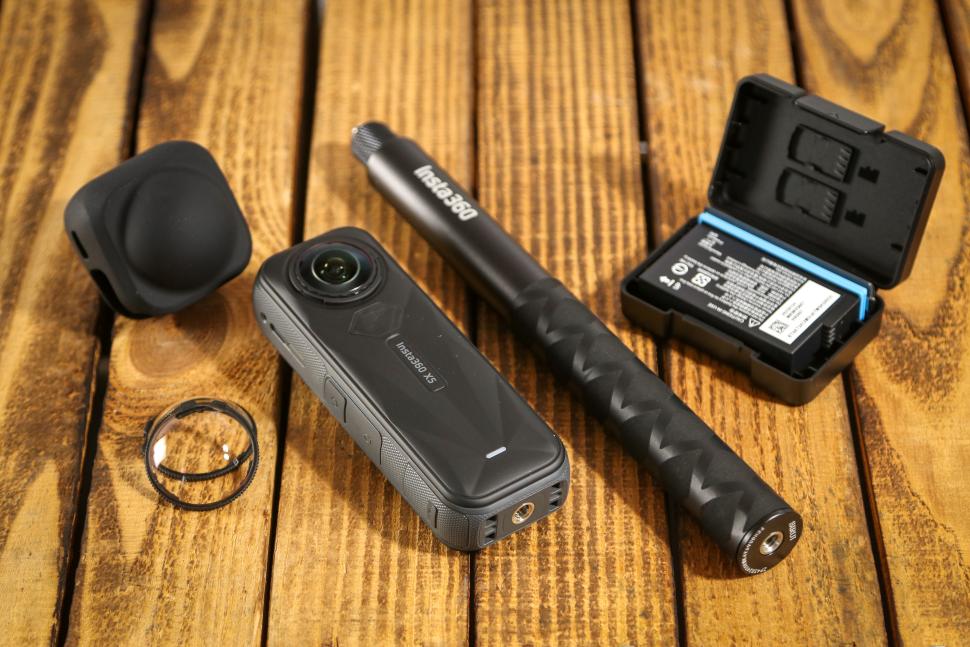
The camera is powered by a 2,400mAh battery (a new 2,800mAh endurance battery is also available) and it takes a standard Micro-SD card. There’s a USB-C port for charging, and a couple of physical buttons on the same side.
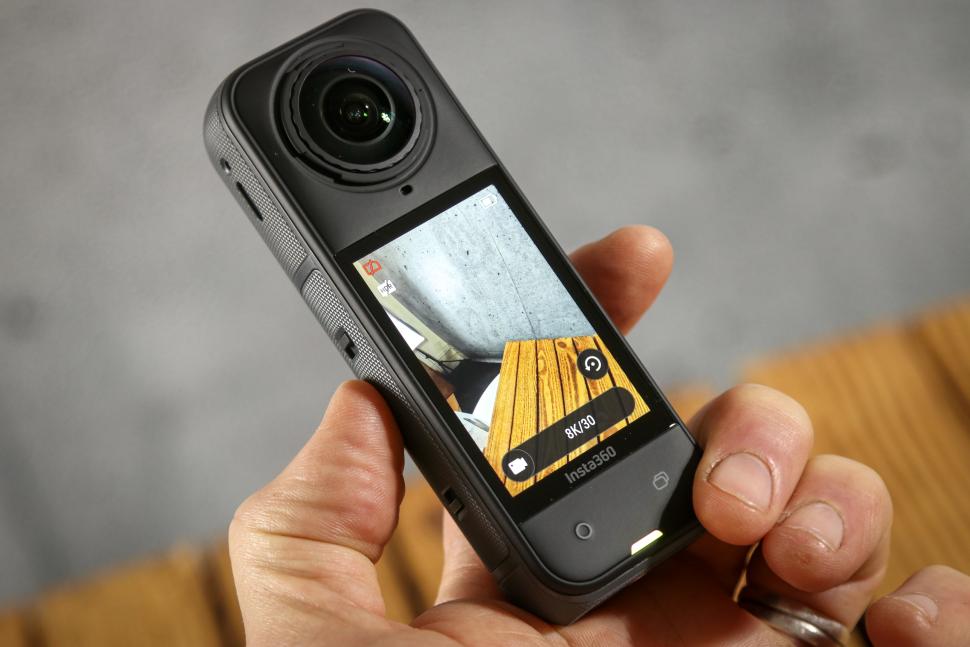
The rear of the camera has a nice bright touchscreen giving access to all the camera settings, and there are two physical buttons below that too.
The camera weighs 200g, and it’s waterproof out of the box to 15m. There’s a dive case available if that’s not enough, but barring catastrophe it should be fine for cycling…
There are a range of mounts available, including out-front mounts that attach to a stem faceplate or the underside of an integrated bar, to give you a riding shot that includes the front of your bike and your handlebar.
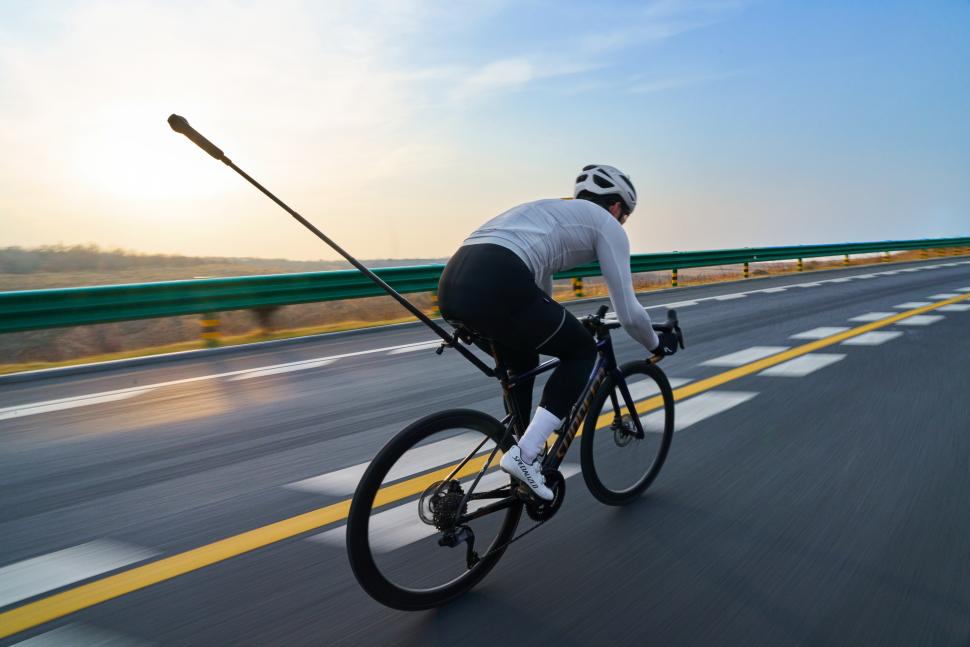
You can also get a kit to fit an extendable selfie stick to your seatpost and saddle, which allows you to get a sort of follow-drone shot. Both of these work very well, although given the nature of the road surfaces round here I wasn’t especially comfortable going full-tilt on the descents with the camera bouncing around on its stick behind me. That’s one best saved for roads you know are nice and smooth; you’ll get better footage too.
There are plenty of other mounting options too. A chest mount doesn’t seem to make a huge amount of sense at first glance for a camera like this because it negates the 360° capability, but the X5 will shoot at 4K in single-lens mode and behave like a standard action camera. You can fit it to the top of your helmet, too, for a better all-round view, although I don’t personally think that’s the best idea: you can’t really include yourself in the footage because the perspective looks a bit weird, and also you look a bit weird with a fairly big camera on the top of your head.
Insta360 X5 image quality: Best 360° camera yet
The image quality from the X5 is the best I’ve seen from a 360° camera thus far. Here’s a video of the Pauline Porter Populaire audax that I shot entirely with the X5 over the course of three days in varying conditions…
The X5 captures an 8K image from its two 1/1.28in sensors (they’re significantly bigger than its predecessor the X4) in its highest mode, but obviously that 8K is for everything all the way around the camera, so you’re not going to get an 8K flat file once you’ve processed the footage in Insta’s app. Active HDR – which increases the dynamic range of the footage and generally improves the look of the final video – is available up to 5.7K, with the highest two modes – 5.7K+ and 8K – not supporting it, so I generally shot in HDR, in 5.7K.
I found over my time of using the camera that if I was exporting a flat file that wasn’t too cropped in, then 1440p footage (2560×1440) was about as far as it was useful to go on export. Once you go past that you’re just adding file size without really getting any more detail, and if you start zooming into the footage for a tighter crop on something, you lose detail pretty quickly. That’s true of most action cameras, though. From 8K footage the step up to a 4K flat file was just about worth it.
All of which is to say: if you’re comparing a final processed file from the X5 against the output of, say, Insta360’s excellent Ace Pro 2 – both of which are technically 8K cameras – then there isn’t as much resolvable detail in the X5 shot. As an example, here’s a comparison of the level of detail in a still from both of those two cameras:
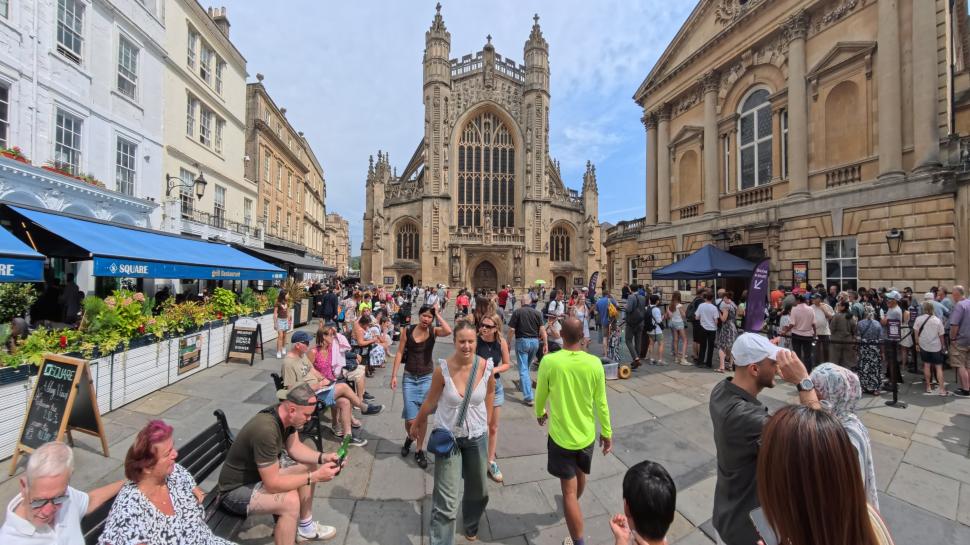

There are a few things to take away from this. Firstly, both pics are very well exposed with a great level of detail. If we compare the abbey a bit closer on each…
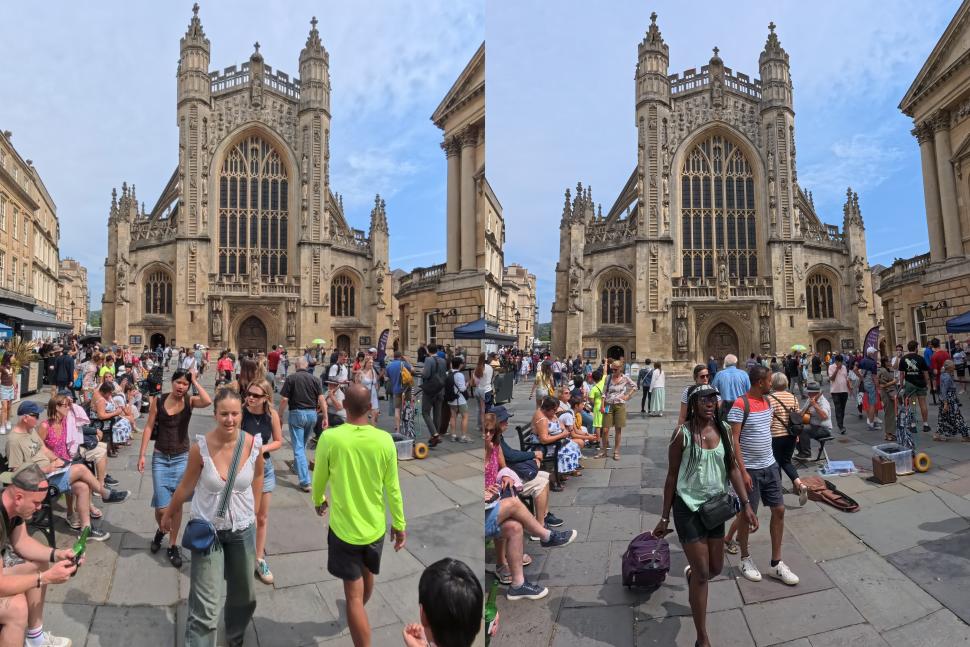
…then at this scale you really don’t notice that much difference, both the X5 (left) and the Ace Pro 2 (right) spit out a good image. The X5 takes a 72MP 360° shot, and the Ace Pro 2 captures an 8K image, which equates to 50MP. If we zoom in a bit to some of the decoration at the top of the abbey…
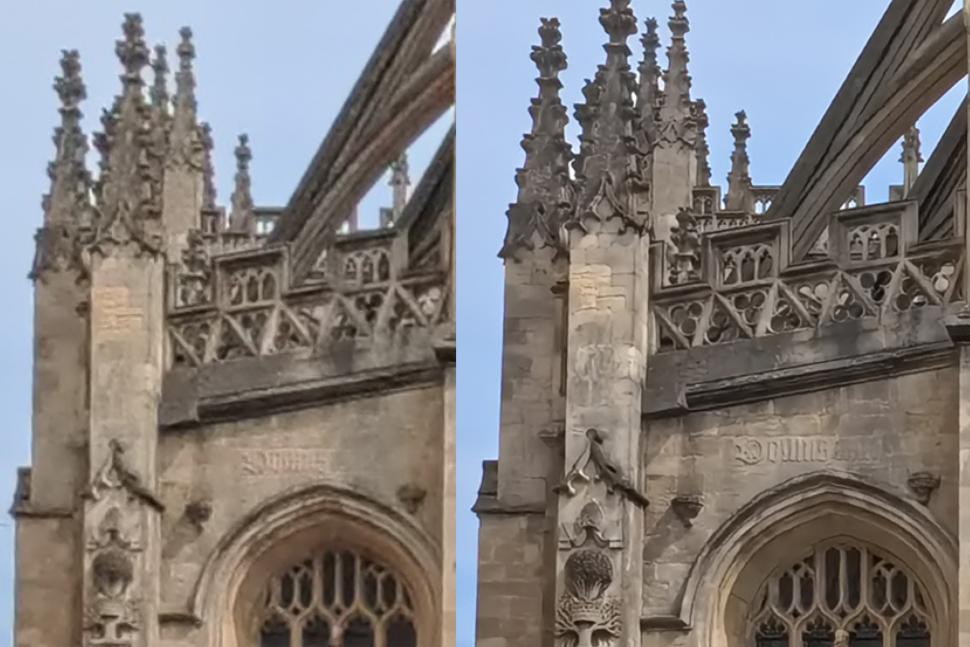
…then you can start to see that the Ace Pro 2 (right) is better overall. There’s more detail and the edges are sharper, and the X5 is showing evidence of chromatic fringing where the top of the stonework meets the sky. If we zoom right in to one of the angels climbing the ladders…
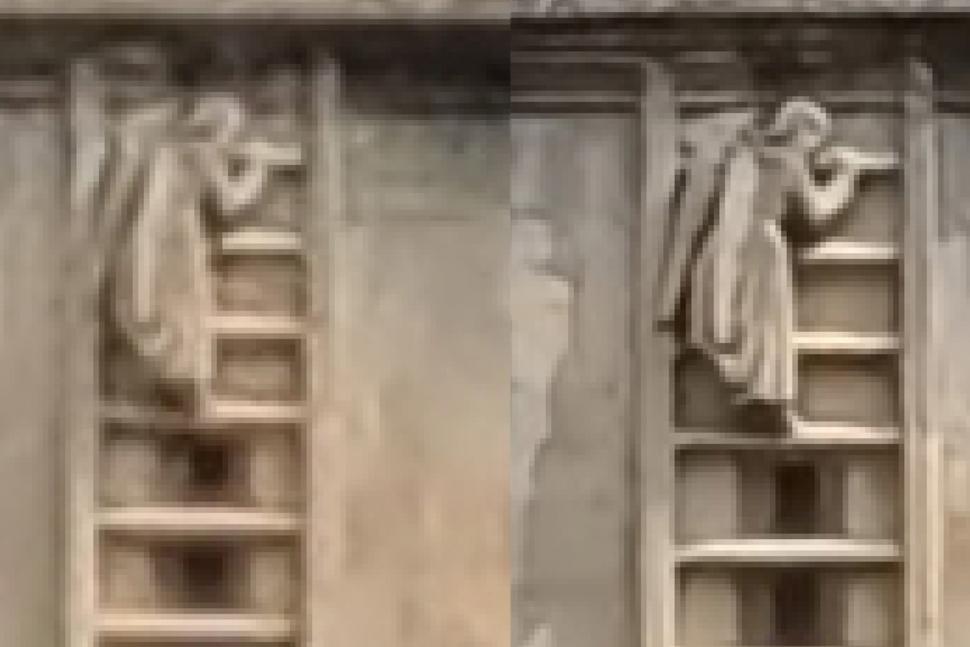
…then you can see much more detail in the Ace Pro 2 pic overall (right), and it copes much better with details in shadows too.
So if you’re looking for the absolute best quality and resolution from your action camera, the X5 isn’t top of the pile; the Ace Pro 2 probably is right now, with 8K footage good enough that a 2x digital zoom still gives a good picture in 4K.
But that’s only part of the story, really. One thing to say about the X5 is that the footage it spits out, straight from the box, with all the factory settings, is pretty much spot on. You don’t need to go down a YouTube rabbit hole of digging into all the parameters: turn it on, and video things, and I’ll pretty much guarantee your footage will look great.
That doesn’t mean you can’t have a good old muck about: the X5 will shoot log footage (i-Log) if you want a nice flat profile to colour grade in your favourite video editing suite at a later point, and there are vivid and flat colour profiles in addition to the standard one. You can also manually adjust the white point, and in manual mode you can also set the shutter speed and the ISO speed.
You can set up presets in the camera too, so your favourite settings are always to hand. But for the vast majority of the video in this review, I just let the camera do its thing. And of course you’re capturing in 360°, so me shooting one shot of riding over a bridge can give me this shot of my view of the bridge…
…or I can be looking back at myself and the group…
…or I can get a sort of ‘tiny world’ view of everything that’s going on.
The reframing possibilities mean that you can be a lot more creative with your footage, and also because you have multiple angles you can make interesting vids with less footage.
The X5 is taking two images, one from either side of the camera, and knitting them together to make one 360° file. It does this with high accuracy, and for the most part you won’t notice the join. There are some exceptions. If you’re holding the camera in your hand, for example, it probably won’t join up your hand very well, but you’re unlikely to want that in the shot anyway. My experience of the X5 is that at the start I worried about whether the thing I wanted in frame was being captured by one lens, and after a while I stopped worrying about it. For nearly anything you do, it’ll be accurate enough that you won’t notice.
The X5 also edits out the selfie stick by default, so the footage looks like the camera is floating in mid air. This is very effective, and only the shadow of the stick on a sunny day really gives the game away. It means, for instance, that you can hold the selfie stick against your lever hood and point it out in front of you, and get a great dolly track shot of you on your bike with no stick in view, and your hands on the bars. Sometimes the hand you’re holding the selfie stick in looks slightly odd, but for the most part you won’t notice.
Insta360 X5 stabilisation: I hardly even thought about it
If there’s one thing that has changed how useful action cameras are more than any other, it’s image stabilisation. The Flowstate stabilisation in the X5 is really, really impressive. In cameras that capture a flat file the stabilisation crops the image a bit because it needs room at the edges to shunt the footage around and keep everything mid-frame nice and still. That’s not an issue for a camera that’s capturing a 360° spherical image, though, so you can have fully stabilised video with as wide a field of view as you want.
The X5 also has a horizon lock, so that whatever way you’re pointing the camera, up is always up. This is especially useful when you’re capturing a range of shots – say you want to do an out-front shot with the selfie stick, then get it down near the tarmac for a low-angle follow shot of your riding buddy. You can do all that in one take, without worrying about rotating the footage in post.
On single-lens action cameras there are situations where you might want to turn stabilisation off – to get the maximum field of view on a static shot, for example. With a camera like this there’s just no downside, so it’s always on, and it’s about as good as any camera I’ve ever used.
Insta360 X5 low light performance: Boosted and better
The X5 is the first of Insta360’s 360° cameras to get its PureVideo mode, which makes use of the larger sensors and a 5nm AI Chip in the camera to significantly boost low light performance. Action cameras are never the best in low light but they’re getting better, and the X5 is a big step up from its predecessors. There’s plenty of riding footage in this audax video that was shot in PureVideo mode:
On days where it wasn’t sunny it was my go-to setting: once you get under tree cover on a dull day, there’s really not much light. The PureVideo mode makes the X5 much more usable in a range of low light situations, for example a Wet Leg gig…
…or a much-less-cool bluegrass band rehearsal in your house.
If you’re somewhere where there is some kind of a light source then generally you’ll get usable footage. It’s not quite the equal of its stablemate the Ace Pro 2 after dark – that’s the best low-light action camera right now – but it’s pretty good, and miles better than its predecessors. I didn’t use the X4, but the X3 really needs bright sunlight for a decent image, so things have come a long way. The PureVideo mode was previously only available up to 5.7K, but the latest firmware version has added 8K support
Insta360 X5 audio: Good out of the box, and external mic now available
The X5 has a built-in mic array on the back (the other side to the screen) with a built-in wind guard that promises clearer audio from the camera in more challenging conditions.
Recording on a bike is always challenging as there’s plenty of wind rushing past the mic, but the combination of the wind guard and the AI wind noise reduction in-camera has meant that I’ve always been able to get usable audio straight out of the camera even when riding quite fast, or into a headwind. It’s a bit better with the mic facing you, but that means that the screen isn’t, so it’s not the ideal setup for recording a piece-to-camera while you’re riding as you can’t see the framing, but it’s much less of an issue with a 360 camera where you get to decide that in post-processing anyway. It’s more just a case of remembering to have the screen facing away from you. If you don’t remember, you’ll still get usable audio.
Until recently I’d have said at this point that I still prefer the audio versatility of the DJI Osmo Action 5, which allows you to link two Bluetooth mics to the camera for crisp audio. That’s still true, but the gap is closing. Insta360 now has its own Bluetooth mic, the Mic Air, which is very compact and easy to pair with the X5. You can choose to record both the Bluetooth audio and the audio from the camera itself, with both available in the Insta360 app, so there’s always a fallback option if there is some problem with the wireless connection. I haven’t had any, though, and the quality of the sound is very good. Here’s a quick supercut of the various audio settings:
It’s worth having voice enhancement or wind noise reduction on all the time in my experience, and when I’ve been out riding and talking to the X5 there has never been a point where I haven’t been able to use a clip. If sound is absolutely crucial then the wireless mic is the one to go for.
Insta360 X5 lens replacement: A genuine game-changer
Anyone who’s ever owned a 360° camera will be acutely aware of the fact that the lenses are vulnerable. They stick out because they have to, in order to get a full 360-degree field of view, but that means it’s hard to put the camera down without putting them in danger of getting damaged.
The X5 has a rubber lens cover that slips over the top of the camera to protect both lenses, and there’s also a soft case you can stick it in. But if you manage to drop it while you’re filming, or knock it on something, or you’re just careless – I wouldn’t know what that’s like, of course – then sooner or later you’re going to damage one of the lenses, or both of them. We have an X3 in the big camera drawer that doesn’t get used much these days because both lenses are marked and you just can’t get clear footage out of it any more.
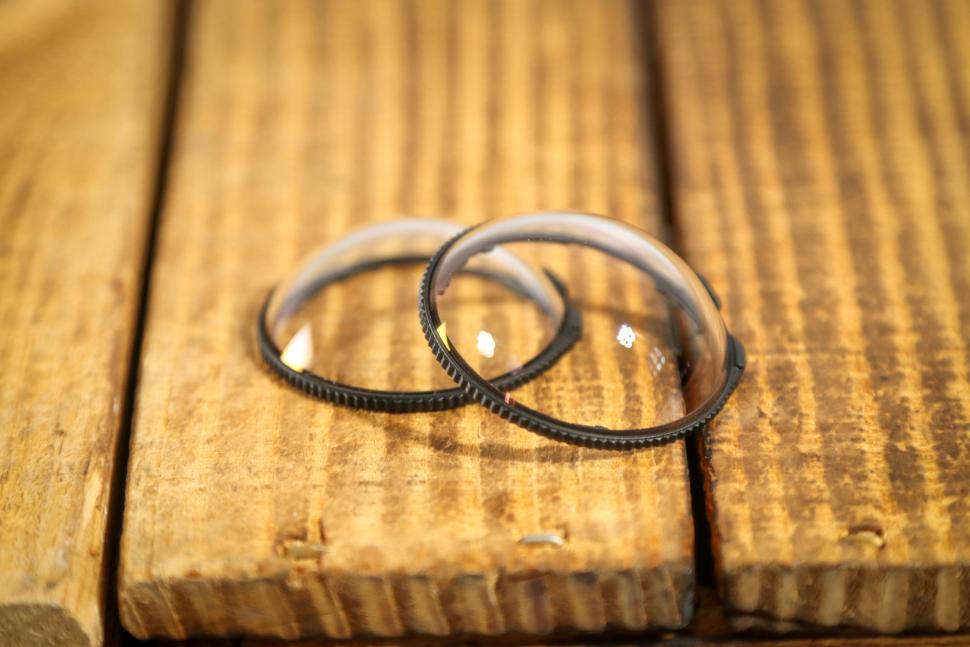
Enter the X5, and the big news is that the lenses are replaceable. Not replaceable in a send-it-off-and-pay-loads kind of way, but replaceable at home, for peanuts. A replacement lens kit costs less than 30 quid, and replacing a lens takes a couple of minutes. It’s such a game-changer.
When the X5 first dropped, the internet was full of influencers bashing camera lenses with hammers and such, and then fitting new ones. I didn’t do that because I knew it’d only be a matter of time before I ruined one, and that happened at the Brompton World Championships:
Before the X5 that would have been that – the end of an expensive camera, or at least a faff for the rest of its life making sure the good lens was pointed at the thing you wanted to film. Now you can just pop out the old lens, whack a new one in, and you’re good to go.
This not only means you can hugely extend the service life of the camera, but that you can use it to get shots where there’s a danger of the lens getting scratched, without having to worry so much about the consequences.
As well as the replaceable lenses Insta360 offers two levels of lens guard, standard ones and multi-coated premium ones, which can take the hit instead of your lens. I’ve used the premium ones which are very good, and don’t really affect the image quality, but they’re not much cheaper than a set of replacement lenses, so you might as well risk it for the sake of the best picture.
Insta360 X5 app: Mobile and desktop both work well
The fact that you’re shooting a spherical image and you can choose to frame it how you want comes with a downside, and the downside is that you can’t just use the footage straight out of the camera. You have to edit it either on your smartphone, if you want some quicker social edits, or on a desktop computer. I tended to use the desktop app for longer form stuff, and the mobile app for short edits on the go. You’re working with big files, especially if you’re shooting in 8K, and my phone struggled both with processing and with storage at times.
Having said that, both apps are very good. The desktop app makes it easy to reframe footage and export flat files; I mostly used it to do that and then used other apps to actually compose the final video. The mobile app has a pretty good editor which allows you to pick clips, trim them, add transitions and effects and text, and export. It also allows you to auto generate a video, based on a selection of clips and a template. Here’s one I did from the footage from that Sheffield audax vid above…
And, well, it’s not what I would have done with the footage. But it’s a simple way to make an engaging vid and it’s useful if you want to get something online in a hurry. That being said, editing on your phone (assuming you have the space and the power) is a pretty quick process and you’ll end up with a better video if you put in a bit of effort. There are some generative AI functions too where you can augment your video; I didn’t use them.
Insta360 X5 ecosystem: Growing all the time
I’ve already touched on the fact that Insta360 now makes a wireless microphone that pairs with the X5 (plus its other cameras) and that’s a good thing. Another thing that was missing from the X5 was ND filters, which are useful in bright sunlight to keep the shutter speed down for more of an impression of speed in action footage. The latest system release, which included the new bigger battery, also includes ND filters which fit in the place of the standard lens protectors, and make the camera look, well, pretty cool…
They’re available in three strengths, and although at £55 they’re not cheap, they are well made and also function as a lens protector, although it’s actually cheaper to replace a lens than buy new ND filters. The image quality through the ND filters is excellent: they don’t noticeably affect the image quality or produce any colour shift.
I’ve been using the standard selfie stick, and one of the issues with the X5 as a cycling camera is that the overall package of camera-plus-stick is a bit bulky. However, there’s now a new folding selfie stick which also doubles as a remote and looks like it’ll be perfect for slipping into your jersey pocket. I’ve yet to try one, though.
There are masses of other accessories too. You can get a GPS remote which you can use to control the camera and record GPS data for overlays such as this one…
That gives you a bunch of data to play with, although you can see from the slope data in that video that it’s sometimes not the most reliable. You can also sync your video data via services like Garmin Connect, or just use a .fit file from your computer, and that’ll give you access to things like power and heart rate (if you’re recording those); it’s an extra step, but it’s not difficult. Apologies for the double specs in the vid, I was going to put my sunnies on to look cool and promptly forgot until I saw the footage.
There are three flavours of remote: just camera control, or you can get one with a screen for previewing what you’re shooting, and there’s one with a mic too, although it can’t currently be on microphone duties and function as a preview at the same time.
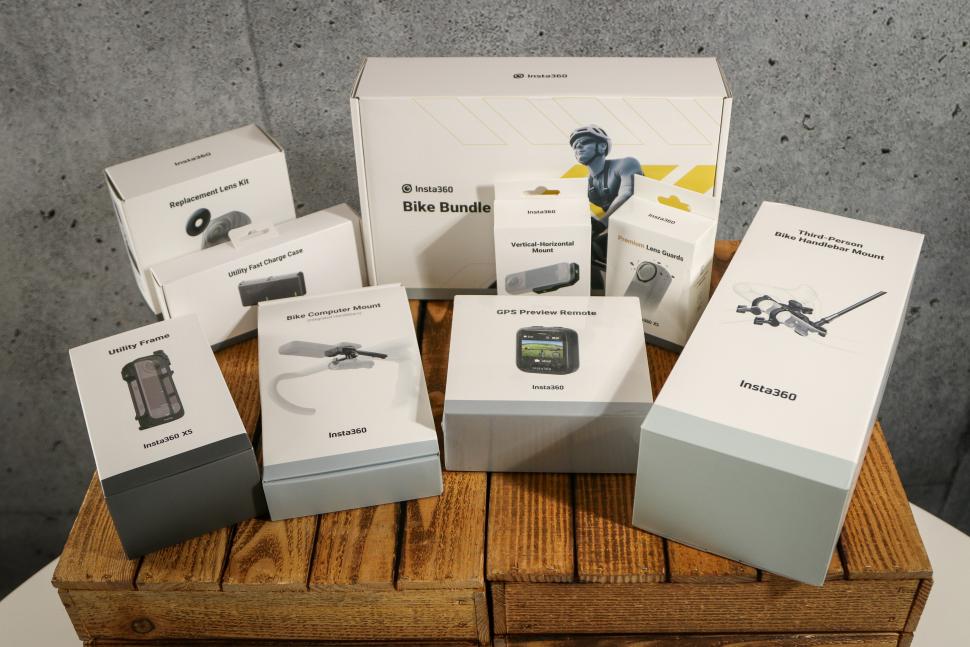
There are the standard and premium lens guards we’ve touched on, a bunch of different utility cases, a bullet time handle for swinging the camera round your head, magnetic mounts, hard hat mounts, dog mounts, backpack mounts… the list goes on. Suffice to say, you’ll probably be able to do what it is you need to do.
Insta360 X5 value and overall: Expensive, but enormously capable
There’s no getting away from the fact that the X5 is a pricey camera. If you just want the camera I’d probably go for the foldable selfie stick bundle, which is £560. The price for just the camera is £516, which is over £100 more than the top-end single-lens cameras. Once you start adding in mounts, or microphones, or remotes, or lens guards/ND filters/replacement lenses it’s easy to get north of £800 for your setup.
On the other hand, it’s a great camera. You can get a range of shots that’s not possible with a standard action camera, and it’s the first 360° camera I’ve used where I don’t feel like I’m sacrificing video quality to get that versatility. OK, it’s not quite as crisp as its stablemate the Ace Pro 2 (£389.99), or DJI’s Osmo Action 5 Pro (£329 – or £409 for the Adventure Combo), but it’s very, very good, and there’s no doubt you can use this camera to make high-quality videos of your adventures.
Is it the camera for you? For riding, I think it offers a lot. Just the fact that you can stick it on an out-front mount and simultaneously get footage of yourself and the road ahead is a huge bonus, and the range of other shots you can get with a camera like this just makes it easier to put together an interesting vid.
In the past I’ve said to be absolutely sure that you want a 360° camera before you commit, because they require more care and the lenses are easy to damage. The replaceable X5 lenses have removed that pain point, and of all the things Insta360 has done that’s the one that makes the new unit so much easier to recommend. And recommend it I would: it’s an excellent camera.
Verdict
Excellent 360° camera that’s great for filming rides, now with replaceable lenses
All the deals displayed on our review pages are pulled from a constantly updating database feed of the best affiliate deals available. The criteria for deciding on what are the best deals is who is offering the lowest, delivered price. In most cases we will be showing the very best deal available online, but sometimes you may be able to find an item cheaper. If you can please feel free to post a link in the comments box below. To find out more about affiliate links on road.cc click here.
road.cc test report
Make and model: Insta360 X5
Size tested: n/a
Tell us what the product is for and who it’s aimed at. What do the manufacturers say about it? How does that compare to your own feelings about it?
From Insta360:
FLAGSHIP IMAGING, FLAGSHIP EVERYTHING: THE 360° GOAT
Larger 1/1.28” sensors and a lightning fast Triple AI Chip system sets a new benchmark for 360° capture. This powerful hardware combination delivers true-to-life colors, stunning clarity, and brighter, more vivid visuals.
SEE IT HOW YOU SAW IT
Capture your world with astonishingly true-to-life image quality. X5 uses supersampling from 11K to 8K, making it far more detailed and clearer and delivering truly immersive clips.
360° PUREVIDEO: MAGIC AT ALL HOURS
Shooting at night or in low light? Advanced AI noise reduction and dynamic range optimization deliver clear, vivid footage, no matter the situation.
FULLY REPLACEABLE, RUGGED LENSES
Crashed out? X5’s new replaceable lens design lets you pop out the damaged lenses and snap in fresh ones. No stress, no downtime.
SERIOUSLY DURABLE
Say goodbye to scratches, cracks, and heartache. X5 features an ultra-hard optical film and boasts a 100% improvement in drop resistance compared to X4, effectively resisting scratches from keys, coins, and other metals. Using the camera outdoors may increase the risk of scratches. It’s recommended to use suitable lens protection and avoid bumps or drops.
5.7K60FPS ACTIVE HDR: SMOOTHER, SHARPER ACTION
Now upgraded to 60fps, this innovative mode captures stunning details and colors in highlights and shadows, and delivers superb stabilization even in action-packed moments.
360° CAPTURE INVISIBLE SELFIE STICK
Now you see it, now you don’t. Film impossible “how did you get that”
third-person angles, “that must be a drone” footage, and iconic 360° views, no selfie stick in sight.
ONE CAMERA, ANY PERSPECTIVE
A multi-cam setup in one device. X5 packs every possible angle into a single shot”no extra gear, no retakes, no missed moments. With 360° video capturing everything around you, hit record, focus on life, and pick the best angles later with
4K60FPS SINGLE-LENS MODE
Use X5 like a traditional action camera and shoot crispy 4K60fps first-person videos. Go even wider with MaxView in FreeFrame Video, featuring a 170° FOV in 4K30fps.
72MP 360° PHOTOS
More details, more “woah”. Savor unforgettable moments with eye-popping 72-megapixel 360° photos.
SIMPLY CLEARER AUDIO
Wind? What wind? Shredding trails or riding waves, your audio stays crystal clear. The new multi-layer Wind Guard with steel mesh silences gusts like they never happened. X5’s upgraded audio algorithm cuts through wind and environmental noise, for a superior sound that immerses your viewers. One of four unique audio modes for clear audio every time!
Tell us some more about the technical aspects of the product?
From Insta360:
Photo & Video
Sensor Size: 1/1.28″
Lens Aperture: F2.0
Focal Length: 6mm
360° Video Resolution
8K: 7680×3840@30/25/24fps
5.7K+: 5760×2880@30/25/24fps
5.7K: 5760×2880@60/50/48/30/25/24fps
4K: 3840×1920@120/100/60/50/48/30/25/24fps
Photo Resolution
Approx. 72MP (11904×5952)
Approx. 18MP (5888×2944)
Video Modes: 360°: Video (built-in Active HDR), PureVideo, InstaFrame, Timelapse, TimeShift, Bullet Time, Loop Recording, Road Mode
Photo Modes: Photo (optional HDR), Interval, Starlapse, Burst
Color Profiles: Vivid, Standard, Flat, I-Log
Max. Video Bitrate: 180Mbps
Exposure Value: +/- 4EV
ISO Range: 100–6400
Shutter Speed: Photo: 1/8000 – 120s
Video: 1/8000 – to the limit of frames per second
White Balance: 2000K-10000K
Audio Modes
· Auto Wind Noise Reduction (two strengths)
· Voice Enhancement
· Stereo
· 360° Audio
Audio Format: 48 kHz, 16bit, AAC
Weight: 200g
Dimensions (W x H x D): 46×124.5×38.2mm
Color: Midnight Black, Satin White
Battery Capacity: 2400mAh
Charging Time
80% in 20 mins (9V 3A)
100% in 35 mins (9V 3A)
The lenses are still vulnerable but you can replace them now, so much less of an issue.
Heavy for an action cam, but fine.
More expensive than other top-end action cams, but you’re getting more too.
Tell us how the product performed overall when used for its designed purpose
It’s a great camera to use on the bike.
Tell us what you particularly liked about the product
Good footage, multiple shots from one vid, replaceable lenses.
Tell us what you particularly disliked about the product
It’s a bit bulkier than a single-lens camera.
How does the price compare to that of similar products in the market, including ones recently tested on road.cc?
£100+ more than the likes of the DJI Osmo Action 5 Pro (£329) and the Insta360 Ace Pro 2 (£389.99), but not directly comparable.
Did you enjoy using the product? Yes
Would you consider buying the product? Yes
Would you recommend the product to a friend? Yes
Use this box to explain your overall score
Overall it’s an excellent camera for filming your rides, and a lot more. Expensive, but if you’re into capturing your adventures then it’s easy to recommend.
About the tester
Age: 52 Height: 189cm Weight: 99kg
I usually ride: whatever I’m testing… My best bike is: Lauf Úthald, Kinesis Tripster ATR, Dward Design fixed
I’ve been riding for: Over 20 years I ride: Every day I would class myself as: Expert
I regularly do the following types of riding: commuting, touring, club rides, general fitness riding, fixed/singlespeed, Mountain Bike Bog Snorkelling, track



4 thoughts on “Insta360 X5”
Good review.
Good review.
What’s the battery life like?
What’s the battery life like?
If you mean run time, its
If you mean run time, its posted above, or if you mean recharge cycles, I didn’t find that.
Run Time
Run Time
8K30fps: 93 mins
8K24fps Endurance Mode: 115 mins
5.7K30fps: 135 mins
5.7K24fps Endurance Mode: 208 mins