Which Garmin

  • Creator
    Topic
  • #31885
    kinderje

    My trusty Garmin 500 is on its way out and I need help deciding what to get next. Not being rude but please don’t suggest Wahoo, Bryton etc as I am happy with Garmin.

    I want to use navigation but can’t decide between 530 and 830 – is the 830 touchscreen worth the extra expense?

    Also, any views on Edge Explore? I haven’t got a powermeter or cadence sensor so are the 530/830 not really worth the extra expense, or is the battery life of the Explore not as good?

    TIA.


    ****UPDATE****


    Thanks for all the advice I finally took the plunge and bought an 830 – managed to use my wife’s NHS discount and got one for £260. Now to start plotting routes and downloading them?

Viewing 15 replies - 1 through 15 (of 48 total)
  • Author
    Replies
  • #987339
    0
    IanMSpencer

    Just bit the bullet after my
    Just bit the bullet after my 800 died on me on a ride I was leading on unfamiliar roads. Managed to resurrect it but it was clearly getting dimentia due to old age.

    Set up the 830. More or less the same underlying functionality as the 800, inbuilt maps now rather than the joy of DIY OSM, and a lot of fluff features to disable, but soon got it set up as I liked it (one busy screen, a lap screen and a map screen with speed and lap average). The WiFi and Bluetooth certainly reduce the hassle of managing it.

    50 mile ride used 12% of the battery without switching it off in the cafe – about 4 hours including being linked to the phone to do whatever it might do.

    #987337
    0
    Jetmans Dad
    kinderje wrote:
    Everything still works okay it’s just that the battery life has started to plummet – a 4 hour ride now uses about 75% of the battery

    Mine reached that stage … I just kept a power bank in my gel bag on the crossbar and plugged it in if I needed to. 

    #987335
    0
    Jetmans Dad

    IanMSpencer wrote:

    IanMSpencer wrote:
    I’m not sure I’d trust the Hammerhead to be working in 10 years time from my experience with Android device obsolescence.

    That’s down to what Hammerhead choose to do. Android obsolescence exists because most phone makers are on a constant cycle of updating their handsets and are actively looking to persuade customers to upgrade every couple of years. 

    One way of doing that is to minimise the hardware specifications so that the current and next version of Android will happily run on it, but the one after that will struggle … or just not offer more than one OS update for a particular phone forcing your average customer to buy a new phone to obtain the up to date version. 

    That is not what Hammerhead is doing. 

    On top of which, the OS on the Karoo is based on the Android kernel but highly specialised for the devices. 

    #987333
    0
    Jetmans Dad

    I would agree with that. I

    I would agree with that. I went from a 500 to 520+ and the buttons are essentially the same. I don’t think the 530 is any different. 

    #987331
    0
    Gimpl

    Reminds me of the remote

    Reminds me of the remote control they gave me for my new Alpine car stereo in the 90’s – I was like, ‘really?’. I’d have been more likely to have an accident trying to find it than simply reach across to change station or cassette. I can appreciate that it would have been useful for passengers in the back but frankly anyone in the back can do one when it come to controlling the car stereo!

    #987329
    0
    wycombewheeler
    peted76 wrote:
    I brought the 530 not wanting to spend the extra on the touchscreen 830.. kinda wished I had, the buttons on the 530 are simply not intuitive and it feels like it was designed to be a touch screen. Saying that, you of course will get used to the buttons eventually, so… you pays your money and you makes your choices. 

    I haven’t found that at all. I had previous 500s and I’m sure the buttons worked just the same.

    #987327
    0
    wycombewheeler

    The same can be achieved with

    The same can be achieved with shimano di2, using buttons on the top of te hoods. except better because the bottons are where your hands naturally sit.

    As far as I can tell the remote is designed to be attached to the handlebars (same as the garmin) So how is it different moving your hands to the remote, from moving your hand to the garmin?

    #987325
    0
    mdavidford

    “I can’t think of a case

    “I can’t think of a case where [anyone would] need it” =/= “I don’t need it”. It is possible to try to consider use cases other than your own. Obviously, it possible that you may miss some, but then Secret_squirrel didn’t claim that there were no cases – only that they couldn’t think of any.

    #987323
    0
    srchar

    Ah well if you don’t need it,

    Ah well if you don’t need it, why would anyone else?

    #987321
    0
    Secret_squirrel

    not sure that’s entirely fair

    not sure that’s entirely fair though time will tell. The hammerhead is still getting updates even though it’s 4 years old.   It’s not really comparable to a cheap android phone.  

    #987319
    0
    Secret_squirrel

    Because reaching 10cm to the

    Because reaching 10cm to the head unit is such a chore?  I can’t think of a case where you need this, if you are travelling in such a way that it’s not safe to reach the head unit you probably shouldn’t be fiddling with the gps at all.

    #987317
    0
    JackSmith

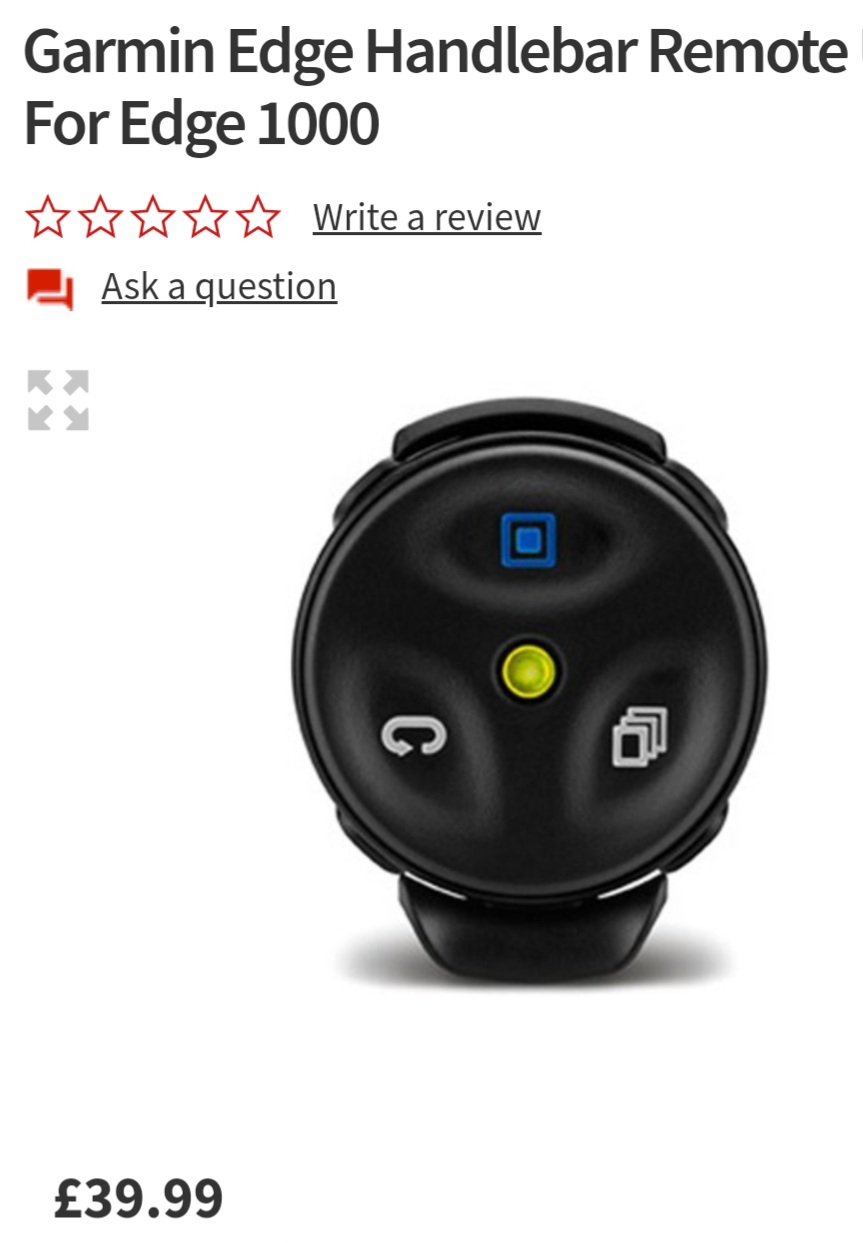
    Whichever Garmin you choose I
    Whichever Garmin you choose I would purchase the remote, brilliant piece of kit that makes changing screens so much safer

    I have had mine setup for an edge 1000 and my edge 1030, I believe it also works with the 530 and 830

    https://cdn.road.cc/wp-content/uploads/roadcc/20220107_190951.jpg

    #987315
    0
    Steve K
    wycombewheeler wrote:
    I found it very helpful when doing an endurance event with 10,000m of climbing (multi days) to see how far to the next climb, and how long it would be.

    Sometimes it misses some, don’t know how the algorithm decides what counts as a climb, but it’s quite useful to see them being ticked off.

    Climb pro is good, but the algorithm is weird.  I’ve had the same climb register as a climb when tackling it on one route, but not on another.

    #987313
    0
    peted76

    Just anecdotally, I ruined

    Just anecdotally, I ruined the connector on my garmin 530 and Garmins customer service was, simply put, exemplary! Since then, I’ve heard the same from a couple of mates who’ve also had repairs or replacements and had to deal with Garmins CS. I wasn’t a fanboy before I had a problem and frankly was preferring to maybe get a wahoo.. now however, from my experience, I’m an advocate of Garmin!

    #987311
    0
    peted76

    I brought the 530 not wanting

    I brought the 530 not wanting to spend the extra on the touchscreen 830.. kinda wished I had, the buttons on the 530 are simply not intuitive and it feels like it was designed to be a touch screen. Saying that, you of course will get used to the buttons eventually, so… you pays your money and you makes your choices. 

Viewing 15 replies - 1 through 15 (of 48 total)
  • You must be logged in to reply to this topic.