Di2 Wireless Unit Bricks Bike

  • Creator
    Topic
  • #31997
    AfterPeak

    Hi

    I am luckly to have Ultegra Di2 which I installed and set up myself. All has been working well for the last year or so but now not so much!

    When I connect to it via the wireless unit/phone app all seems ok but when I disconnect the app the bike is bricked. Disconneting the battery and reconnecting it brings everything back up and running but using the wireless app leads this to happen everytime.

    Current set up is one Di2 lead between shifters. One Di2 from left shifter to in-frame unit. In-frame unit to four way box with the rear and front mech connected to that. Finally the battery has a short wire to wireless unit then wireless until to four way box.

    Anyone got any ideas why the wireless unit/app would do this?

    FYI using a laptop and cable works fine when disconnecting.


Viewing 6 replies - 1 through 6 (of 6 total)
  • Author
    Replies
  • #990031
    0
    mark1a

    I’ve just had another thought

    I’ve just had another thought after connecting up one of my bikes…

    The app has been updated at some point (I hardly ever use the app, I would never do firmware updates over the air, cable only and my main reason for using D-Fly is head unit communication).

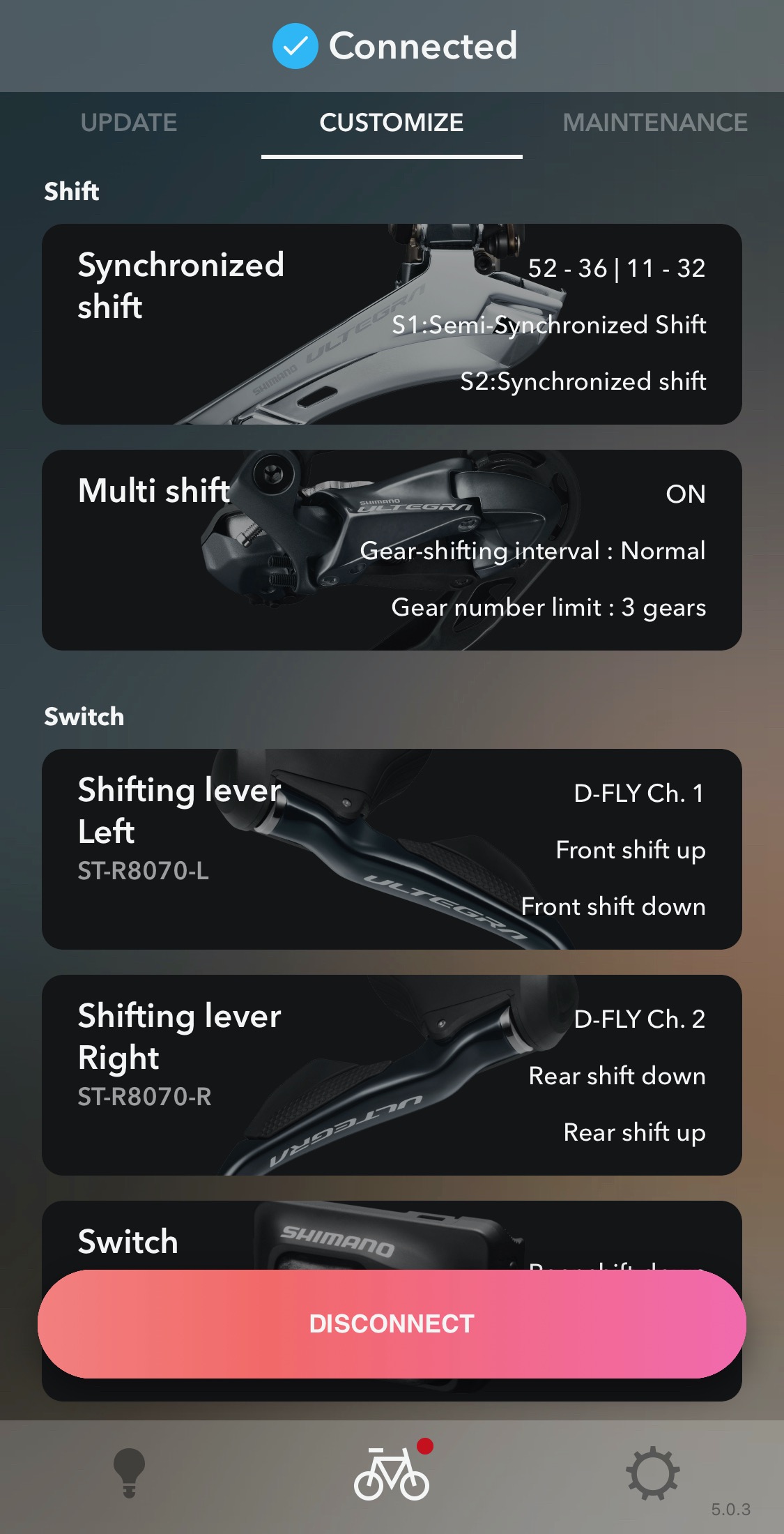
    Obviously when connected, the system is unresponsive, probably in some kind of maintenance mode. There’s a big “DISCONNECT” button in the app now – are you pressing “DISCONNECT” or just quitting the app? I wonder if the latter, the system is not waking up again and still thinks it’s connected.


    https://cdn.road.cc/wp-content/uploads/roadcc/di2_ble.jpeg

    #990029
    0
    AfterPeak

    I have never changed the pass

    I have never changed the pass key but also not tried to delete and start again with the phone app. Thanks for the advice. Will give that a try and see

    #990027
    0
    AfterPeak

    Yep inside the seat tube

    Yep inside the seat tube (carbon) between battery and junction box at BB. Strangly I have no issue connecting with the app and controlling the system with my phone. It is just the disconnection stage where it goes wrong. I click the disconnect from bike on the app and then lights are all out on Di2 and nothing works. Disconnect the battery and plug it back in and all back alive again.

    #990025
    0
    mark1a

    You can get away with it, one

    You can get away with it, one of my bikes has fully hidden cables, and the D-Fly unit is inside the carbon handlebars. Communicates with both the head unit and phone OK, the distances are very small of course. However I agree with you, if possible the ideal position would be external. 

    #990023
    0
    Secret_squirrel

    Are you saying the wireless

    Are you saying the wireless unit is inside the bike with the battery?  Thats a no-no afaik.  Most bike materials attenuate wireless signals.

    #990021
    0
    mark1a

    When you paired the phone,

    When you paired the phone, did you change the Bluetooth pass key when prompted? If so, this can cause problems if still using the original pairing. 
     

    I think I would try this:

    • close and completely quit the phone app
    • delete the Di2 device from your phone Bluetooth pairing list
    • connect a PC with a cable and E-TUBE software
    • change the Bluetooth pass key from default 000000 to something else
    • while plugged in, make sure all components have latest firmware
    • disconnect PC
    • remake the phone Bluetooth pairing and try again with the phone app

    All assuming that your Di2 install is similar/compatible series, for example 67xx front mech won’t work with 68xx or 80xx if on latest firmware, and that you have a compatible battery DN100 or DN110, and you also don’t have any signal issues if the wireless unit is inside the frame. 

    Good luck!

Viewing 6 replies - 1 through 6 (of 6 total)
  • You must be logged in to reply to this topic.