
Problems for logged in users (+ temporary fixes)

  • Creator
    Topic
  • #31686
    Jack Sexty

    Hi folks, 

    Some of you with road.cc accounts might have noticed that the site has been coming up with error messages or a blank page when logged in. We’re looking into it and hoping that everything will be resolved very soon, but for now if you’re still having problems here are some options: 

    Option 1 – Access the site from a private window (this is called an incognito window in Google Chrome to give one example) 

    Option 2 – go to your history, clear your cookies and cache. When you get back to road.cc click more info and then ‘reject all’ when you get the privacy notice. You should then be able to log in as normal. 

    For those without road.cc accounts/not logged in there shouldn’t be any problems. Sorry about this! 

Viewing 9 replies - 1 through 9 (of 9 total)
  • Author
    Replies
  • #982221
    0
    Hirsute

    I can paste ok now.

    I can paste ok now.

    #982219
    0
    hawkinspeter
    Jack Sexty wrote:
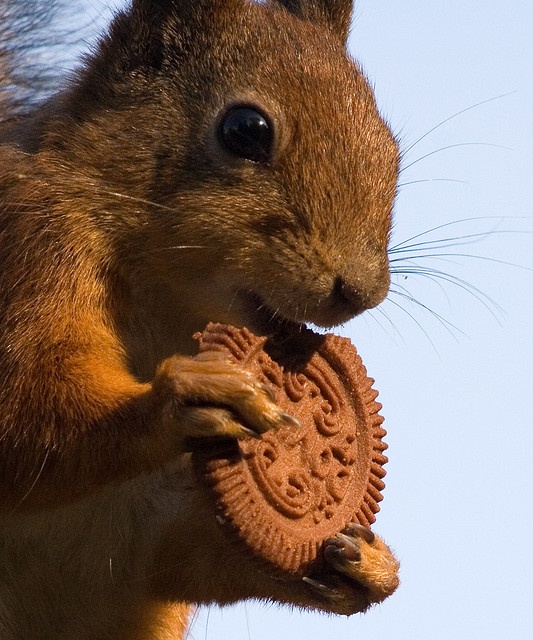
    I’m told everything should now be fully fixed… it was to do with our extra large cookies, we need to be less greedy and have less big cookies is the technical explanation. Apologies again!

    Yep, it’s all working here now.

    Nom nom nom


    https://cdn.road.cc/wp-content/uploads/roadcc/squirrelcookie2.jpeg

    #982217
    0
    Jack Sexty

    I’m told everything should

    I’m told everything should now be fully fixed… it was to do with our extra large cookies, we need to be less greedy and have less big cookies is the technical explanation. Apologies again!

    #982215
    0
    Hirsute

    On FF

    On FF

    I now cannot paste into a comments box. I have to right click and paste into a pop up box then ok to finish.

    Is this connected to the changes ?

    #982213
    0
    devPanda

    Is this likely to have

    Is this likely to have anything to do with not being able to log into the Fantasy cycling?

    #982211
    0
    AlsoSomniloquism

    Yep, noticed it has been

    Yep, noticed it has been moved around now.  Working in IT, I’m used to simple changes bringing down the world around you. 

    #982209
    0
    Jack Sexty

    The main image encroaching on

    The main image encroaching on the live blog sidebar should now be fixed. Apologies again that the site changes haven’t gone totally swimmingly!

    #982207
    0
    AlsoSomniloquism

    It was hitting me on Chrome

    It was hitting me on Chrome and Edgium and my ipad’s Safari. But only when I was logged in. Not logged in and was fine. Following what Jack (initially Dave by email) posted above did work though. As others were posting at the time, I didn’t know if it was being a subscriber rather then free member.

    I also noticed that the News Page top jpg was out of its borders and even encroaching on the side text before and after managing to logon. 

    Edit: I cleared my cookies on Edgium yesterday and worked fine (still working). Left Chrome alone though and still affected with Internal Server 500 error so still a blip somewhere.

    #982205
    0
    hawkinspeter

    Ah – that’d explain the 500

    Ah – that’d explain the 500 errors I was getting from Chrome on my PC. It’s fine on Firefox though.

Viewing 9 replies - 1 through 9 (of 9 total)
  • You must be logged in to reply to this topic.